PAMSPAN501x G.SHDSL.bis EFM Gateway
-63
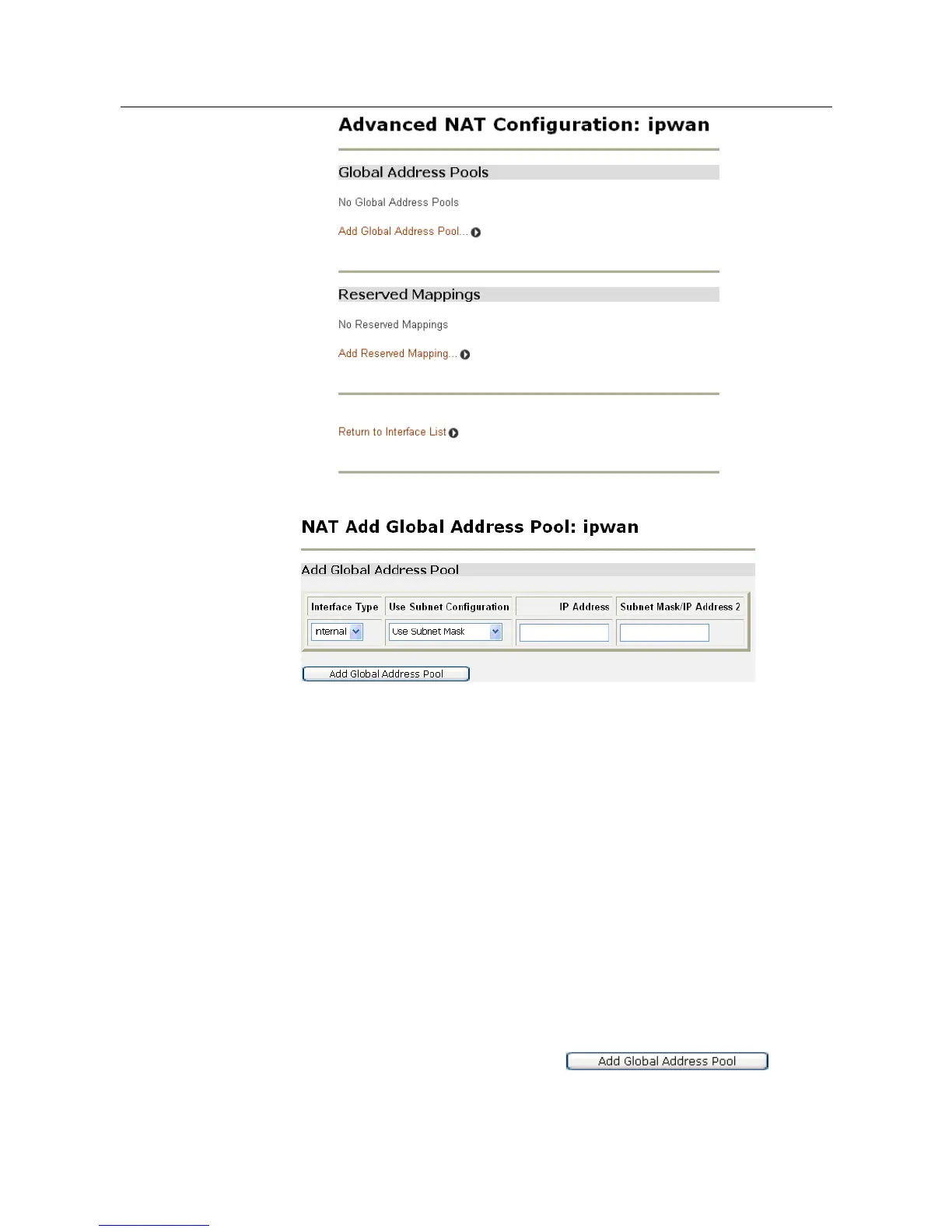
2. Click Add Global Address Pool. The following page will be displayed:
3. This page allows a pool of network IP addresses that are visible outside your
network to be created. Add values for the following table entries:
• Interface Type - select the type of interface that is to be mapped to an external
interface. Click the drop-down list and select an interface type.
• Use Subnet Configuration - there are two ways to specify a range of IP addresses:
either Use Subnet Mask (specify the subnet mask address of the IP address) or
Use IP Address Range (specify the first and last IP address in the range). Click the
drop-down list and select a method.
• Enter an IP Address that is visible outside the network
• Subnet Mask/IP Address 2; the value specified here depends on the subnet
configuration that is being used. If Use Subnet Mask is chosen, enter the subnet
mask of the IP address. If Use IP Address Range is chosen, enter the last IP
address in the range of addresses that make up the global address pool.
4. Once the table has been configured, click . The
table is refreshed and the global address pool is added to the NAT configuration.



 To Next Page