PAMSPAN501x G.SHDSL.bis EFM Gateway
-83
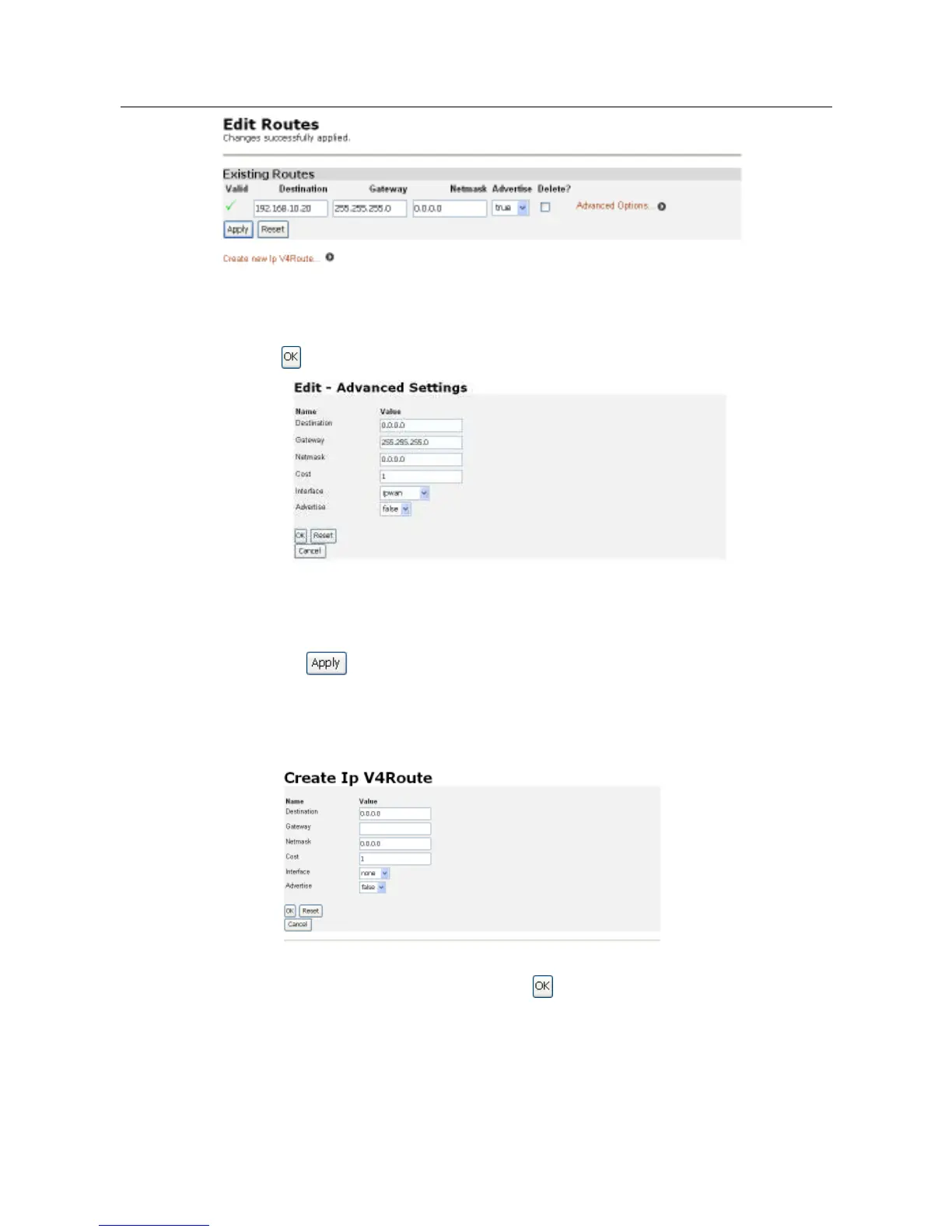
2. To edit the cost, interface setting or advertise status for the route, click on the
Advanced Options hyperlink for a specific route and update the relevant information.
Click on .
Deleting a route
1. To delete an existing route, check the Delete box for a specific route.
2. Click on .
Creating an IP V4 Route
1. Click on the Create new Ip V4 Route hyperlink. The following page is displayed
2. Complete the Create IP v4 Route form in order to configure the route.
3. When you have typed the details, click on . The Edit Routes page is displayed.
The table now contains details of the route that you have just created.



 To Next Page