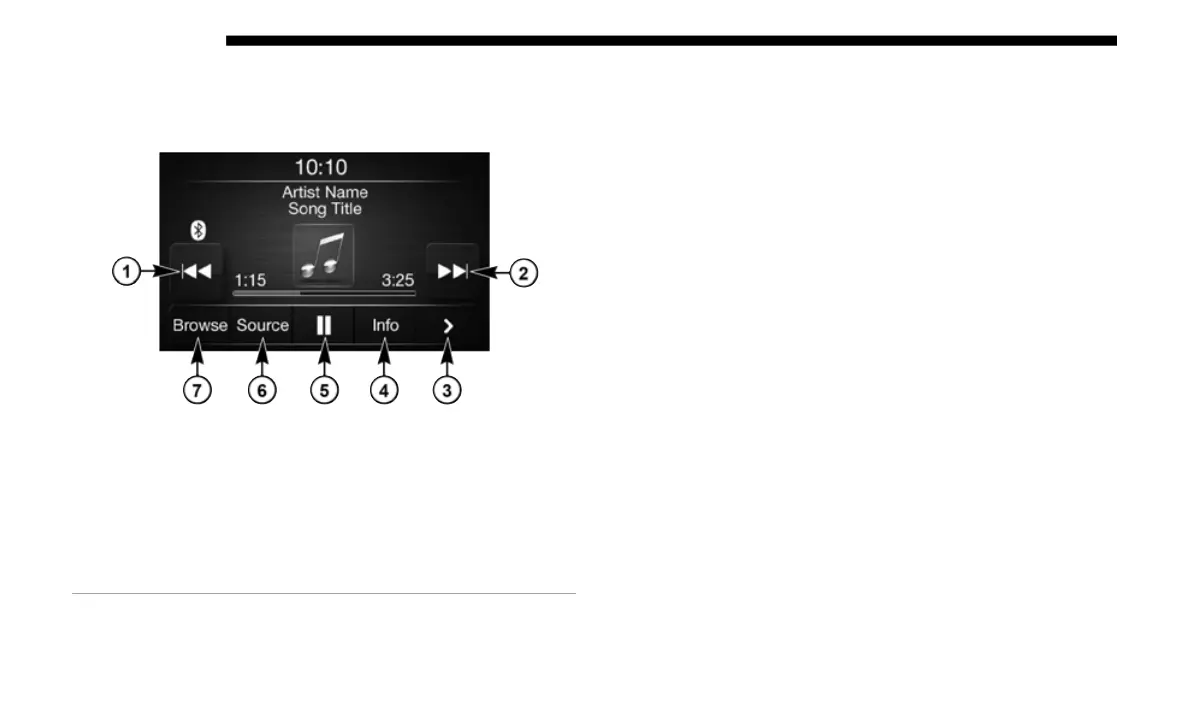
560 MULTIMEDIA
Media Mode
Operating Media Mode
Media Mode
Media Mode is entered by pushing the MEDIA button
l
ocat
ed on the faceplate.
Audio Source Selection
Once in Media Mode, press the Source button on the touch-
screen and the desired mode button on the touchscreen. Disc
(
if e
quipped), USB, SD Card (if equipped), AUX and Blue-
tooth® (if equipped), are the Media sources available. When
a
vail
able, you can select the Browse button on the touch-
screen to be given these options:
• N
ow Playing
• Arti
sts
• Albu
ms
• Genr
es
• Songs
•
Playl
ists
• Folde
rs
You
can press the Source, Pause/Play, or the Info button on
the t
ouchscreen for artist information on the current song
playing.
1 — Seek Down
2 — Seek Up
3 — Additional Functions
4 — Info
5 — Pause/Play
6 — Source
7 — Browse














 To Next Page