MULTIMEDIA 589
Media Mode
Press the Media button on the touchscreen to select the
desir
ed audio source: AUX.
Audio
Refer to Radio Mode for adjusting the audio settings.
BLUETOOTH® MODE
Overview
Bluetooth® Streaming Audio (BTSA) or Bluetooth® Mode is
e
nter
ed by pairing a Bluetooth® device, containing music, to
the Uconnect System.
Before proceeding, the Bluetooth® device must be paired to
the U
connect Phone to communicate with the Uconnect
System.
NOTE:
See the pairing procedure in the Uconnect Phone section for
more
details.
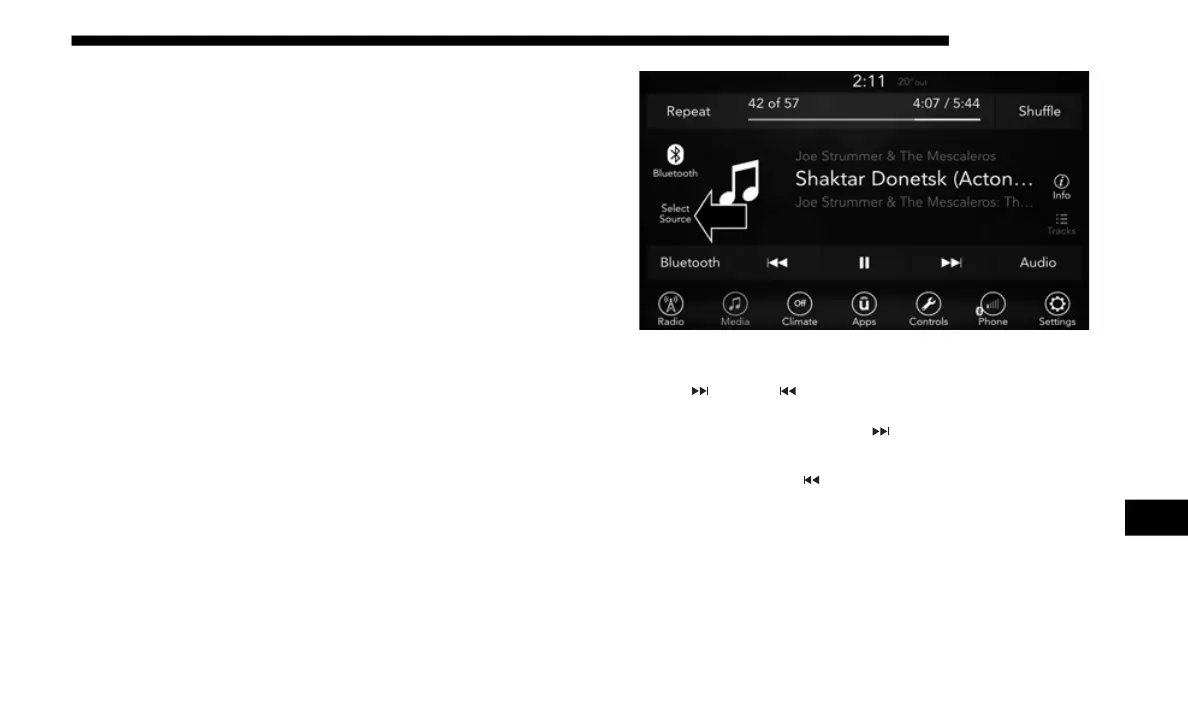
To access Bluetooth® mode, press the Select Source button
on th
e left side of the display, and then select Bluetooth®.
Bluetooth® Mode
Seek Up /Down
Press and release the Seek Up button on the touchscreen
for the next selection on the Bluetooth® device. Press and
r
elea
se the Seek Down button on the touchscreen to return
to the beginning of the current selection, or return to the
b
eginn
ing of the previous selection if the Bluetooth® device
is within the first second of the current selection.
Media Mode
Press the Media button on the touchscreen to select the
desir
ed audio source: Bluetooth®.
9














 To Next Page