604 MULTIMEDIA
4. Search for available devices on your Bluetooth® enabled
mobile phone.
• Press the Settings button on your mobile phone.
• Sel
ect Bluetooth® and ensure it is enabled. Once
enab
led, the mobile phone will begin to search for Blue-
tooth® connections.
Pairing A Phone
If No is selected, and you still would like to pair a mobile
p
hone
, press the “Phone Settings” button from the
Uconnect Phone main screen.
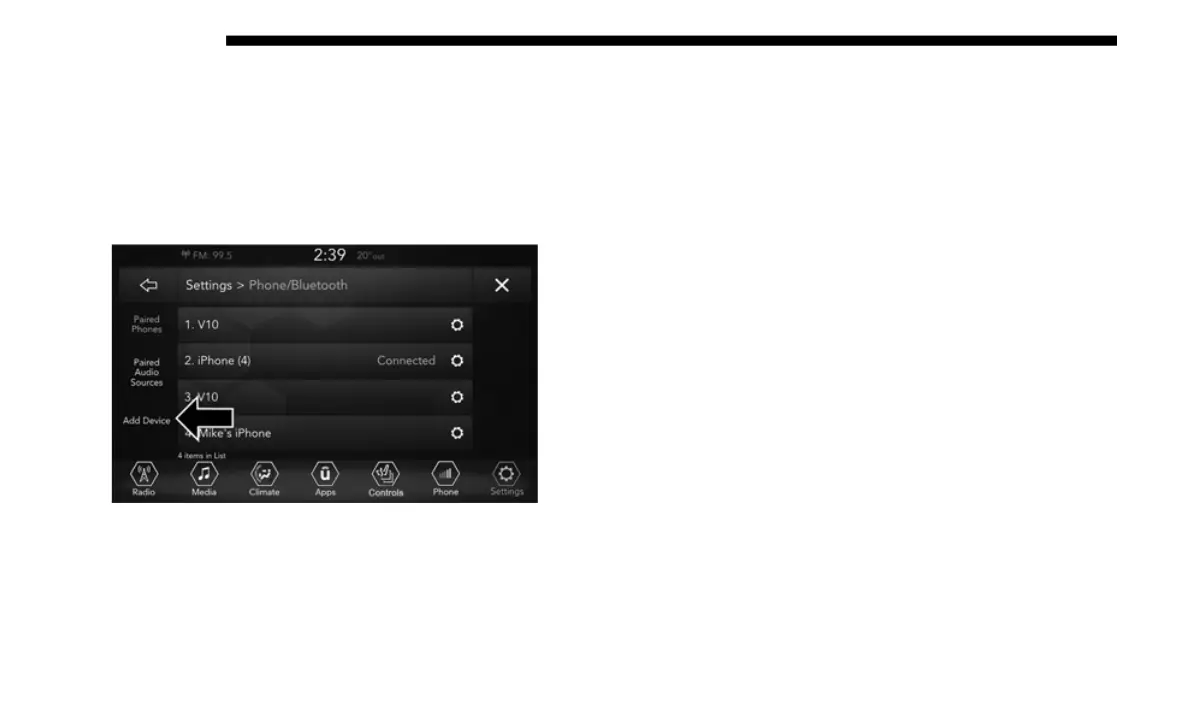
• Select “Paired Phones”, and then press the Add Device
butt
on on the touchscreen.
• Search for available devices on your Bluetooth®
enab
led mobile phone (see below). When prompted on
the phone, select “Uconnect” and accept the connection
request.
5. Uconnect Phone will display an in progress screen while
the
system is connecting.
6. When your mobile phone finds the Uconnect system,
sele
ct “Uconnect.”
7. When prompted on the mobile phone, accept the connec-
tion
request from Uconnect Phone.
NOTE:
Some mobile phones will require you to enter the PIN
n
umbe
r.














 To Next Page