computer radio control system
EN
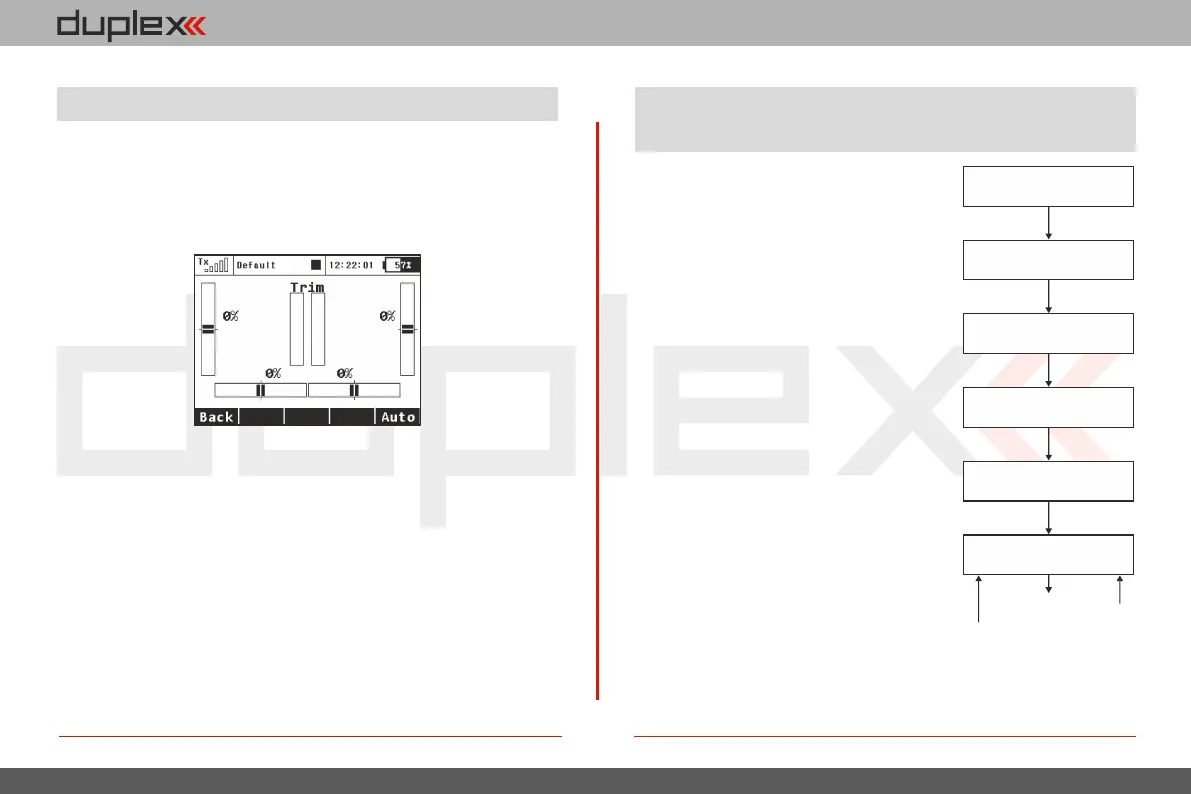
This menu displays the current trim settings. You can access this
menu from the desktop by either pushing the „3D control“ or by
simply pushing one of the trim buttons. In this menu, you can press
the „F1 (Back)“ button to exit or push the „F5 (Auto)“ button to
activate the Automatic Trim feature.
9.9 Trim Menu
When the Automatic Trim is activated, the trim is automatically set
based upon your flight stick positions. The farther the stick
defection, the faster the trim value is set in that direction. During
the auto-trim process you still have normal control of your model.
4. 4.
This chart displays how the transmitter
output functions are processed and at
what point the various configuration
choices affect the output function.
9.10 How Transmitter Output Functions
are Processed
When you move a control device (top
block), the output function will move
according to its programmed function
curve „Menu, >Fine Tuning, >Function
Cu r v es “. At th e s a me t i me an y
programmed delay is also applied.
Fo llowing this, any prog rammed
exponential is applied and then any dual
rate limits are also applied. The next step
applies any mixes and/or programmed
flight modes to the output function. Now,
any servo setup configuration items (end
point, subtrim, reversing, etc.) are
implemented and then any trims or flight
mode trims are applied to the channel’s
output function.
Control Device
Flight Function Curves
Dual Rate – Exponential
Mixes
Servo Setup
Channels
Dual Rate – Throw
Trims
Flight
Mode
Trims
139


 To Next Page