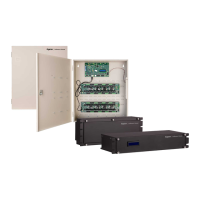
Installing the iSTAR Edge G2
The section describes how to install the iSTAR Edge G2 enclosure.
Mounting the Enclosure
The iSTAR Edge G2 module must be installed in a GSTAR-CAN to maintain UL listing.
NOTE
The system must be installed indoors within a protected premises in accordance with the National Electrical Code (NFPA70), and
relevant local authority regulations. The iSTAR Edge G2 must be permanently wired to mains electricity without switches that could
interrupt the power supply.
1. Ensure that the mounting site has been prepared. A certified installer or structural engineer should verify the upper
mounting points.
2. Unpack the components while observing static electricity precautions.
3. Remove the appropriate knockouts for all of the wiring inputs and outputs.
4. Remove the enclosure door and place it on a soft surface.
5. Align the keyhole mounting slots at the upper back of the enclosure with the two upper mounting screws and lower the
enclosure into position.
6. Install the two bottom mounting screws.
7. Attach conduit couplings to the knockout openings as needed to comply with local and national codes or regulations.
8. Reattach the enclosure door ensuring that any wires are not pinched by the door.
20



 To Next Page
 Loading...