Voicetron
Editing a VOCALIZER effect
Select a VOCALIZER effect.1.
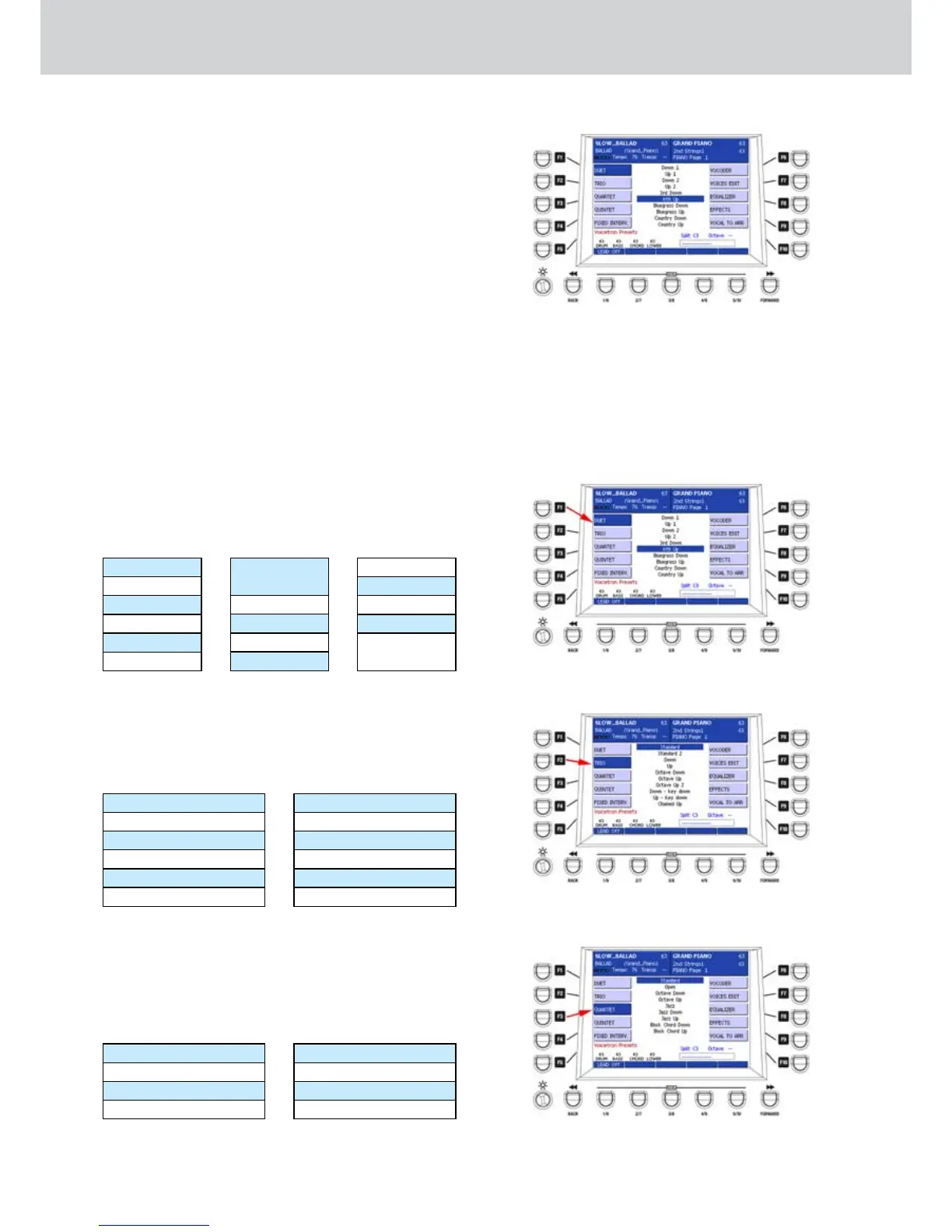
By pressing the EDIT button, a window like 2. Figure
306 will appear.
Press the F1-F10 buttons to access the
parameters of the Preset
:
F1–DUET: duet effects.
F2–TRIO: trio effects.
F3–QUARTET: quartet effects.
F4–QUINTET: quintet effects.
F5–FIXED INTERV.: fixed interval effects.
F6–VOCODER: vocoder parameters.
F7–VOICES EDIT: voices parameters (up to
5 voices) Volume, Pan, Formant, Detune,
Cutoff, Resonance.
F8–EQUALIZER: 10 bands graphic equalizer.
F9–EFFECTS: effects parameters.
F10–VOCAL TO ARR.: automatic setting of
the vocalizer and the Arranger.
DUET
By pressing the F1 button the list of DUET effects
similar to Figure 307 will appear from which you can
choose one of the available duet effects by using the
CURSOR § ¶
buttons
or the DATA/VALUE wheel:
Down 1
Up 1
Down 2
Up 2
3rd Down
6th Up
Bluegrass
Down
Bluegrass Up
Country Down
Country Up
Folk 1 Down
Folk 1 Up
Folk 2 Down
Folk 3 Up
Chained Up
Chained
Down
TRIO
By pressing the F2 button the list of TRIO effects
similar to Figure 308 will appear from where you can
choose one of the effects di trio available by using the
CURSOR § ¶
bu
t
tons
or the DATA/VALUE wheel:
Standard
Standard 2
Down
Up
Octave Down
Octave Up
Octave Up 2
Down-key down
Up-key down
Chained Up
Chained Down
Chained Open Down
QUARTET
By pressing the F3 button will appear the list of effects
QUARTET similar to Figure 309 from which you can
choose one of the available quartet effects by using
the CURSOR § ¶
buttons
or the DATA/VALUE
wheel:
Standard
Open
Octave Down
Jazz
Jazz Down
Jazz Up
Block Chord Down
Block Chord Up
Figure 306
Figure 307
Figure 308
Figure 309



 To Next Page