Program
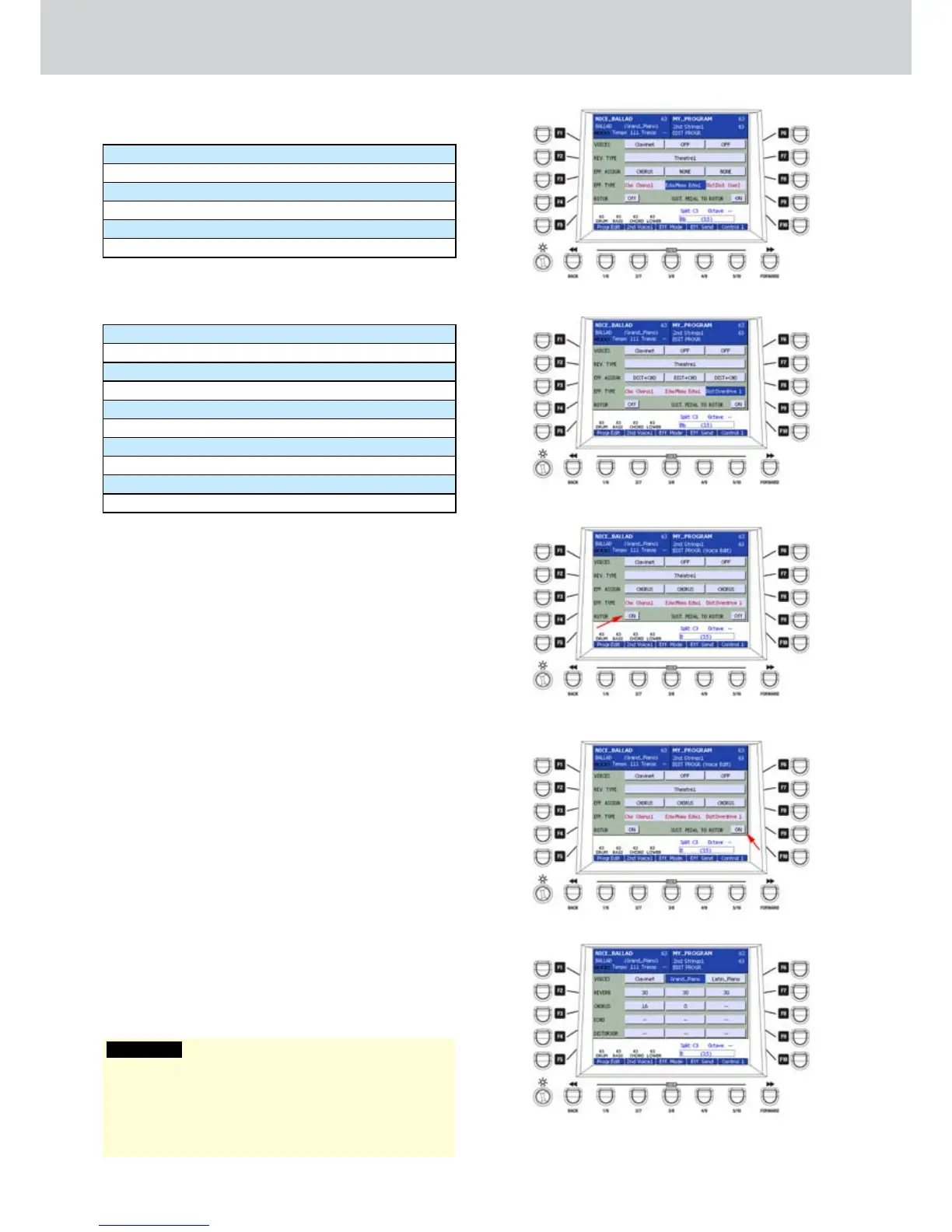
For the ECHO effect (Figure 81) you can choose from
the following types:
Mono Echo1, Mono Echo2... Mono Echo5
Stereo Echo1, Stereo Echo2... Stereo Echo5
Triple Echo1, Triple Echo2... Triple Echo5
Mono User1
Stereo User1, Stereo User2
Triple User1, Triple User2
For the DIST effect (Figure 82) you can choose from
the following types:
Overdrive1, Overdrive2, Overdrive3
Tube 1, Tube 2
Distorsion1, Distorsion2, Distorsion3
Hyper Dist.
Grunge
Fuzz
Hot British
Org. Over.1, Org. Over.2, Org. Over.3
Over. User1, Over. User2
Dist. User1, Dist. User2, Dist. User3
When you set a distortion, please consider that the
volume of the VOICE represents the volume to the
distortion input and the DISTORSOR item in EFF
SEND represents the output of the distortion.
F5–ROTOR ON/OFF: you can enable/disable the
•
ROTOR effect (Figure 83). You can control the
speed by using the SLOW and FAST buttons of
the ROTOR section on the panel.
F10–SUST. PEDAL TO ROTOR ON/OFF: you can
•
enable/disable the functionality of the ROTOR
effect to the sustain pedal (Figure 84) connected
to the SUSTAIN connector on the rear panel.
EFF. SEND
The USER 4 button will open a screen like Figure 85
where you can modify the effects send parameters.
In this way you can hear the effects assigned in the
EFF. MODE page.
Once you select a parameter, you can modify
its value by using the DATA/VALUE wheel or the
CURSOR Ó Á buttons. Use the function F1/
F6 buttons to select one of three VOICES of the
PROGRAM.
WARNING
The values of the parameters for EFF. ASSIGN and EFF.
TYPE are strictly connected to the parameters of the
EFF. SEND page. You coud not hear any effect until you
adjust the sends in the EFF. SEND page, as explained
later.
Figure 81
Figure 82
Figure 83
Figure 84
Figure 85



 To Next Page