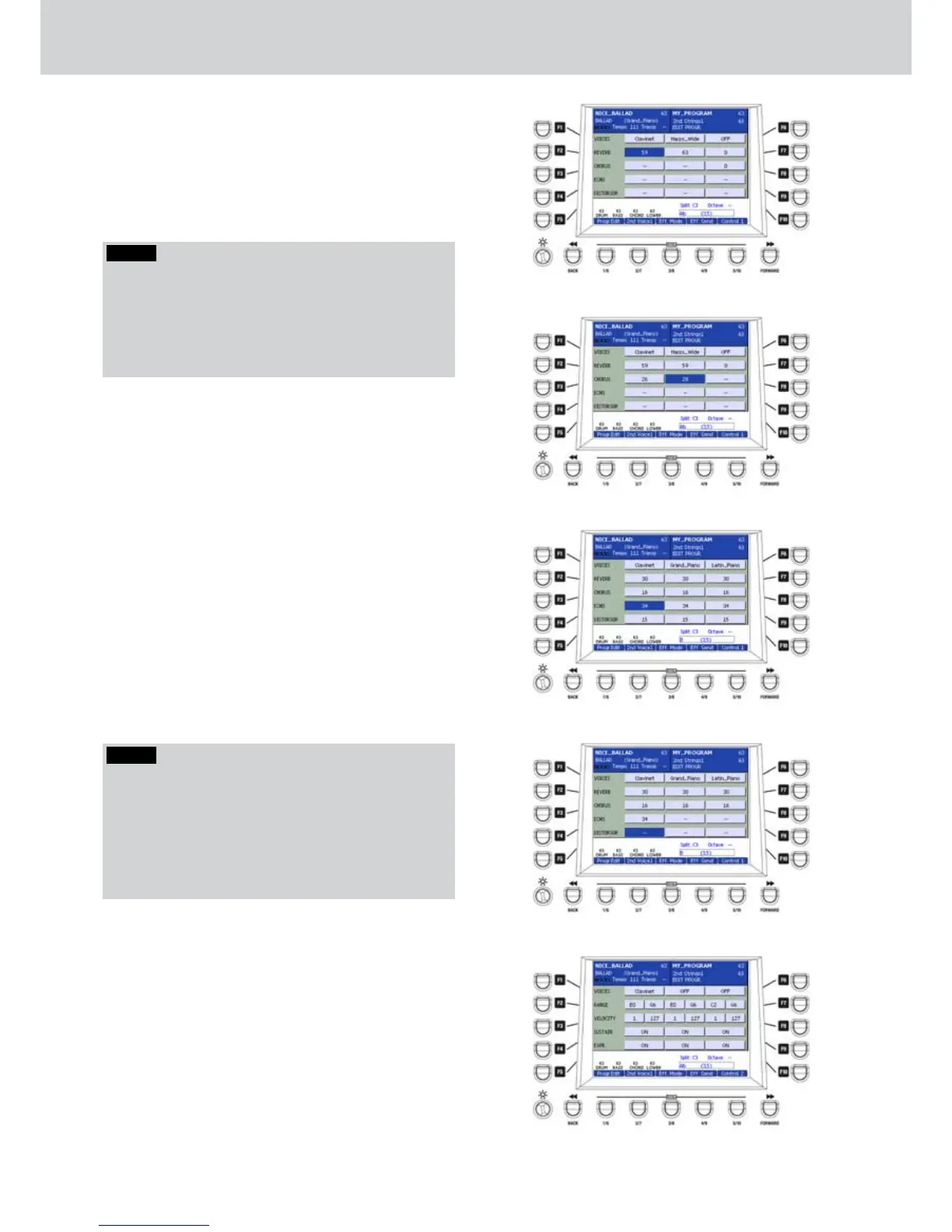
F1/F6–VOICES: you can assign up to three
•
VOICES to the same PROGRAM, as already seen
in the first PROGRAM EDIT screen.
F2/F7–REVERB: you can adjust the reverb
•
effect send. Values from 0 to 63 (Figure 86). By
pressing together the CURSOR Ó Á buttons
you set the reverb send to 0.
NOTE
If in the EFF. MODE page you choose an effect like
DIST, DIST+CHO or DIST+ECHO+CHO, you cannot adjust
the REVERB send independently for each voice. The
parameter adjustment of the effect send is common to
all three voices, so the adjustment of one effect send,
affects all the effect sends.
F3/F8–CHORUS: you can adjust the Chorus
•
effect send when you select the CHORUS effect
type in the EFF. MODE page. Values from 0 to 63.
By pressing the CURSOR Ó Á buttons together
you set the effect CHORUS send to 0 (Figure 87).
F4/F9–ECHO: you can adjust the Echo effect
•
send when you select the ECHO effect type in
the EFF. MODE page. Values from 0 to 63. By
pressing together the CURSOR Ó Á buttons
together you set the effect ECHO send to 0
(Figure 88).
F5/F10–DISTORSOR: you can adjust the
•
distortion effect send when you select the DIST
effect type in the EFF. MODE page. Values from
0 to 63. By pressing together the CURSOR Ó Á
buttons together you set the effect DISTORTION
send to 0 (Figure 89).
CONTROL 1
The USER 5 button opens a screen like Figure
90 where you can modify the parameters of the
CONTROL 1 page. You can access the parameters
by using the F1... F10 buttons in order to program the
VOICES in splits or dynamic layers on the keyboard.
Once you select the parameter, you can modify
the parameters by using the DATA/VALUE wheel or
the CURSOR Ó Á buttons. Use the function F1/
F6 buttons to select one of three VOICES of the
PROGRAM.
Program
Figure 86
Figure 87
Figure 88
Figure 89
Figure 90
NOTE
If you set an effect like DIST, DIST+CHO or
DIST+ECHO+CHO in the EFF. MODE page, you
cannot adjust the CHORUS, ECHO and DISTORSOR
sends independently for each voice. The parameter
adjustment of the effect send is common to all three
voices, so the adjustment of one effect send, affects all
the effect sends.



 To Next Page