TRANPOSE TX
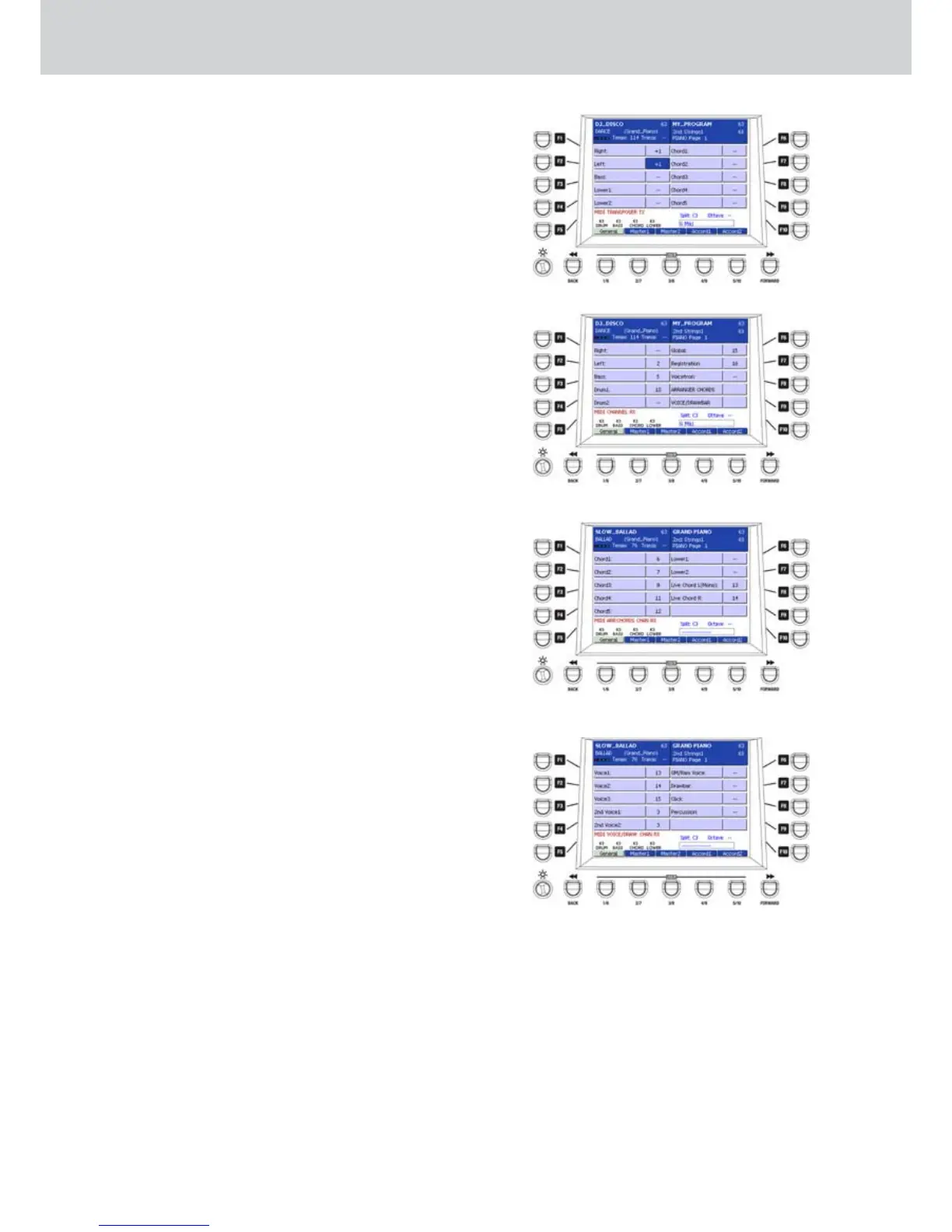
From the first screen of the MIDI menu, by pressing
the F3 button a window will appear where to set
the MIDI transmission of the parts transposition.
By using the F1-F10 buttons or the CURSOR
§ ¶
buttons you can select the parts to transpose via MIDI
transmission, as shown in Figure 216. By using the
CURSOR Ó Á but
tons
or the DATA/VALUE wheel
you can assign +/- 36 semitones transposition value
in 1 semitone steps. By pressing the CURSOR Ó
Á together you set the default value “—”, that is no
transposition.
F1–Right
F2–Left
F3–Bass
F4–Lower1
F5–Lower2
F6–Chord1
F7–Chord2
F8–Chord3
F9–Chord4
F10–Chord5
CHANNEL RX
Same procedure of CHANNEL TX. By pressing the F6
button you can access the window where to set the
MIDI reception channels for each part (Figure 217).
Press the F1 button-10 or the CURSOR
§ ¶
buttons
to select the part and assign the MIDI channel from
1 to 16 by using
the CURSOR Ó Á
buttons
or the
DATA/VALUE wheel.
F1–Right
F2–Left
F3–Bass
F4–Drum1
F5–Drum2
F6–Global (global channel of the keyboard)
F7–Registration
F8–Voicetron
F9–ARRANGER CHORDS (opens another window)
F10–VOICE/DRAWBAR (opens another window)
ARRANGER CHORDS
By pressing the F9 button a window will appear where
to assign the MIDI reception channels (Figure 218).
Assign the MIDI channel from 1 to 16 by using the
CURSOR Ó Á
buttons
or the DATA/VALUE wheel.
F1–Chord1
F2–Chord2
F3–Chord3
F4–Chord4
F5–Chord5
F6–Lower1
F7–Lower2
F8–Live Chord L (Mono)
F9–Live Chord R
VOICE/DRAWBAR
Press the F10 button to open a window like Figure
219. By pressing the F1-F10 buttons or the
CURSOR
§ ¶
buttons
you select the parts to which assign
the MIDI reception channel from 1 to 16 by using the
CURSOR Ó Á but
tons
or the DATA/VALUE wheel
.
F1–Voice1
F2–Voice2
F3–Voice3
F4–2ndVoice1
F5–2ndVoice2
F6–GM/RAM Voices
F7–Drawbar
F8–Click
F9–Percussion
Figure 216
Figure 217
Figure 218
Figure 219



 To Next Page