DISTORTION
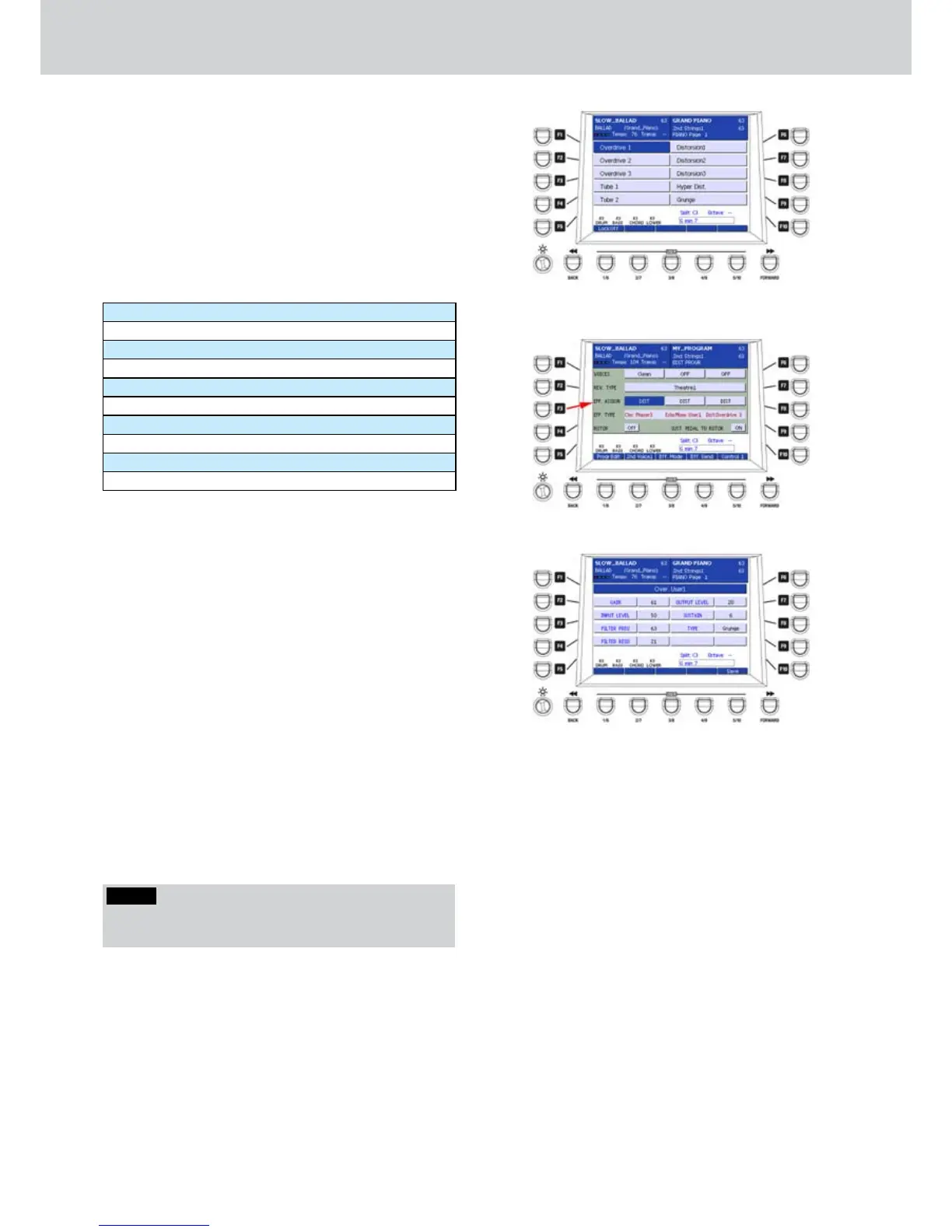
By pressing the F4 button on the DSP page, you
can access the DISTORSION screen, as shown in
Figure 241. Here you can select the DISTORTION
type to set into the DSP in order to make it available
for PROGRAMS from which you can choose a
DISTORTION algorithm (Figure 242).
10 Distortion Presets are available in the first page
and 10 in the second, by pressing any CURSOR
button or the DATA/VALUE wheel. Press any F1-F10
button to select the corresponding Distortion type:
Overdrive1 ... Overdrive3
Tube1 and Tube2
Distorsion1 ... Distorsion3
Hyper Dist.
Grunge
Fuzz
Hot British
Org. Over1 ... Org. Over3
Over. User1 and Over. User2
Dist. User1, Dist. User2 and Dist. User3
When you activate a Distortion Preset you can set the
option Lock:On/Off as for the previous effects.
USER DISTORTION
When you select one of the five custom Distortion
effects, you can access the parameters of the
corresponding effect by pressing the EDIT button on
the front panel.
The Figure 243 shows the parameters for Over.
User1, but the parameters are identical for Over. User
1, Dist. User 2, Dist. User 1 and Dist. User 3. The only
difference is the basic algorithm. The parameters are
the following.
F1– User Distortion (choose from 1 to 5)
F2–GAIN: effect level (values 0–63)
F3– INPUT LEVEL: input level (values 0–63)
F4– FILTER FREQ: frequency filter cutoff (values 0–63)
F5– FILTER RESO: filter resonance (values 0–63)
F7–OTUPUT LEVEL: output volume (values 0–63)
F8–SUSTAIN: sustain amount (values 0–63)
F9–TYPE: algorithm type (Tube, Grunge, Sharp,
Heavy, Punk).
After you set the parameters you can to store the
custom Distortion by pressing the USER 5 button
(SAVE) or the SAVE button on the front panel. A brief
message SAVE DATA TO DISK will appear.
Figure 241
Figure 242
Figure 243
NOTE
By pressing the CURSOR
Ó Á
buttons together you
set the value to 0.



 To Next Page