KEYBOARD CONTROL
▀
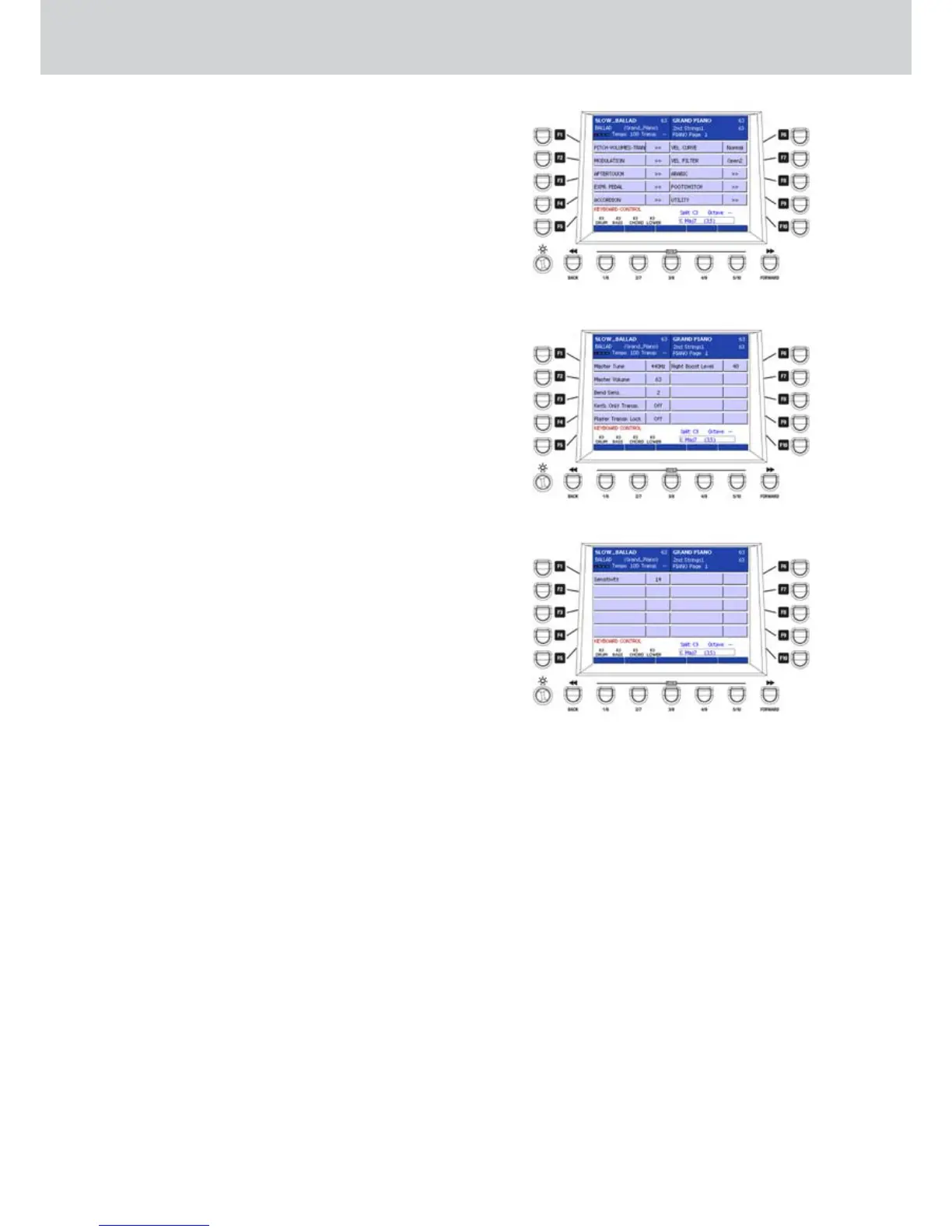
From the first MENU screen, by pressing the F4 •
button you can access the KEYBOARD CONTROL
page where to make the keyboard settings (Figure
252). By using the F1-F10 buttons you can access
the following pages:
F1–PITCH/VOL/TRANS: Pitch Bend, Master
Tune, Master Volume, Keyb Transpose, Player
Transpose Lock and Right Boost Level settings.
F2–MODULATION: Modulation Wheel sensitivity
settings.
F3–AFTERTOUCH: Aftertouch settings.
F4–EXPR. PEDAL: expression pedal settings.
F5–ACCORDION: Accordion MIDI parameters
settings.
F6–VEL CURVE: keyboard dynamic curve setting.
F7–VEL FILTER: dynamic filter response setting.
F8–ARABIC: Arabian scale settings.
F9–FOOTSWITCH: footswitch settings.
F10–UTILITY: utility page for the following
parameters:
• SPDIF In/Out
• Edit Value Recycle
• Fast Song
• Show File Icon
• Intelligent Transpose
• 2nd Right Tab
• Remix Live Guitar
• Headphone to Out3&4
• Video Lyric
PITCH/VOL/TRANS
By pressing the F1 button on the KEYBOARD
CONTROL page you can access the settings of the
following parameters (Figure 253):
F1– Master Tune: master tuning of the keyboard (440
Hz reference, +/-100%)
F2– Master Volume: master volume of the keyboard
(values 16–63). Not for the AUDIO parts.
F3– Bend Sens.: Pitch Bend sensitivity (values 0–24
semitones, to 0, that is no Pitch Bend effect)
F4– Keyb. Only Transpose: keyboard transposition
only (values ON/OFF). If set to ON, the
transposition affects the keyboard and not the
song of the Player.
F5– Player Transpose Lock: transposition lock on the
Player (values ON/OFF).
F6– Right Boost Level: maximum level for the Right
Boost function (value 10–50), when it’s applied
by the USER buttons. This function boosts the
volume of the right hand accordingly to the level
set by the Right Boost Level parameter.
MODULATION
By pressing the F1 button on the KEYBOARD
CONTROL page you can access the MODULATION
settings (Figure 254). Here you can control the
SENSITIVITY parameter for the Modulation Wheel
(values 0–48).
Figure 252
Figure 253
Figure 254



 To Next Page