AFTERTOUCH
By pressing the F3 button on the KEYBOARD
CONTROL page you can access the settings of the
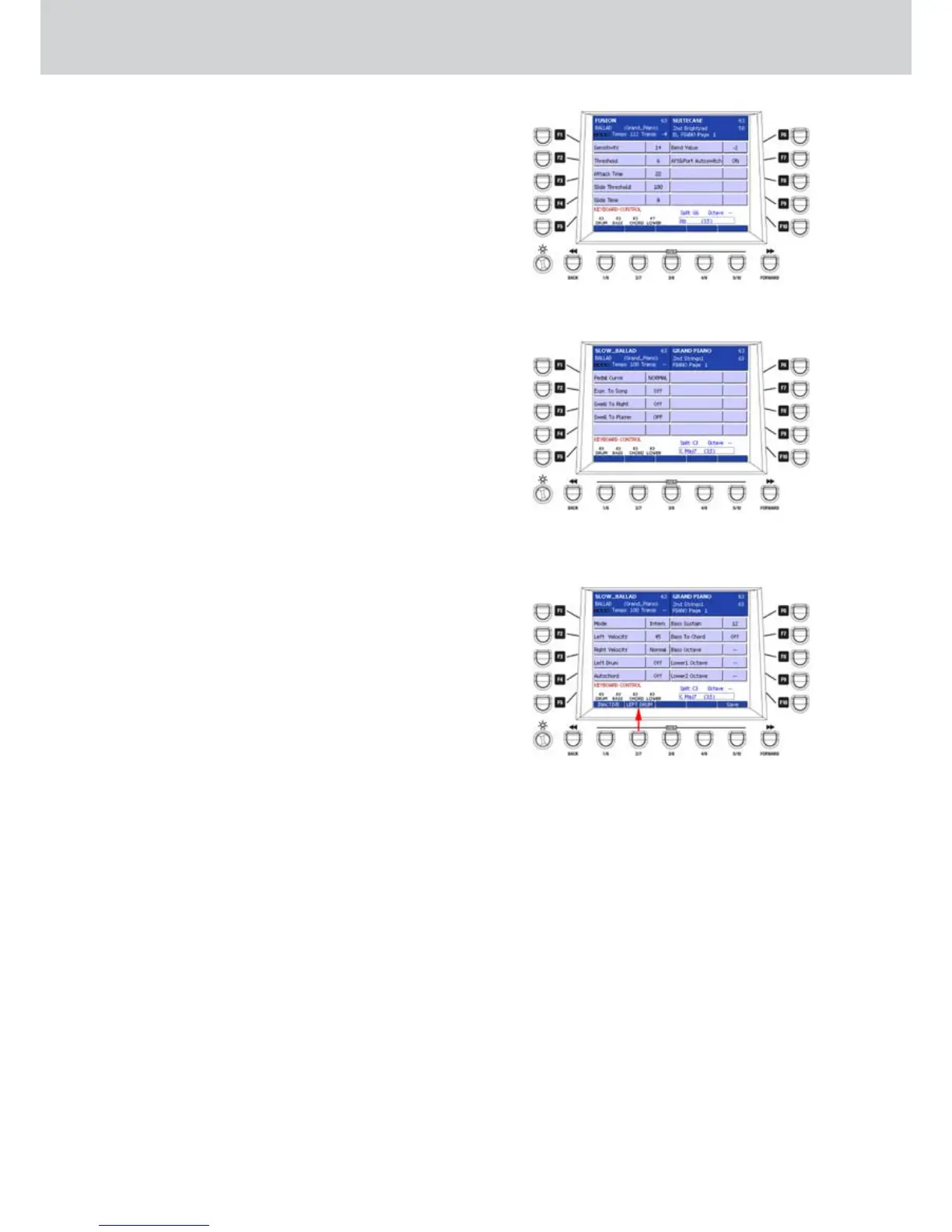
AFTERTOUCH parameters (Figure 255):
F1– Sensitivity: adjustment of the Aftertouch sensitivity
(values 0–63)
F2– Threshold: threshold of the Aftertouch (values
0–63)
F3– Attack Time: attack time of the Aftertouch (values
0–100)
F4– Slide Threshold: threshold of the Slide effect
(values 10–127). The Slide effect must be
programmed within a VOICE.
F5– Slide Time: time of the Slide effect (values 0–100).
F6– Bend Value: Bend value of the Slide effect (values
+/- 12 semitones).
F7– Aft&Port Autoswitch: enables/disables the
automatic activation of the Portamento and the
Aftertouch when they are set within a PROGRAM.
EXPR. PEDAL
By pressing the F4 button on the KEYBOARD
CONTROL page you can access the settings for the
EXPRESSION PEDAL (Figure 256), that is the pedal to
control the expression connected on the rear panel:
F1– Pedal Curve: adjustment of the pedal curve
behaviour (values NORMAL, USER1 and USER2)
F2– Expr. To Song: expression control of the song
currently playing in the Player (values ON/OFF)
F3– Swell To Right: expression control on the right
hand (values ON/OFF)
F4– Swell To Player: expression control on Player
(values OFF, ALL, WAV-1, WAV-2, MP3-1, MP3-2).
ACCORDION
By pressing the F5 button on the KEYBOARD
CONTROL page you can access the settings for
ACCORDION (Figure 257), connected via MIDI:
F1– Mode: values Intern., Belgiq., that is International
and Belgian.
F2– Left Velocity: adjustment of the left hand Velocity
response. You can set the values by pressing
repeatedly the F2 button and by using the
CURSOR
Ó Á
buttons
or the DATA/VALUE
wheel (values 0–63, Soft1, Soft2, Normal, Hard1
Hard2).
F3– Right Velocity: adjustment of the right hand
Velocity response. You can set the values by
pressing repeatedly the F2 button and by using
the CURSOR
Ó Á
buttons
or the DATA/VALUE
wheel (values 0–63, Soft1, Soft2, Normal, Hard1
Hard2).
F4– Left Drum: drum on the right hand (values ON/
OFF).
F5– Autochord: automatic chords (values ON/OFF).
F6– Bass Sustain: sustain for the bass (values 0–63).
F7– Bass To Chord: bass to chord (values ON/OFF).
F8– Bass Octave: bass octave (values +/- 2 octaves).
F9– Lower1 Octave: Lower1 part octave (values +/- 2
octaves).
F10– Lower2 Octave: Lower1 part octave (values +/- 2
octaves).
Press the USER 1 button (ACTIVE/INACTIVE) to
activate the ACCORDION parameters.
Once you set the parameters you can to store the
ACCORDION parameters by pressing the USER 5
button (SAVE) or the SAVE button on the front panel.
A brief SAVE DATA TO DISK message will appear.
LEFT DRUM
By pressing the USER 3 button on the ACCORDION
page, as shown by the arrow on Figure 257, you can
access the LEFT DRUM page where to set percussive
instruments for the left hand (see next page).
Figure 255
Figure 256
Figure 257



 To Next Page