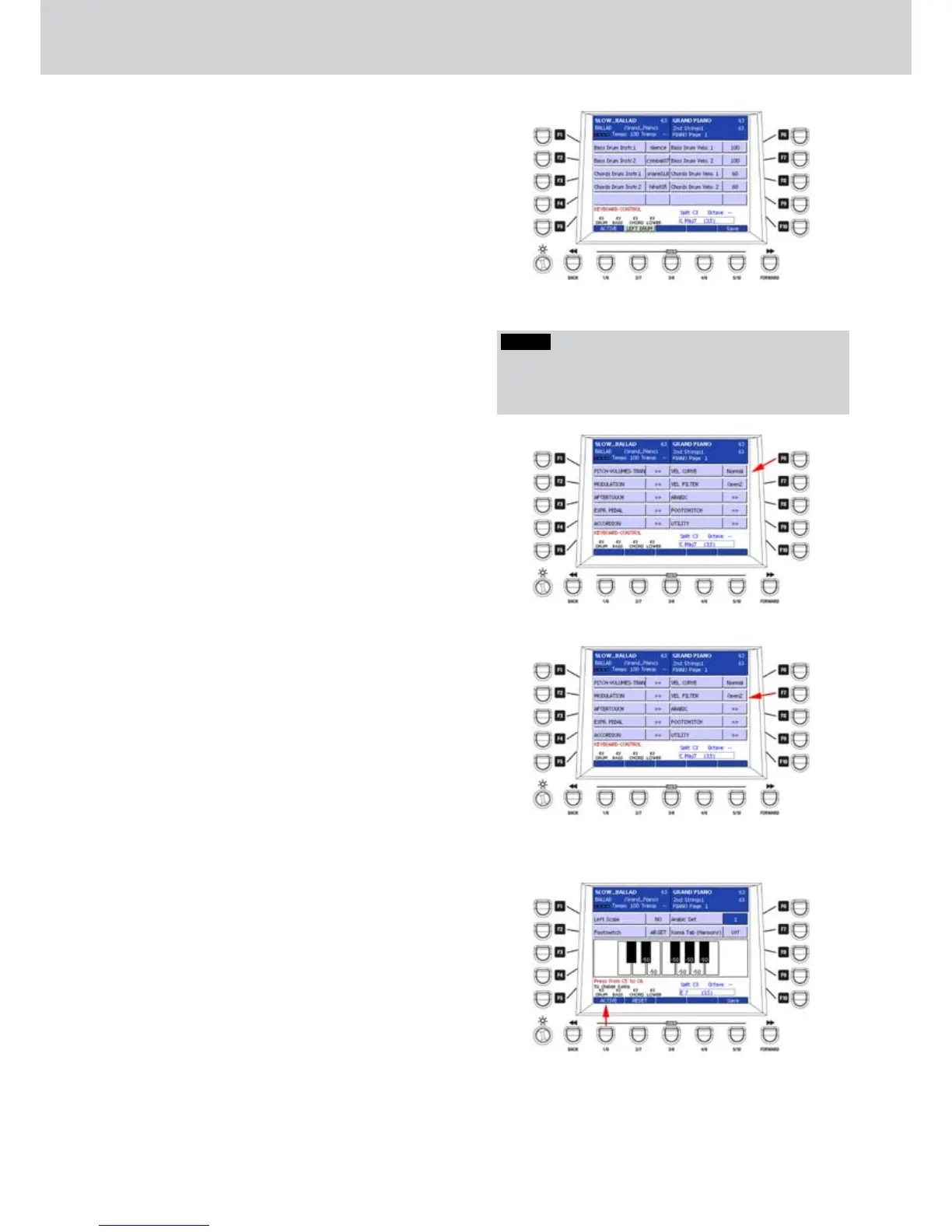
By using the F1-F10 buttons from the LEFT DRUM
page (Figure 258) you can set the percussive
instruments for the left hand.
F1– Bass Drum Instr.1: percussive instrument 1 for the
bass (see note).
F2– Bass Drum Instr.2: percussive instrument 2 for the
bass (see note).
F3– Chords Drum Instr.1: percussive instrument 1 for
the chords (see note).
F4– Chords Drum Instr.1: percussive instrument 1 for
the chords (see note).
F6– Bass Drum Velo.1: Velocity setting for the
percussive instrument 1 of the bass
(values 0–127).
F7– Bass Drum Velo.2: Velocity setting for the
percussive instrument 3 of the bass
(values 0–127).
F8– Chords Drum Velo.1: Velocity setting for the
percussive instrument 1 of the chords
(values 0–127).
F9– Chords Drum Velo.1: Velocity setting for the
percussive instrument 2 of the chords
(values 0–127).
VEL CURVE
By pressing the F6 button from the KEYBOARD
CONTROL page, you can set the Velocity Curve
(Figure 259), that is the dynamic curve of the
keyboard. You can set the values by pressing
repeatedly the F6 button. The available values are:
Soft1, Soft2, Normal, Hard1 and Hard2
You can select also a fixed Velocity Curve value
(VEL CURVE FIXED). In this case, set the fixed value
by using the CURSOR
Ó Á
buttons
or the DATA/
VALUE wheel (values 1-63).
VEL FILTER
By pressing the F7 button from the KEYBOARD
CONTROL page, you can set the Velocity Filter (Figure
260), that is the dynamic curve of the filter. You can
set the values by pressing repeatedly the F7 button.
The available values are: Open1, Open2, Close1 and
Close2.
ARABIC
By pressing the F8 button from the KEYBOARD
CONTROL page, you can access a window like Figure
261, where you can set the Arabian scale parameters:
F1– Left Scale: sets the Arabian scale for the left hand.
Values: NO, ARR. and LOW., that is no scale,
Arabian scale to the Arranger or to the Lower part.
F2– Footswitch: pedal modes. Values: NO, NOTE,
AR.SET., that is no parameter, pedal controlling
the note or the Arabic set (from 1 to 16).
F7– Arabic Set: selection of one Arabic set, from 1 to
16.
F8– Koma Tab (Harmony): activation of the Koma
function, which replaces the HARMONY button
in order to alter dynamically the pitch of the scale
while you are playing.
Figure 258
Figure 259
Figure 260
Figure 261
NOTE
You can choose the percussive instrument among those
listed in the list at the end of this manual. For example,
“kick01”, “ cymbal07”, “snare018” and so on.



 To Next Page