F6– Intelligent Transpose: affects the transposition of
the MIDI file. Each instrument is transposed within
its natural octave. Values ON/OFF.
F7– LINE IN: enables/disables the LINE IN input.
The input volume is controlled by the
S/PDIF-LINE IN (SFX) slider of the PLAYER
section. Values ON/OFF.
F8– Remix Live Guitar: enables/disables the Live
Guitar of the style when making a MIDI Remix.
Values ON/OFF.
F9– Headphone to Out3&4: values ON/OFF.
F10– Video Lyric: enables/disables the Lyric display on
remote screen monitor. In other words, the Lyric
OFF affects also the remote monitor. Values ON/
OFF.
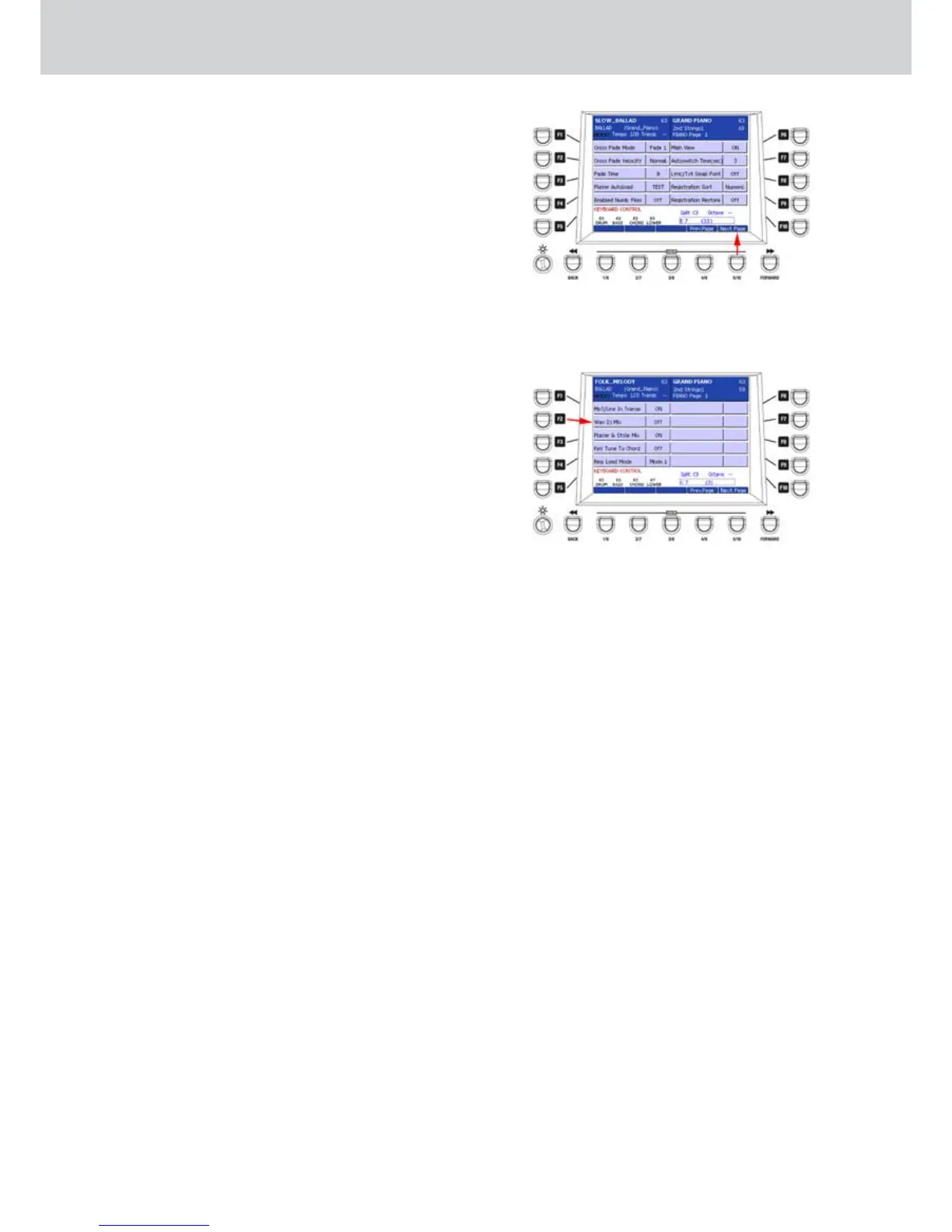
By pressing the USER 5 button you can access the
next settings page (press USER 4 to return to the
previous page), as shown on Figure 264. Here you
can find the following functions:
F1– Cross Fade Mode: selects the Cross Fade mode
(Fade 1, Fade 2, Fade 3).
F2– Cross Fade Velocity: sets the Cross Fade speed
(Normal, Fast 1, Fast 2, Slow 1, Slow 2).
F3– Fade Time: sets the Fade time of the Master
(values 1–20).
F4– Player Autoload: enables/disables the automatic
loading of the TXT file together with WAV, MIDI,
MP3 (see Text scrolling function on page 117) and
of the file WAV associated to the MIDI FILE (MIDI
SYNC RECORDING page 99)(TEXT, ALL, NO).
F5– Enabled Number Files: enables/disables the the
file numbering (values ON/OFF).
F6– Main View: enables/disables the MAIN VIEW mode
(values ON/OFF).
F7– Autoswitch Time (sec.): sets the automatic time
to switch to the MAIN VIEW from other screens
(values OFF, 0–60).
F8– Lyric/Txt Small Font: sets the small font display of
the lyrics (values ON/OFF).
F9– Registration Sort: sets the sort mode of the
Registration list (values Numeric, Alphab).
F10– Registration Restore: enables/disables the
RESTORE function which restores the panel
to the conditions before the Registration recall
(values ON/OFF).
By pressing the USER 5 button again you can access
a further settings page (press USER 4 to return to the
previous page), as shown on Figure 265. Here you
can find the following functions:
F1– MP3/LINE IN TRANSP.: enables/disables (ON/
OFF) the transposition of the MP3 file and of the
Line In input signal. This function, if set to OFF,
allows to play the MP3 file together with the style
without affecting the pitch of the MP3 by changing
the tempo of the style.
F2– WAV DJ MIX: enables/disables (ON/OFF) the DJ
MIX function between the WAVE and DJ LOOP
Players (see procedure below).
F3– Player & STYLE MIX: (values ON/OFF) activates
the Player when a Style is running.
F4– KEY TUNE TO CHORD: (values ON/OFF) see
procedure below.
F5– REG. LOAD MODE: loading behaviour of the right
voice into the Registration when a style is playing.
Values Mode1 and Mode2.
Mode1: the right voice is changed immediately by
loading the registration.
Mode2: the right voice is changed by the effective
change of the Registration, that is at the beginning
of the next measure.
WAV DJ MIX function
When the WAV DJ MIX function is ON, you can use
the two Players together:
Select a file WAVE.1.
Press ENTER or START.2.
Select another WAVE file and press ENTER.3.
The second WAVE file will be pre-loaded.4.
Press the DJ Loop button to cue the second 5.
Player (the LEDs are blinking).
Press the USER 4 button (CONTINUE) to start the 6.
second Wave file.
Adjust the two sources output by using the WAVE 7.
and DJ LOOP faders, as you like.
Figure 264
Figure 265



 To Next Page