OUTPUT ASSIGN
▀
By pressing the F5 button from the main page •
of the MENU, you can access to the OUTPUT
ASSIGN screen where you can make the routing
settings of the internal sources to the outputs on
the rear (Main Stereo and separate outputs), as
shown in Figure 268.
The options are the following:
F1–Out3&4: 3 and 4 outputs.
F2– Out1&2 Drum: 1 and 2 outputs for the drum
and the percussive instruments.
F3– Out1&2: 1 and 2 outputs for the right hand, all
the drums and MIDI1.
Out3&4
By using the CURSOR
§ ¶
buttons
or the DATA/
VALUE wheel you can select the source to send to
the 3 and 4 outputs.
The internal sources interne are the following:
Wave 1/2, A.Drum
MP3-2 (SFX)
MP3-1
Voicetron
Drawbars
BASS
Chords
By using the CURSOR
Ó Á
buttons
you can select
the source one by one, and set the output destination,
choosing from Main Stereo or Main + 3&4.
By using the button USER 5 (SAVE) you can store up
to 5 outputs Presets. Select a Preset with the F6-F10
buttons and press the USER 5 button (SAVE).
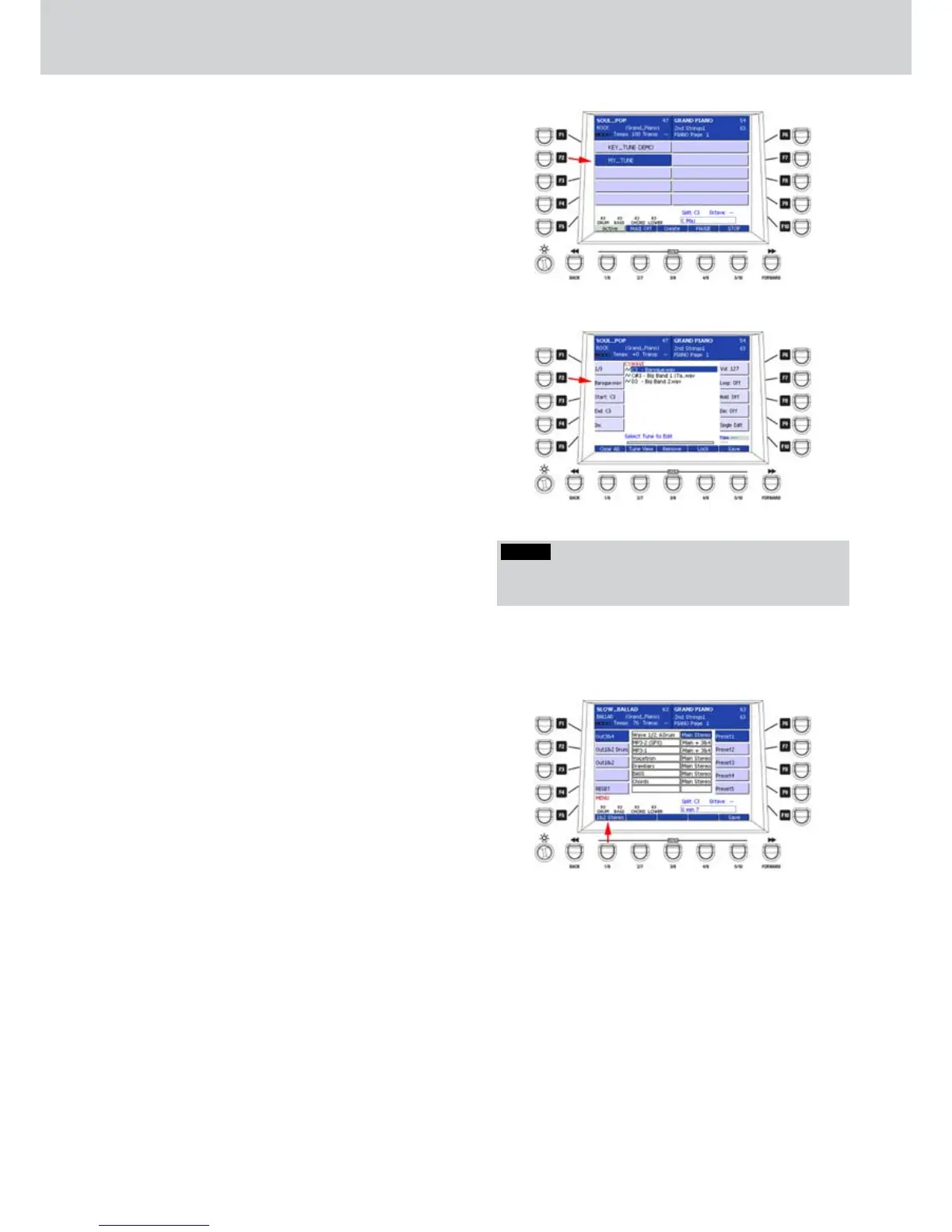
Figure 266
Figure 267
Figure 268
NOTE
By means of the chord recognition, if Bass To Chord is
set to On, also the bass section will start the Key Tune.
KEY TUNE TO CHORD function
When the Key Tune To Chord is active, you can start
a Key Tune, by using the associated key, but also by
using the recognition of the associated chord. Here’s
an example:
Press the KEY TUNE button on the panel and 1.
select a Key Tune (Figure 266).
Press the EDIT button on the panel.2.
Press the USER 2 button (Tune View) to view the 3.
associated keys to the Key Tune. In Figure 267
there are 3 associated keys.
For example, if you want to start the song 4.
“Barocco.wav”, you can play the C3 note
assigned to the Key Tune, but also when you will
play a C chord in all the variations. In this way, the
Hold parameter will be set to ON. To stop the Key
Tune song just press a C chord or C note again.
This function is useful for the accordion player playing
MIDI files. When the Key Tune To Chord function is
active, the melody part of the accordion will not start
the Key Tune but only the Chord part will.
In this way you can assign 12 songs maximum (for
example, a song assigned to the G5 key and another
to the G6 key, by using the chord recognition, G will
start the song assigned to G5 key).
Combining this function to Registrations, the
accordion player can launch the MIDI files and the
other settings in the Registration directly from the
accordion, without touching the keyboard.



 To Next Page