01 Getting started | 5
2. The 7" touch-sensitive screen sits in the middle of the panel. It displays the
instrument's current operating status. Below you may find the 5 primary keys to
control the usability and the Dial knob.
3. On the right side, you can access the various voice types played on the instrument.
4. On the down, you can find the interactive buttons to control styles, tempo, and
access the bank of styles and voices. This is the area having dedicated controls for
the Accompaniment.
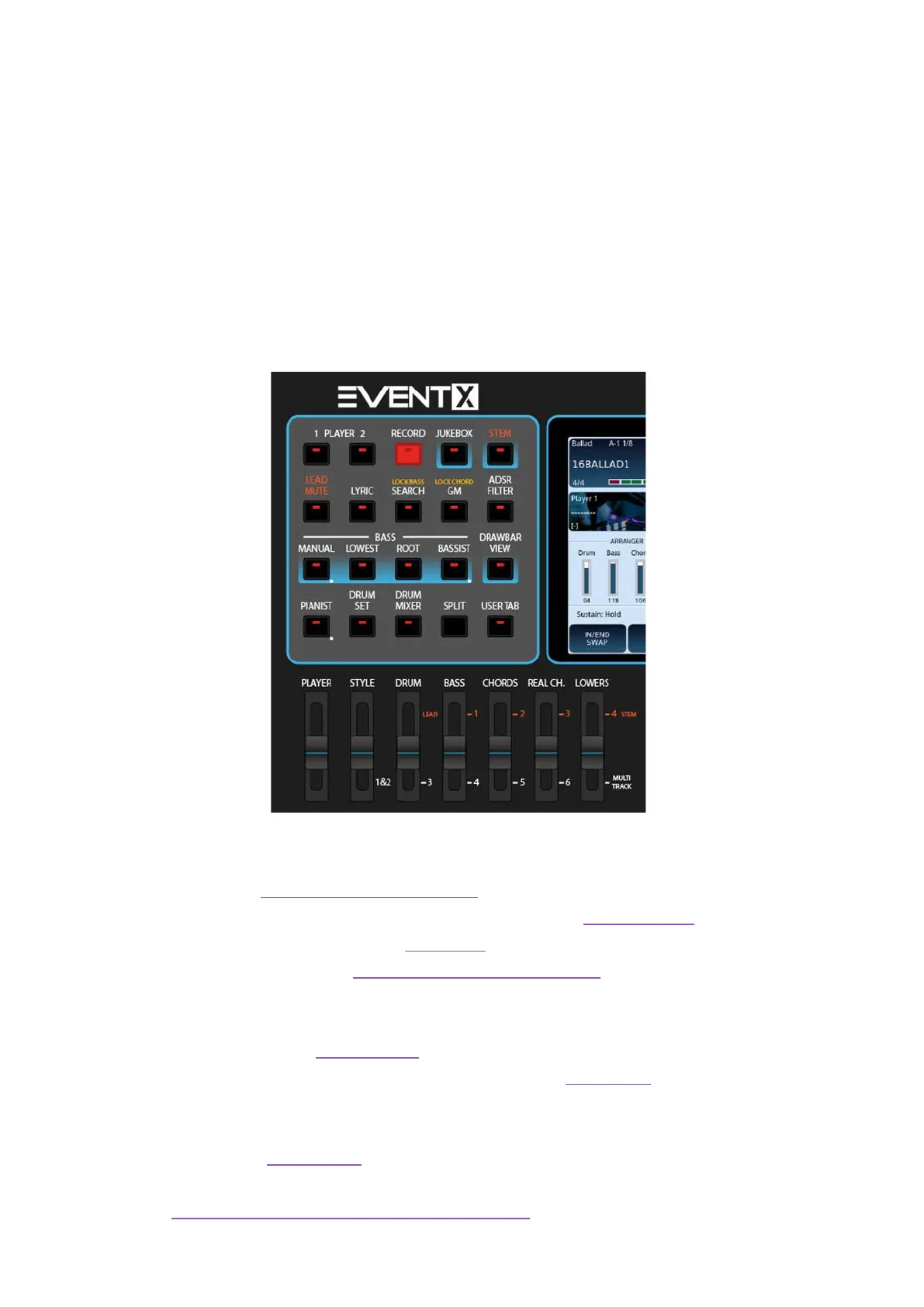
PLAYER and mixer controls
From left to right and from the top to bottom:
• PLAYER 1 & 2: Songs and video playback.
• RECORD: Touch to get into RECORD Mode and access Record songs features.
• JUKEBOX: Playback controls with JUKEBOX functionality.
• STEM: With STEM you can play multitrack backing tracks.
• LEAD MUTE: This mutes the melody track of the MIDI file, the LEAD track of a STEM
or mutes the melody from an audio track. To set the melody track/channel number
(for MIDIFILE), see the MIDI section in the Settings of the PLAYER.
• LYRICS: You can find out more about Karaoke in the View lyrics section.
• SEARCH: Enables quick searching for files in PLAYER 1 and PLAYER 2 pages
• LOCK BASS: This freezes the current Bass Chord being played. This feature has to be
activated in the Mode Page page before this button is used to turn it on/off during
style play.
• GM: Edit and control page of the 16 MIDI tracks of the PLAYER.



 To Next Page