09 Creating your own voices | 97
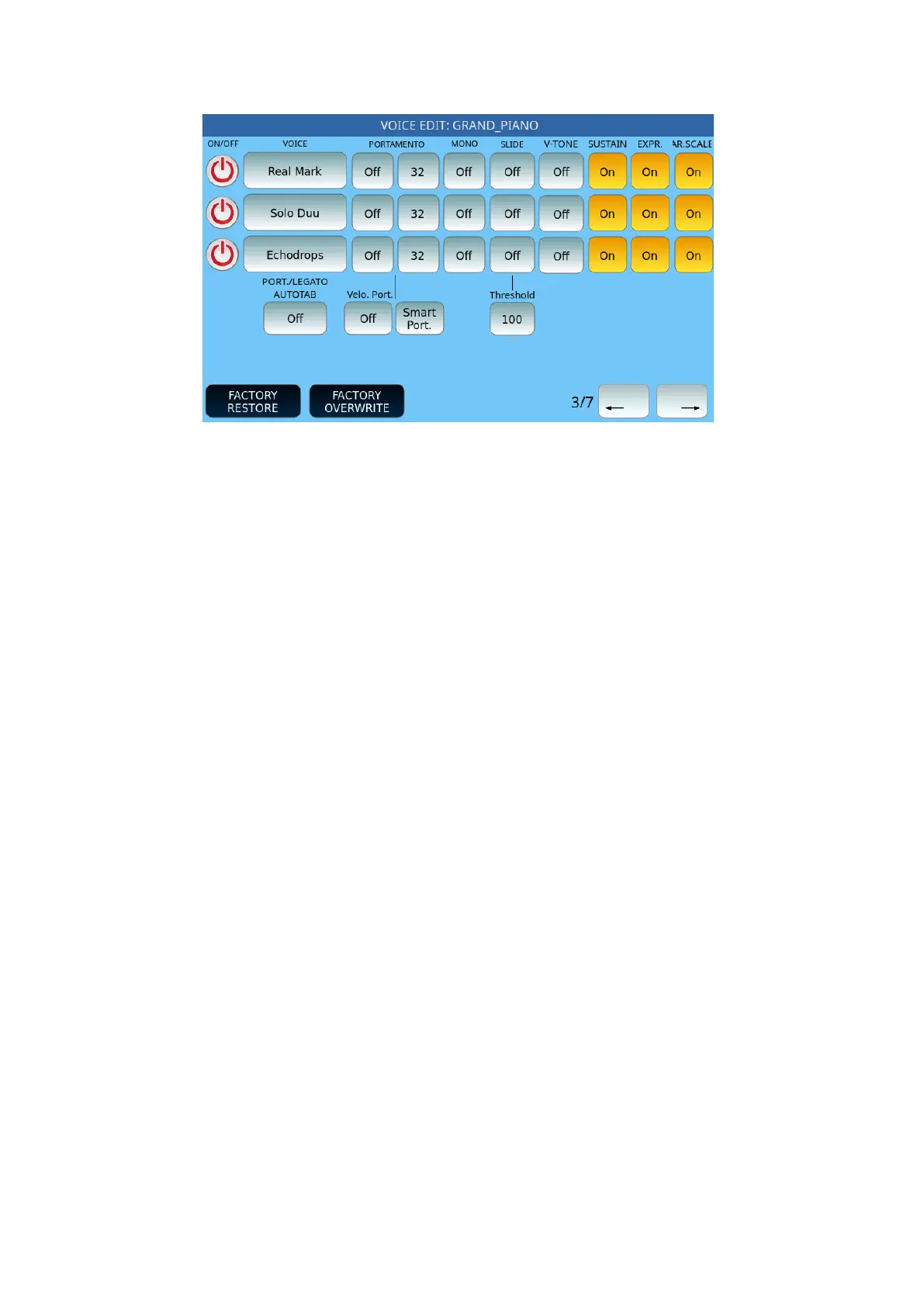
It follows page 3 on the screen:
Options:
• PORTAMENTO: These buttons are activated when at least one of the layer items has
enabled Posture in its configuration. For each layer, you can define effect parameters
(Off/On/Poly) and Portamento speed (3 through 127).
• SLIDE: Possible values are Off, SLIDE1, SLIDE 2 and SLIDE 3. At the bottom of the
SLIDE column, indicate the effectiveness threshold of the Slide in the Threshold value
(from 1 to 127).
• V-TONE: This button activates the function only to Voices marked with the V logo.
The V-Tone allows, to the sound made with this characteristic, a sort of sound Round
Robin, or an automatic and / or random system of the sound variable of the same
wave. When you apply the V-TONE flag in the internal icon of the Voice on which you
are working (obviously if prepared for this function) a tiny V will appear precisely to
indicate the activation of this feature. At the same time, this symbol will also be
displayed on the other Voices to indicate the available feature.
• SUSTAIN: Activate or deactivate the SUSTAIN pedal control.
• EXPR. : Enable or disable the pedal control of the expression.
• AR. SCALE: Turn Arabic scale progressions on or off on this Voice.
• PORT./LEGATO AUTOTAB: This is not applied when you call a Registration having
different settings.



 To Next Page