01 Getting started | 7
The in-depth description of the touch screen is in another dedicated section. As for the front
panel keys (from left to right and from top to bottom):
• EXIT: Press this button to go back to the previous screen. Most of the time you’ll be
redirect to the HOME page.
• SAVE: Press this button to store the created or modified resources (styles, voices,
songs) in the USER area on the disk.
• MEDIA: Press this button to manage Media options (Disk, USB drives ... etc).
• MENU: Press to access to the global configuration menu.
• ENTER: Press this button to confirm an entry on the screen.
• DATA KNOB: The data wheel allows you to scroll through items in a list (styles,
voices, audio and MIDI songs, and so on) and quickly change numerical values
(tempo, transpose, filters, and so on). When you are on the main page, the wheel
manages the tempo of the style (DIAL TEMPO) by default.
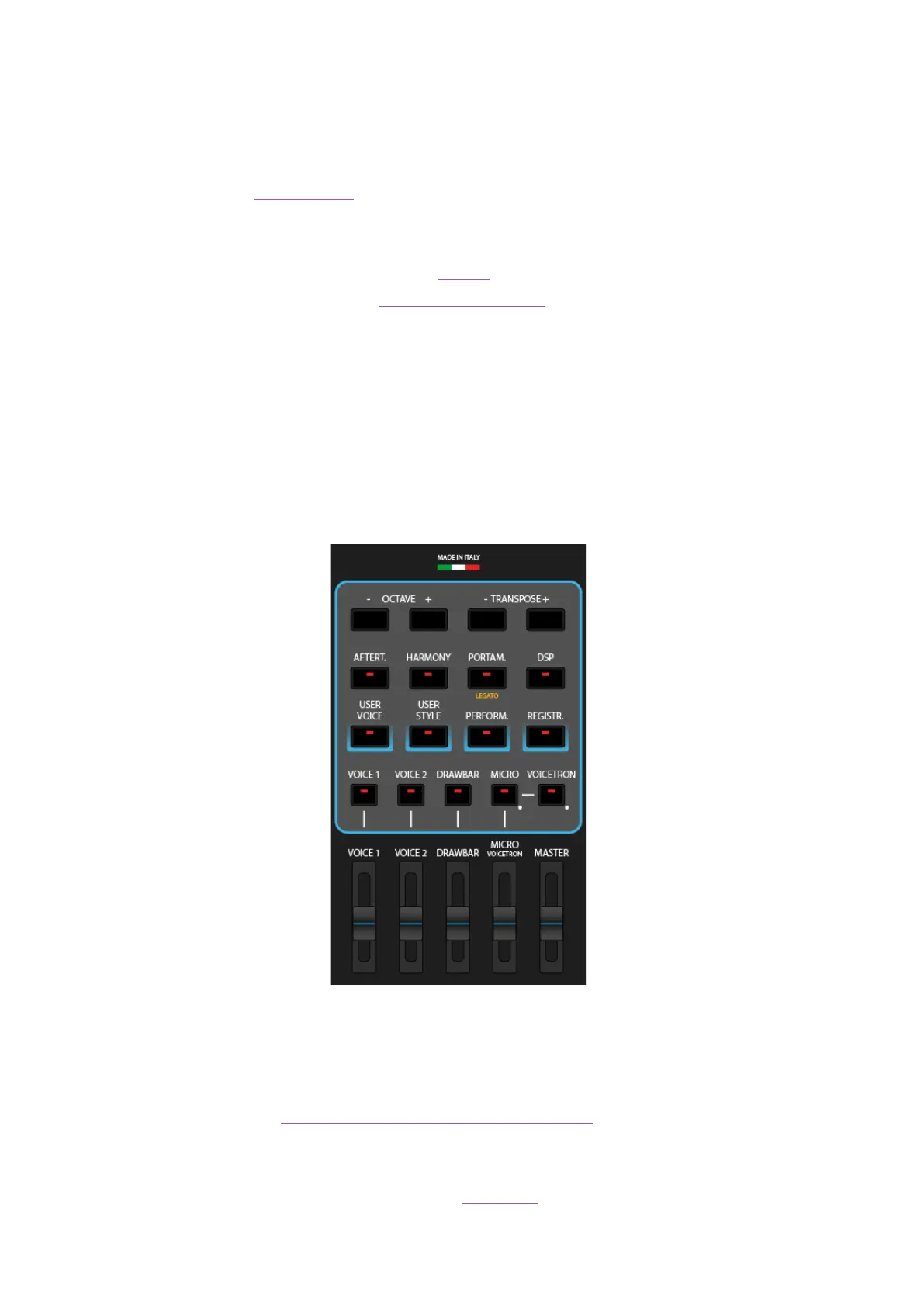
Right-side panel
On the right side, from left to right and from top to bottom:
• OCTAVE +/-: This pair of keys allows you to simultaneously transpose the VOICE 1
and VOICE 2 parts up or down one or two octaves.
• TRANSPOSE +/-: Manage the pitch with the Transposer
• AFTERT.: Press this button to enable Aftertouch on the keyboard (affects VOICE 1). It
works according to the parameter (LFO, Soft LFO, BEND, Off) stored in the Edit Voice.
• HARMONY: Press this button to enable Harmony mode.



 To Next Page