13 Global menus and settings | 157
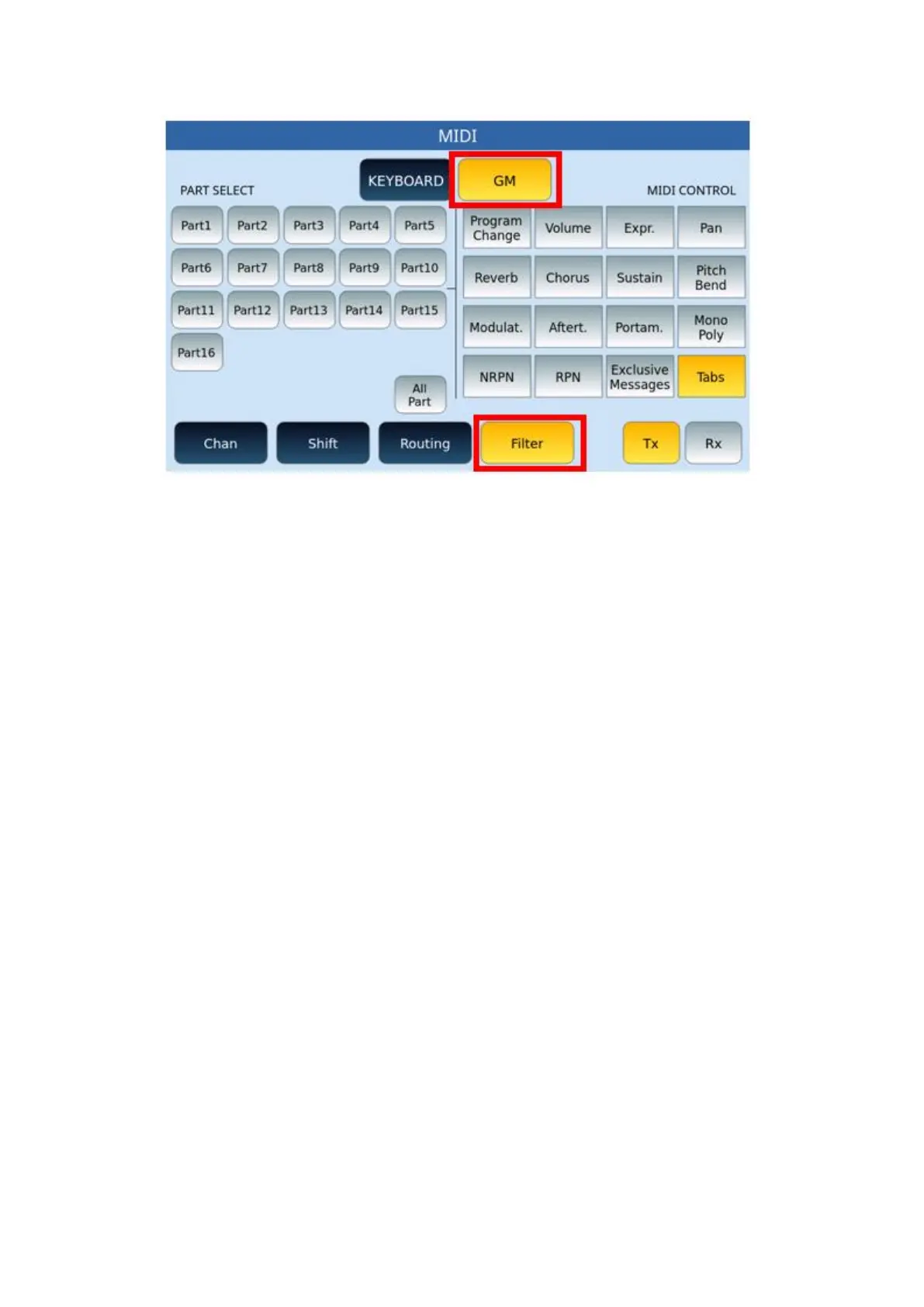
FILTER page for GM:
Options:
• Just as was done in the FILTER KEYBOARD page that we have just illustrated, this is
also divided into two parts: on the left (PART SELECT) select the parts to be filtered (or
all ALL PARTS) and, on the right (MIDI CONTROL), apply the filter on the individual
controls.
• Again, pay attention to the TX/RX buttons for transmit and/or receive.
o If the filtered control on receive is contained in the running MIDI file, it is
transmitted to the MIDI OUT output and sent to external drives.
o Vice versa, if the filter is in transmission but not in reception, it will be
possible through an external device connected to the MIDI IN of the
instrument to send the control on the specific channel, but this cannot
be sent to an external module via the MIDI OUT port.
o Suppose you have selected PART 1, the RX button and the filter on
Program Change, the sound changes that can be sent from an external
master or an external sequencer, will not affect PART 1 i.e., the first track.
However, if the changes are present in the MIDI file playing on an
EVENT-X PLAYER, these will affectthe MIDI file track and can be
transmitted to a sound module connected to the MIDI OUT port of the
instrument.
MIDI utility
This page allows one to choose some general MIDI settings of the instrument:



 To Next Page