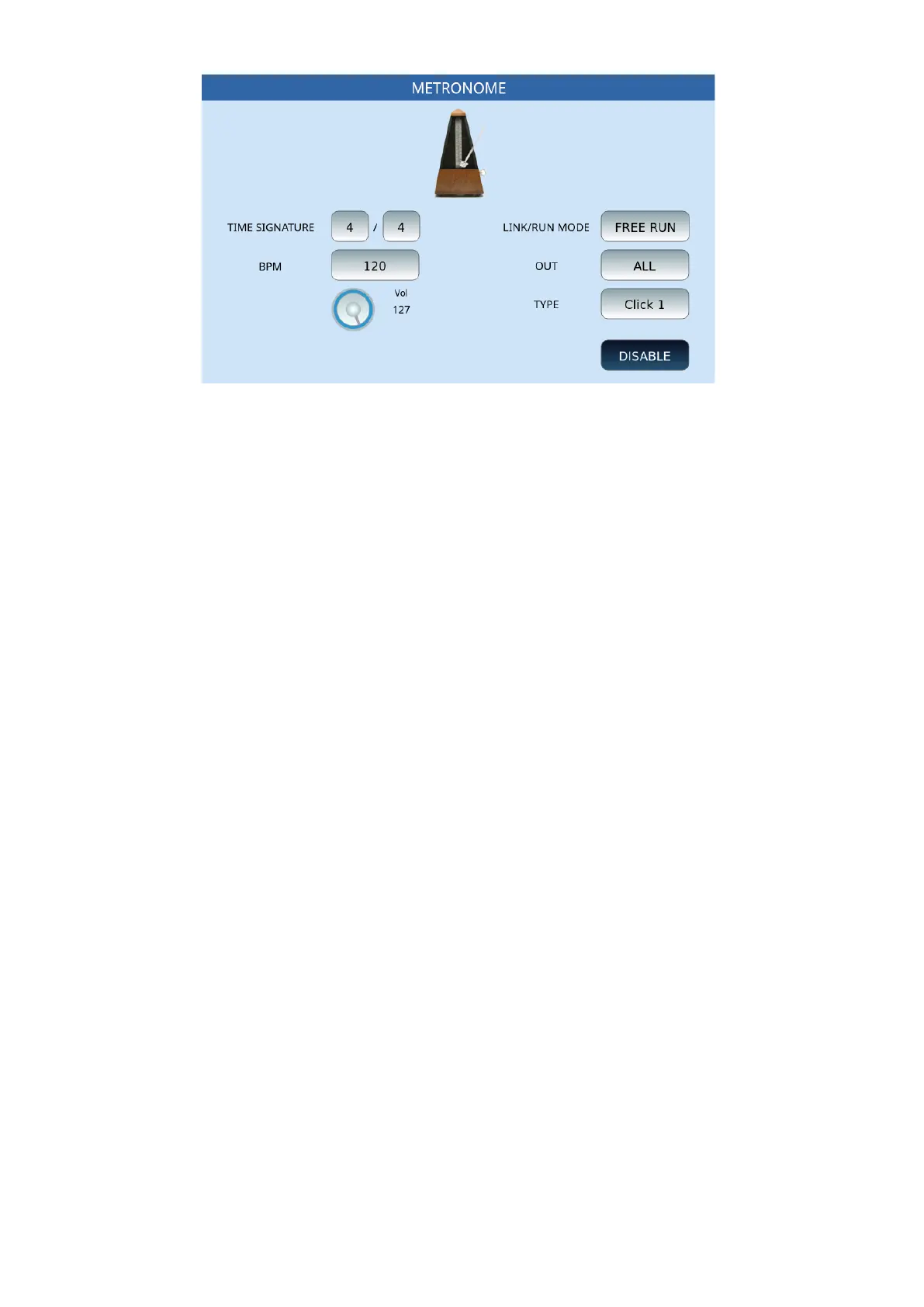
168 | 13 Global menus and settings
Options:
• TIME SIGNATURE: Set the unit of measurement of time by selecting each button
before changing its value with the data knob.
• LINK/RUN MODE: This button can be set using the data knob, under three different
conditions:
o FREE RUN:enables the metronome independently of MIDI files and
accompaniment styles, as if it were an external metronome. activates the
metronome independently of MIDI files and accompaniment styles, as if
it were an external metronome.
o MIDIFILE: connects the metronome to the MIDI file being played, that is,
synchronizes the time of the metronome with that of the song.
o STYLE:Synchronizes the metronome with the tempo of the
accompanying style
• OUT: Choose metronome output:
o SOLO: Outputs only the metronome to the headphones, excluding
music and other resources generated by the instrument.
o ALL: Inputs sends both the metronome and the music generated by the
instrument to the headphones.
• TYPE: It allows you to assign different tones to the metronomic click: Click 1, Click 2,
Click 3.
• BPM: Set, using the data knob, the metronome speed.
• VOL: Turn the knob to adjust the volume of the metronome, from 0 to 127.
• ENABLE/DISABLE: Press this button to enable or disable metronome clicking. Press
this button to enable or disable metronome clicking.
UPDATE BACKUP
This page offers several utility features.



 To Next Page