02 Playing the voices | 17
Step by step:
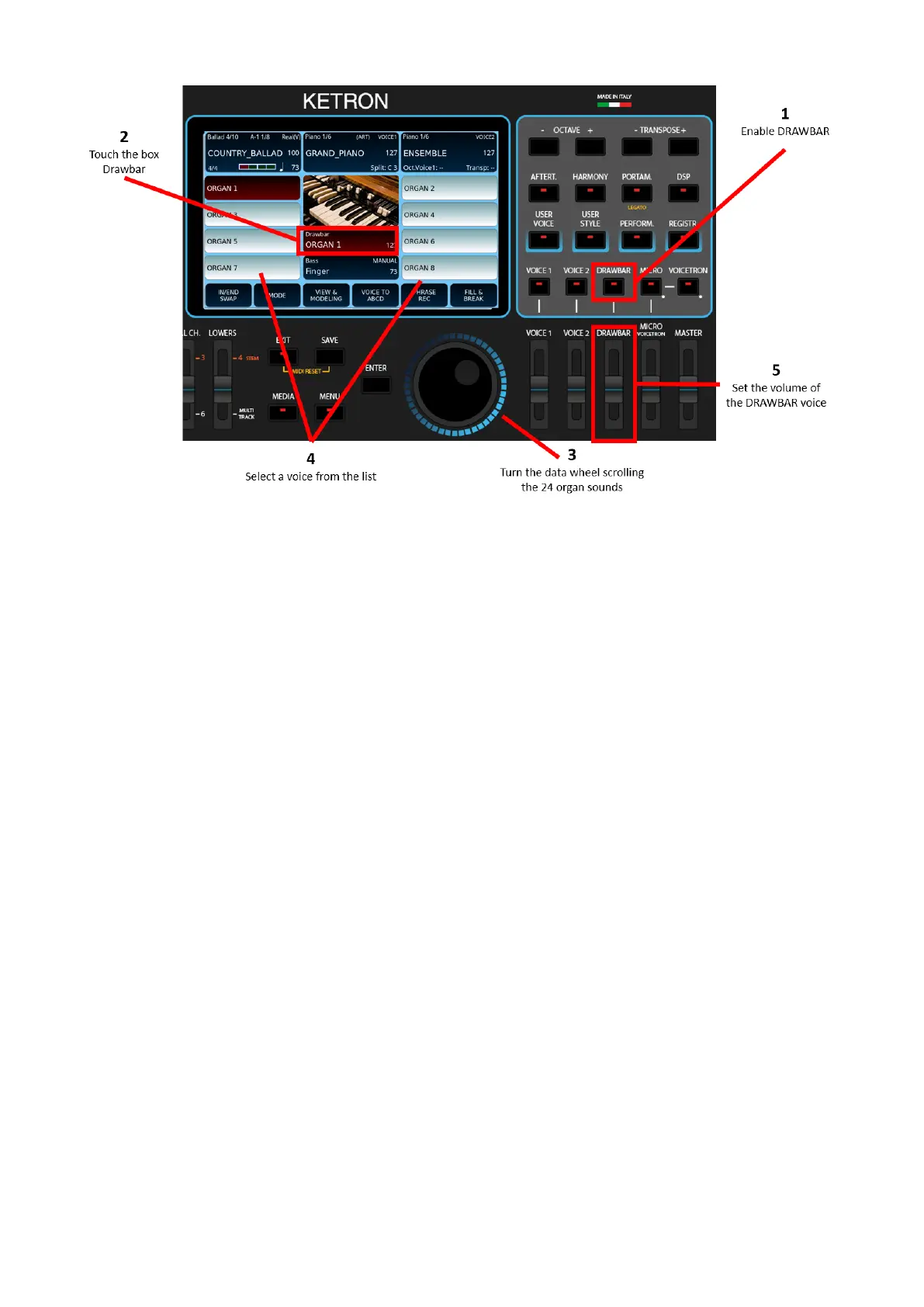
1. Press the DRAWBAR button on the front panel to activate the drawbars.
2. Touch the Drawbar icon on the screen to activate its management on the screen.
3. Rotate the main data knob and select one of the 24 Drawbar organ sounds by
touching it.
4. Select the voice from those displayed on the screen.
5. Set the volume of the Drawbar voice using the dedicated volume slider on the
front panel.
You are now ready to play an organ voice, but as with any self-respecting organ, you now
have access to several other typical controls.
Please note! These sounds are also heard together with VOICE 1 and/or VOICE2 if these are
turned on.



 To Next Page