68 | 05 Player
Options:
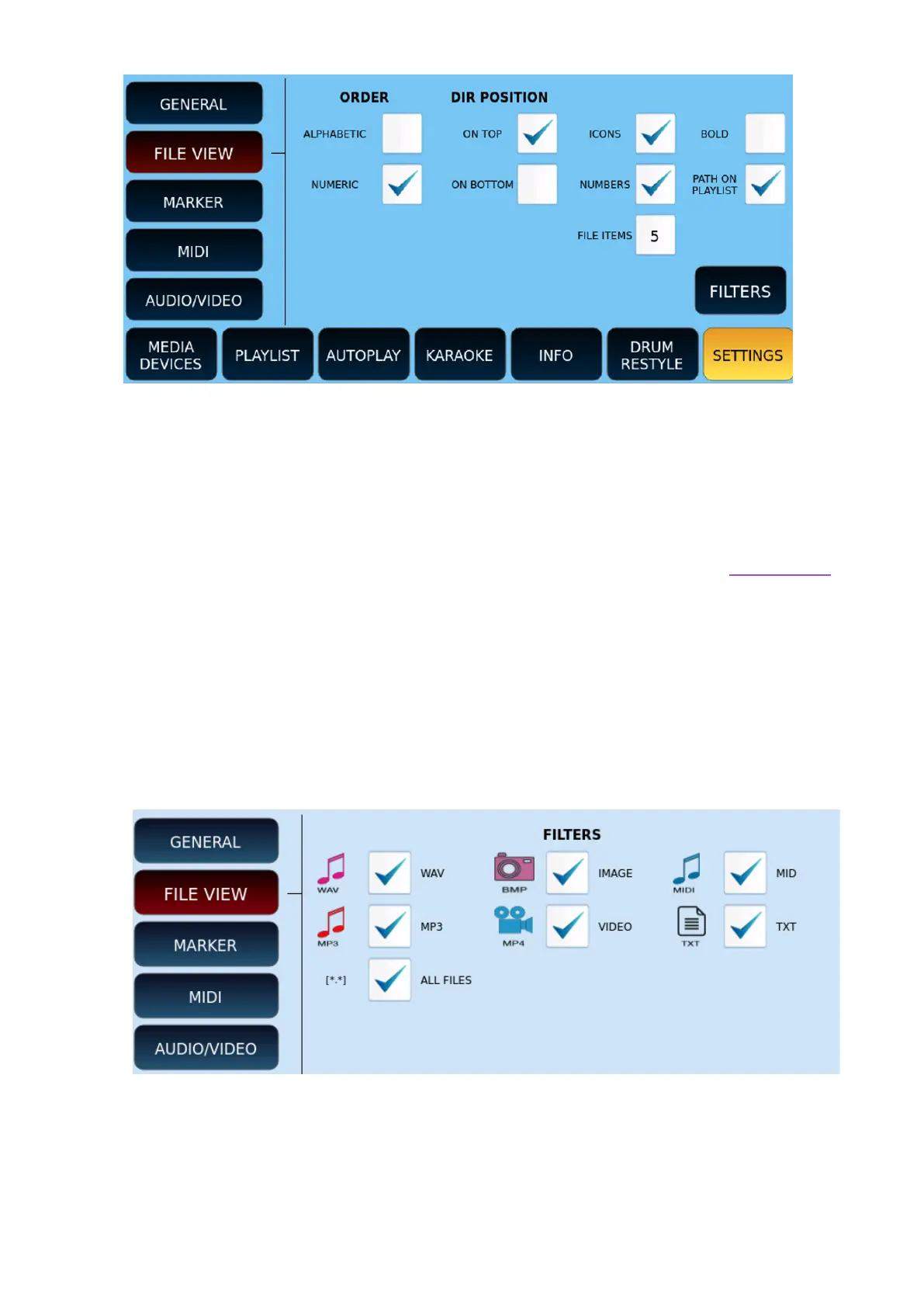
• ORDER: sorting can be alphabetical or numeric by index of the file in folder.
• DIR POSITION: Depending on your choice ON TOP or ON BOTTOM, displays folders at
the top or bottom of the file list.
• ICONS: You can request to show or hide file icons.
• NUMBERS: Shows or hides the index of the file. It is useful to perform an index search.
• FILE ITEMS: defines the number of files and folders to be displayed (from 4 to 12) at a
timee. Touch this part of the screen and use the data knob to edit.
• BOLD: Displays the text in bold.
• PATH ON PLAYLIST: allows you to show or hide the path of a file in the Playlist
environment (applies to 4, 5 and 6 line options)
FILTERS: Press this button to open the filter configuration page for the file types to be
displayed, as follows.



 To Next Page