86 | 08 GM and Drum Restyle
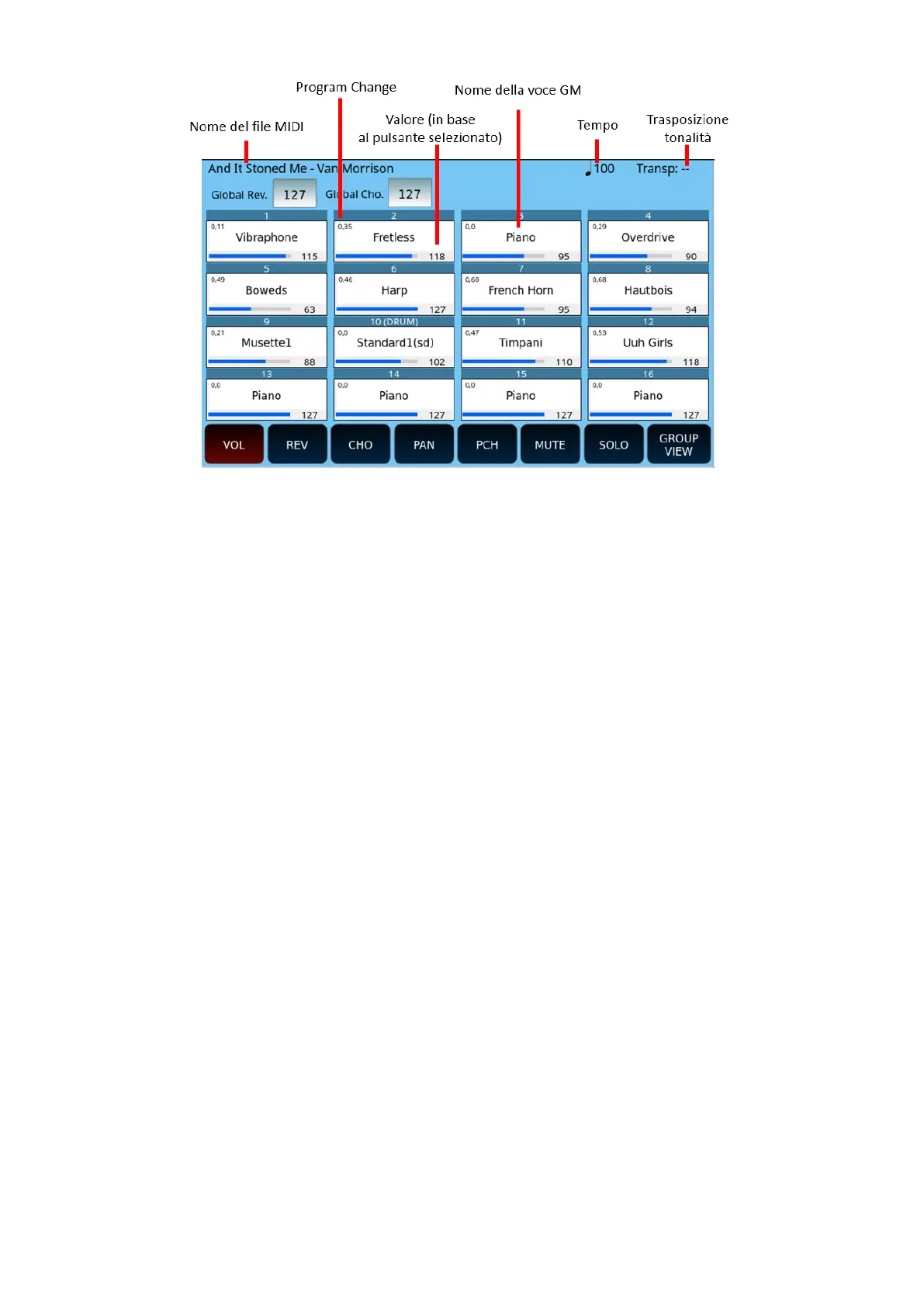
At the top of the screen, you can view and modify the values of the Global Reverb and
Global Chorus.
The buttons at the bottom of the screen control the operations for each track:
• VOL.: Display the volume for each of the 16 tracks. Touch a track on the screen and
then use the data knob to change the value from 0 to 127.
• REV.: Display the reverb level for each track. Touch a track on the screen and then use
the data knob to change the value from 0 to 127.
• CHO: Display the Chorus level for each track. Touch a track on the screen and then use
the data knob to change the value from 0 to 127.
• PAN: View the pan pot setting for each track. Touch a track on the screen and then
use the data knob to change the value from L64 to R64. The median value "- -"
corresponds to the centre of the stereo landscape.
• PCH: Select the PROGRAM CHANGE button and then select the track you want to test
or change the sound linked to the GM VOICE SELECT page.
• MUTE: Select the MUTE button and then the track to silence (disabled tracks are
marked with "M" on the screen).
• SOLO: Select the SOLO button and then the track to play (isolated tracks are marked
with "S" on the screen).
• GROUP VIEW: First select the track, then the button GROUP VIEW to open the
dedicatd page.
• PART VIEW: Press twice the track and then the PART VIEW button to open the detail
information display page.



 To Next Page