Features of your vehicle
384
Smart Sliding Door with Auto Open
closed and locked, and 1.5 m from
the front door handles. (for vehi
-
cles equipped with Welcome
Light)
䳜 A door is not locked or closed.
䳜 The smart key is in the vehicle.
1. Setting
To activate the smart sliding door
with auto open, go to User Set
-
tings Mode and select Smart Tail
-
gate on the LCD display.
For more details, refer to "User
settings mode" on page 4-96.
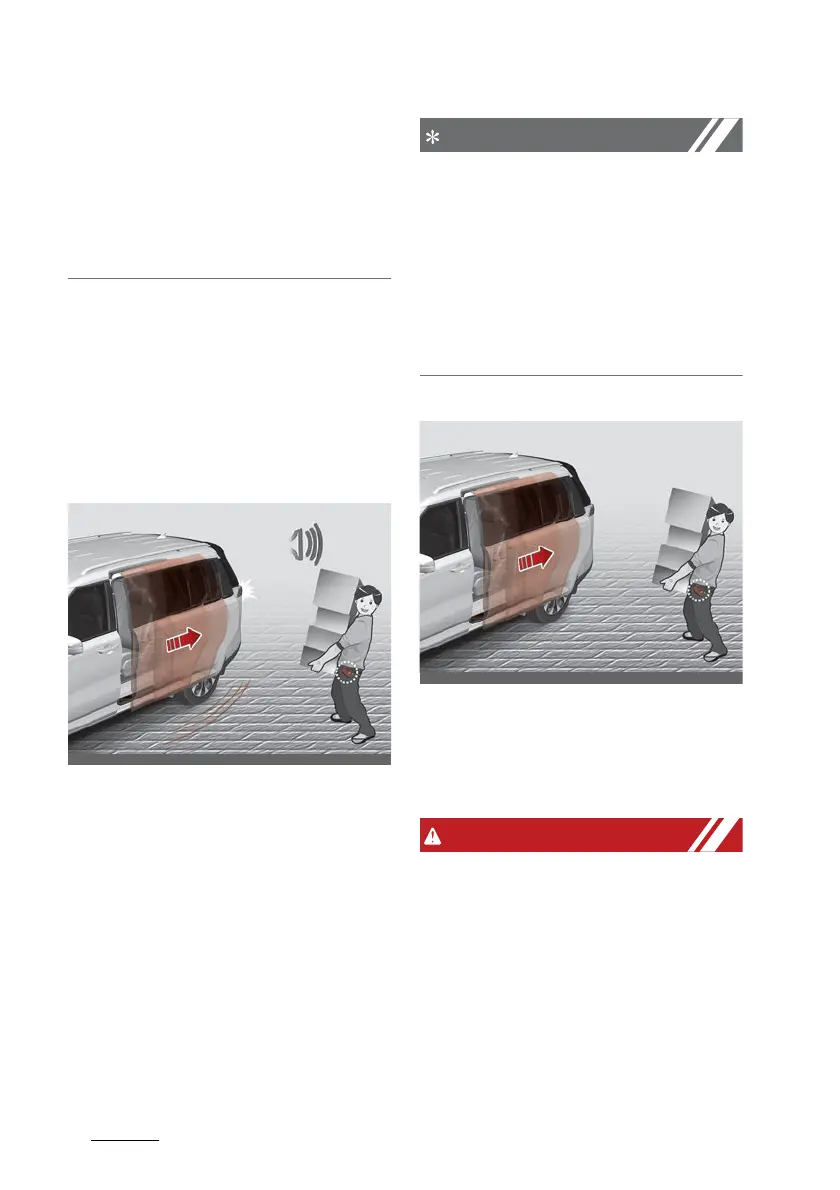
2. Detect and Alert
If you are positioned in the
detecting area (50 ~ 100 cm [20 ~
40 in] behind the vehicle) carrying
a smart key, the hazard warning
lights will blink and chime will
sound to alert you the smart key
has been detected and the sliding
door will open.
Do not approach the detecting area
if you do not want the sliding door
to open. If you have unintentionally
entered the detecting area and the
hazard warning lights and chime
starts to operate, leave the detect
-
ing area with the smart key. The
sliding door will stay closed.
3. Automatic opening
The hazard warning lights will
blink and chime will sound 2 times
and then the sliding door will
open.
䳜 Make sure you close the sliding
door before driving your vehicle.
䳜 Make sure there are no people or
objects around the sliding door
before opening or closing the slid
-
ing door.
䳜 Make sure objects in the sliding
door do not come out when open
-



 To Next Page