131
4
4
Features of your vehicle Surround View Monitor (SVM)
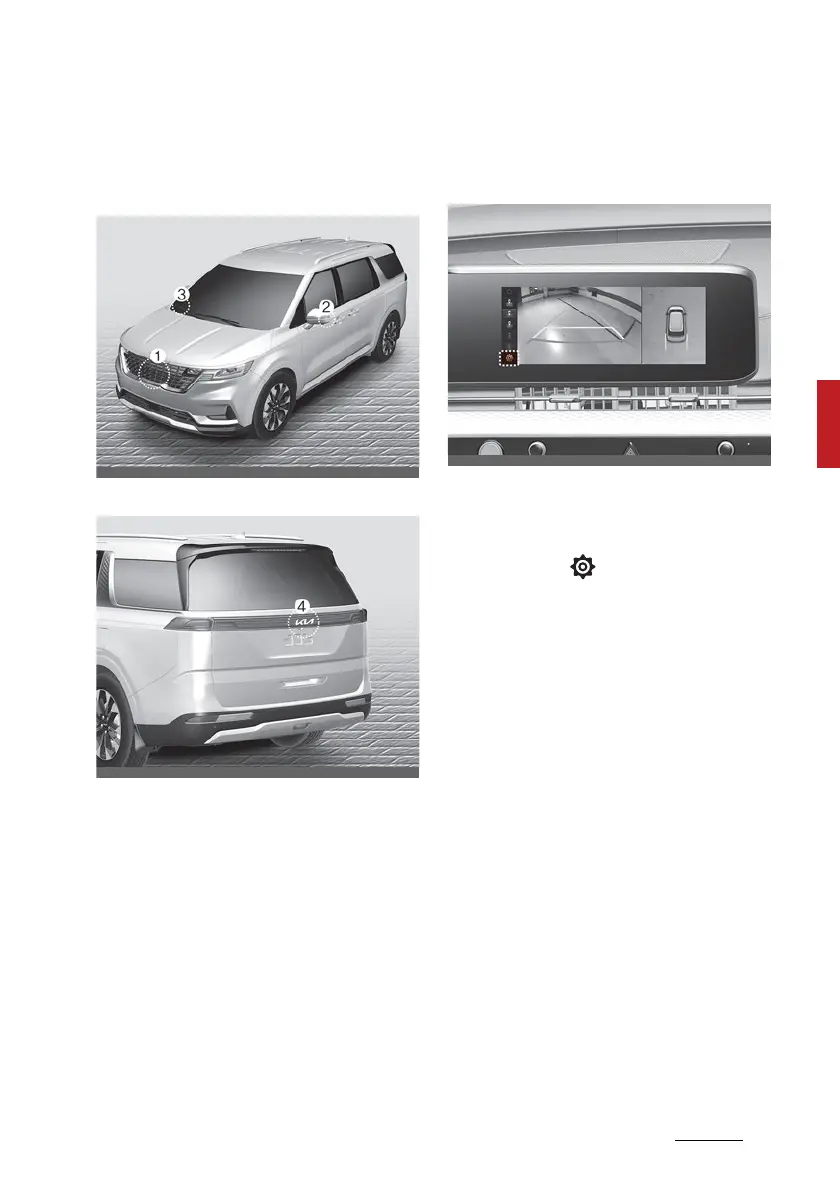
Detecting sensor
(1) SVM-front view camera, (2, 3) SVM-
side view camera (under the outside
rearview mirror)
(4) SVM-rear view camera
Refer to the picture above for the
detailed location of the detecting
sensors.
Surround View Monitor settings
Camera settings
䳜 You can change Surround View
Monitor 'Display Contents' or 'Dis
-
play Settings' by touching the
setup icon ( ) on the screen
whilst Surround View Monitor is
operating, or selecting 'Driver
Assistance → Parking Safety →
Camera Settings' from the Set
-
tings menu whilst the engine is
on.
䳜 In the Display Contents, you can
change settings for 'Top View
Parking Guidance', 'Rear View
Parking Guidance' and 'Parking
Distance Warning'.
䳜 In the Display Settings, you can
change the screen's 'Brightness'
and 'Contrast'.



 To Next Page