Features of your vehicle
1404
Forward/Reverse Parking Distance Warning
(PDW)
Forward/Reverse Parking Dis
-
tance Warning (PDW) (if
equipped)
Forward/Reverse Parking Distance
Warning will help warn the driver if
an obstacle is detected within a cer
-
tain distance when the vehicle is
moving forward or in reverse at low
speeds.
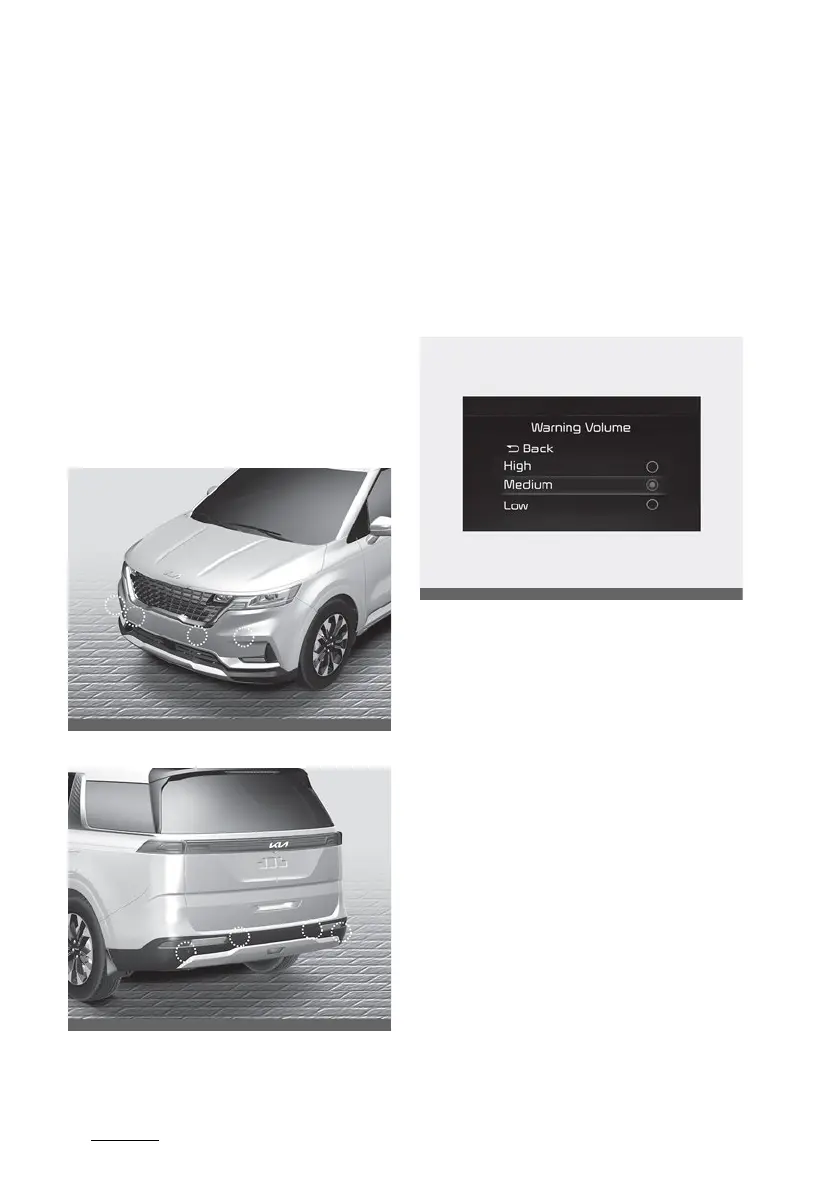
Detecting sensor
Front ultrasonic sensors
Rear ultrasonic sensors
Refer to the picture above for the
detailed location of the detecting
sensor.
Forward/Reverse Parking Distance
Warning settings
Warning Volume
Select 'Driver Assistance → Warning
Volume' from the cluster or info
-
tainment system Settings menu to
change the Warning Volume to
'High', 'Medium', or 'Low' for For
-
ward/Reverse Parking Distance
Warning.
Parking Distance Warning Auto On
Forward Parking Distance Warning
can use 'Auto ON' function. To use
Parking Distance Warning Auto On
function, select 'Driver Assistance →
Parking Safety → Parking Distance
Warning Auto On' from the cluster
or infotainment system Settings
menu.



 To Next Page