Features of your vehicle
2084
Interior features
Electric shock
Do not put a finger or a foreign
object (pen, etc.) into a power outlet
and do not touch with a wet hand.
You may get an electric shock.
Wireless smart phone charging
system (if equipped)
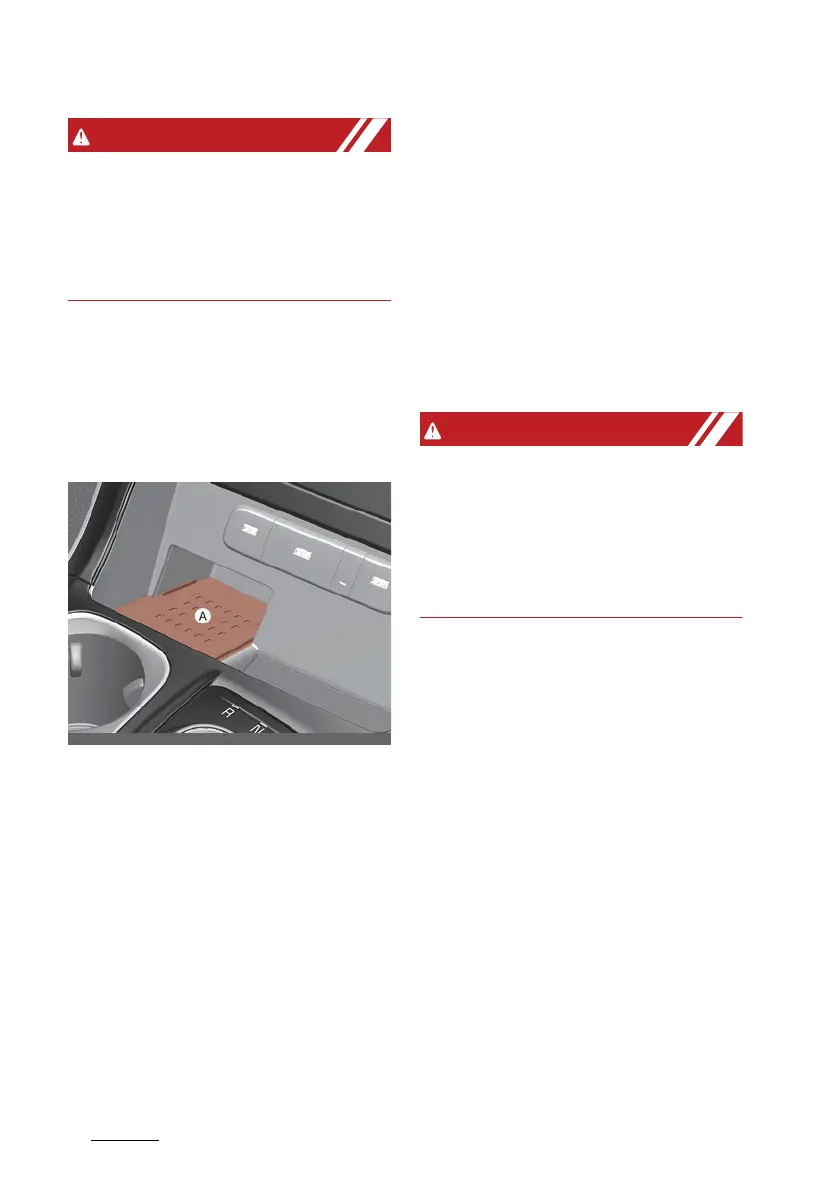
A wireless smart phone charging
system is located in front of the
centre console.
[A]: Charging pad
Firmly close all doors, and the igni
-
tion switch or ENGINE START/STOP
button is ON. To start wireless
charging, place the smart phone
equipped with wireless charging
function on the wireless charging
pad.
For best wireless charging results,
place the smart phone on the centre
of the charging pad.
The wireless charging system is
designed for one smart phone
equipped with QI only. Please refer
to the smart phone accessory cover
or the smart phone manufacturer
homepage to check whether your
smart phone supports QI function.
If any metallic object such as coins is
located between the wireless
charging system and the smart
phone, the charging may be dis
-
rupted. Also, the metallic object may
heat up.
Wireless smart phone charging
1. Remove any object on the smart
phone charging pad including the
smart key. If there is any foreign
object on the pad other than a
smart phone, the wireless
charging function may not oper
-
ate properly.
2. Place the smart phone on the
centre of the wireless charging
pad.
3. The indicator light will change to
orange once the wireless charging
begins. After the charging is com
-
plete, the orange light will change
to green.



 To Next Page