Features of your vehicle
944
LCD display
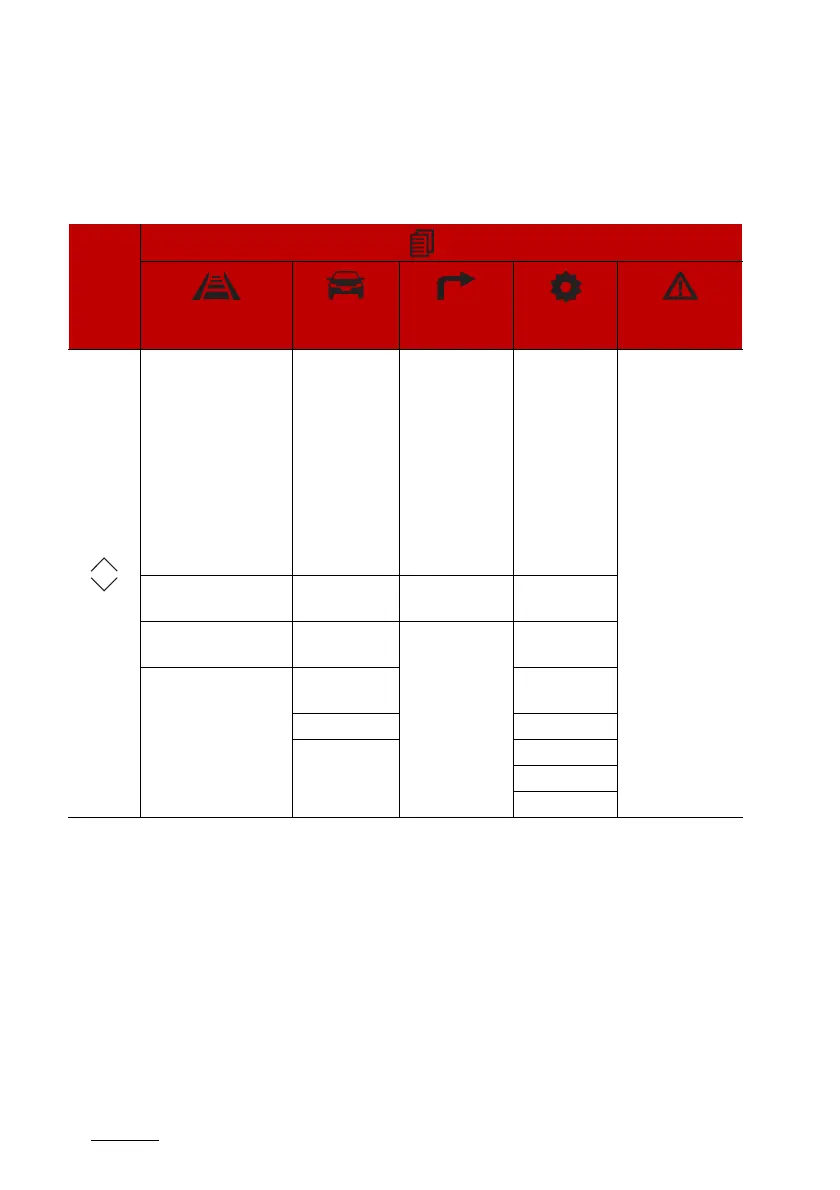
LCD display modes
The LCD display provides 5 modes. You can switch modes by pressing the
Mode button.
The information provided may differ depending on which functions are
applicable to your vehicle.
* : if equipped
Mode
Driving Assist
Trip Computer Turn By Turn
(TBT)*
User Settings*
Master warning
Up/Down
Forward Collision-
Avoidance Assist*
Lane Keeping Assist*
Blind-Spot Collision
Warning*
Blind-Spot Collision-
Avoidance Assist*
Smart Cruise Control*
Lane Following Assist*
Highway Driving
Assist*
Drive Info Route Guidance
Driver Assis
-
tance
The Master Warn
-
ing mode displays
warning mes
-
sages related to
the vehicle when
one or more sys
-
tems is not oper
-
ating normally.
Driver Attention Warn
-
ing*
Since Refuelling Destination Info Cluster
Tire Pressure Monitor
-
ing System*
Accumulated
Info
Lights
Digital
Speedometer
Door
Urea Level Convenience
Units
Language
Default



 To Next Page