137
4
4
Features of your vehicle Reverse Parking Distance Warning (PDW)
Reverse Parking Distance Warning
settings
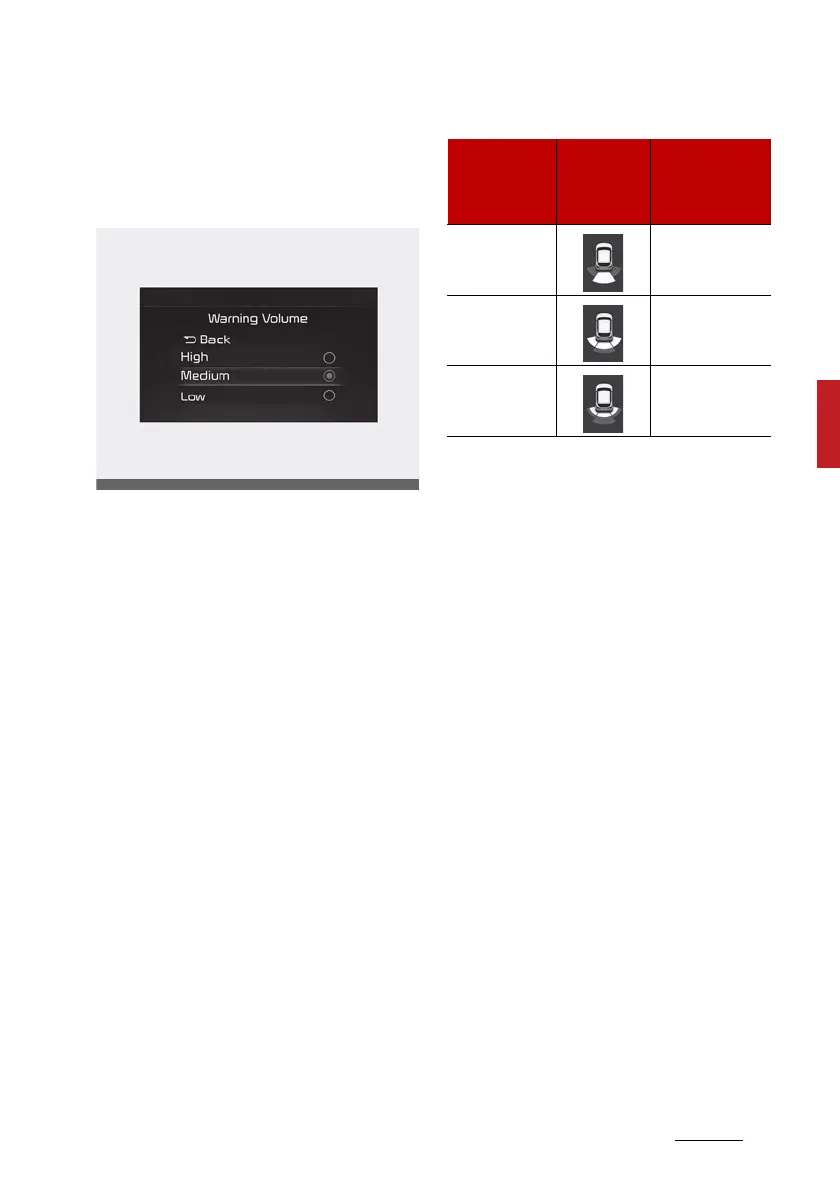
Warning Volume
Select 'Driver Assistance → Warning
Volume' from the cluster or info
-
tainment system Settings menu to
change the Warning Volume to
'High', 'Medium', or 'Low' for Reverse
Parking Distance Warning.
Reverse Parking Distance Warning
operation
Reverse Parking Distance Warning
䳜 Reverse Parking Distance Warning
will operate when the gear is in R
(Reverse).
䳜 Reverse Parking Distance Warning
detects a person, animal or object
in the rear when the vehicle's
rearward speed is below 10 km/h
(6 mph).
䳜 The corresponding indicator will
illuminate whenever each ultra
-
sonic sensor detects a person,
animal or object in its sensing
range. Also an audible warning will
sound.
䳜 When more than two objects are
detected at the same time, the
closest one will be warned with an
audible warning.
䳜 The shape of the indicator in the
illustration may differ from the
actual vehicle.
Reverse Parking Distance Warning
Malfunction and limitations
Reverse Parking Distance Warning
Malfunction
After starting the engine, a beep will
sound when the gear is shifted to R
(Reverse) to indicate the function is
operating normally.
Distance from
object
Warning
indicator
when driv
-
ing backward
Warning sound
60~120 cm
(24~48 inches)
Buzzer beeps
intermittently
30~60 cm
(12~24 inches)
Beeps more fre
-
quently
Within 30 cm
(12 inches)
Beeps continu
-
ously



 To Next Page