61
6
6
Driving your vehicle Forward Collision-Avoidance Assist (FCA) (Front
view camera only)
Refer to the picture above for the
detailed location of the detecting
sensors.
䳜 Never disassemble the detecting
sensor or sensor assembly, or
apply any impact on it.
䳜 If the detecting sensors have
been replaced or repaired, have
the vehicle inspected by a profes
-
sional workshop. Kia recom
-
mends to visit an authorised Kia
dealer/service partner.
䳜 Never install any accessories or
stickers on the front windscreen,
or tint the front windscreen.
䳜 Pay extreme caution to keep the
front view camera dry.
䳜 Never place any reflective objects
(i.e. white paper, mirror) over the
dashboard.
Forward Collision-Avoidance Assist
settings
Setting features
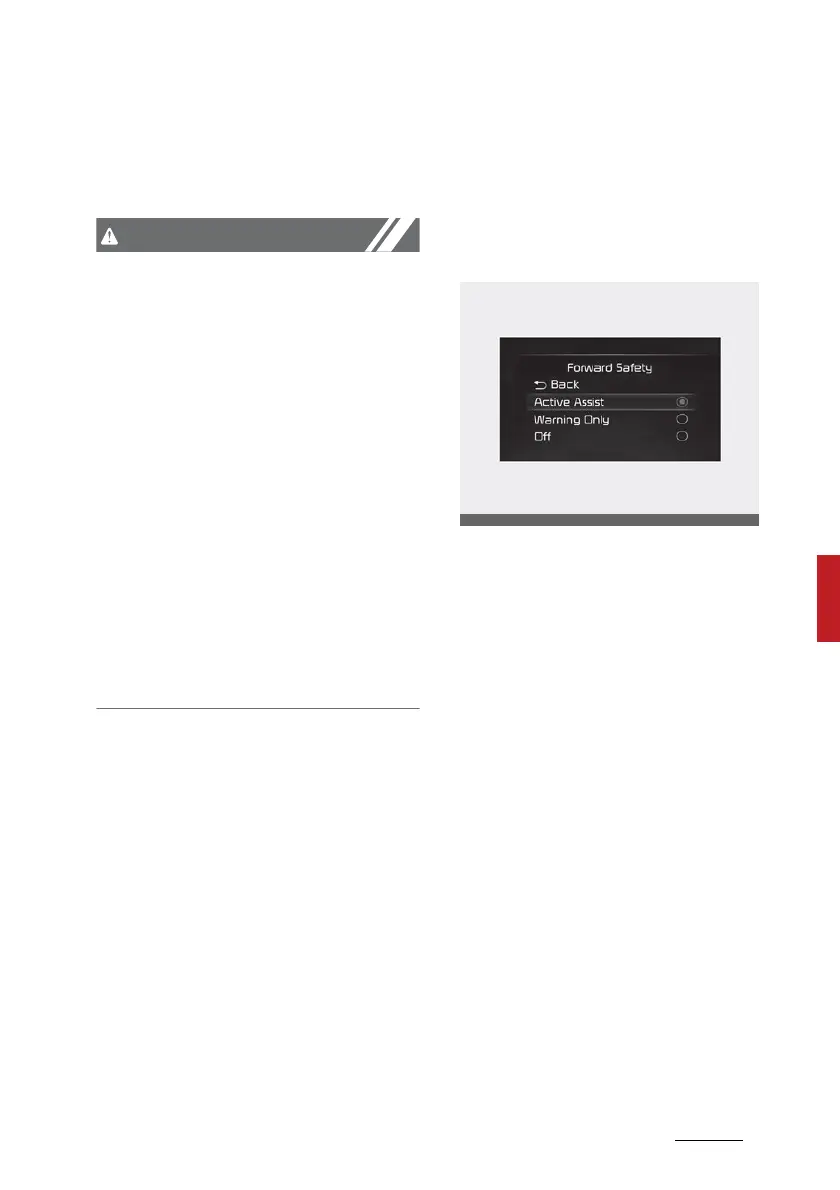
Forward Safety
With the engine on, select or dese
-
lect 'Driver Assistance → Forward
Safety' from the Settings menu to
set whether or not to use each
function.
䳜 'Active Assist': Forward Collision-
Avoidance Assist will warn the
driver with a warning message, an
audible warning depending on the
collision risk levels. Braking assist
will be applied depending on the
collision risk.
䳜 'Warning Only': Forward Collision-
Avoidance Assist will warn the
driver with a warning message, an
audible warning depending on the
collision risk levels. Braking will
not be assisted. The driver must
apply the brake pedal if neces
-
sary.
䳜 'Off': Forward Collision-Avoidance
Assist will be turned off. The



 To Next Page