149
6
6
Driving your vehicle Cruise Control (CC)
2. Press the Driving Assist button at
the desired speed. The set speed
and Cruise ( ) indicator
will illuminate on the cluster.
3. Release the accelerator pedal.
Vehicle speed will maintain the set
speed even when the accelerator
pedal is not depressed.
On a steep sloped road, the vehicle
may slightly slow down or speed up
whilst driving uphill or downhill.
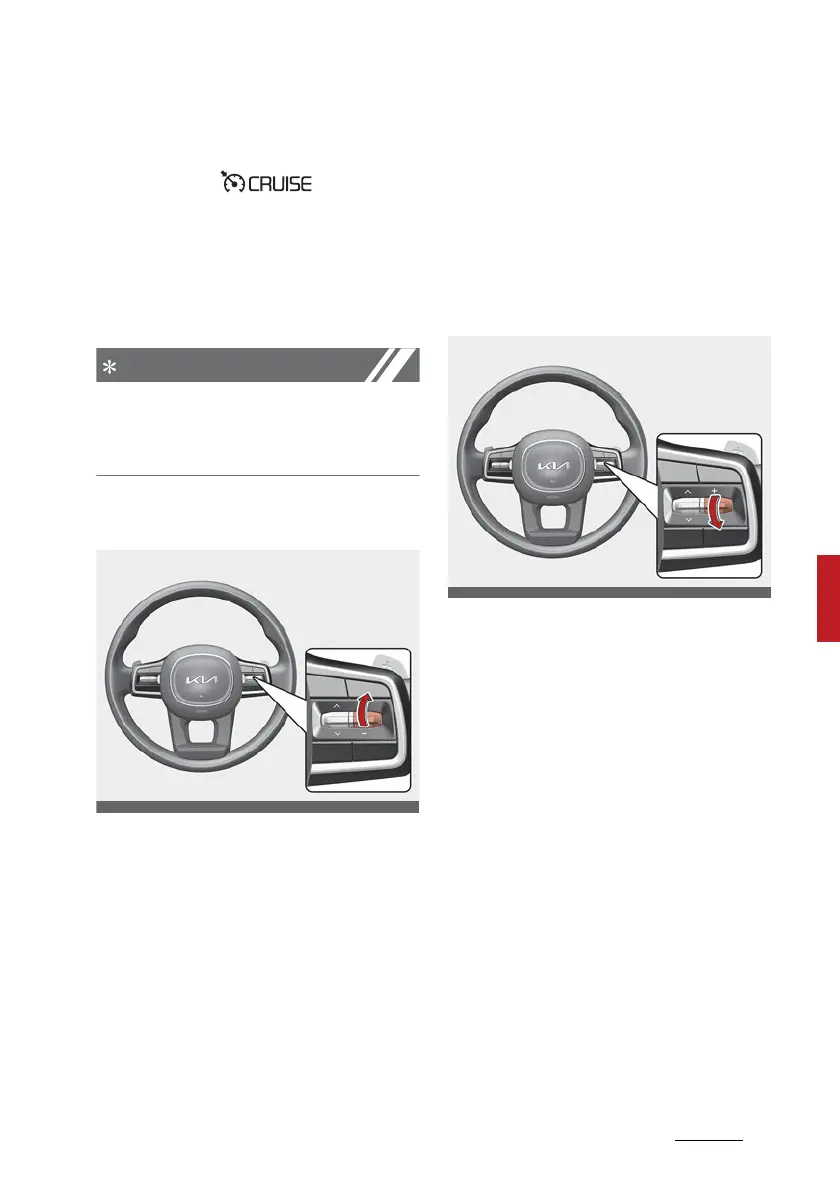
To increase set speed
䳜 Push the + switch up and release
it immediately. The set speed will
increase by 1 km/h (1 mph) each
time the switch is operated in this
manner.
䳜 Push the + switch up and hold it
whilst monitoring the set speed
on the cluster. The set speed will
increase to the nearest multiple
of ten (multiple of five in mph) at
first, and then increase by 10 km/
h (5 mph) each time the switch is
operated in this manner.
Release the switch when the
desired speed is shown and the
vehicle will accelerate to that
speed.
To decrease set speed
䳜 Push the - switch down and
release it immediately. The set
speed will decrease by 1 km/h (1
mph) each time the switch is
operated in this manner.
䳜 Push the - switch down and hold
it whilst monitoring the set speed
on the cluster. The set speed will
decrease to the nearest multiple
of ten (multiple of five in mph) at
first, and then decrease by 10
km/h (5 mph) each time the
switch is operated in this manner.
Release the switch at the speed
you want to maintain.



 To Next Page