Driving your vehicle
1866
Rear Cross-Traffic Collision-Avoidance Warning
(RCCW)
Rear Cross-Traffic Collision-Avoid
-
ance Warning settings
Setting features
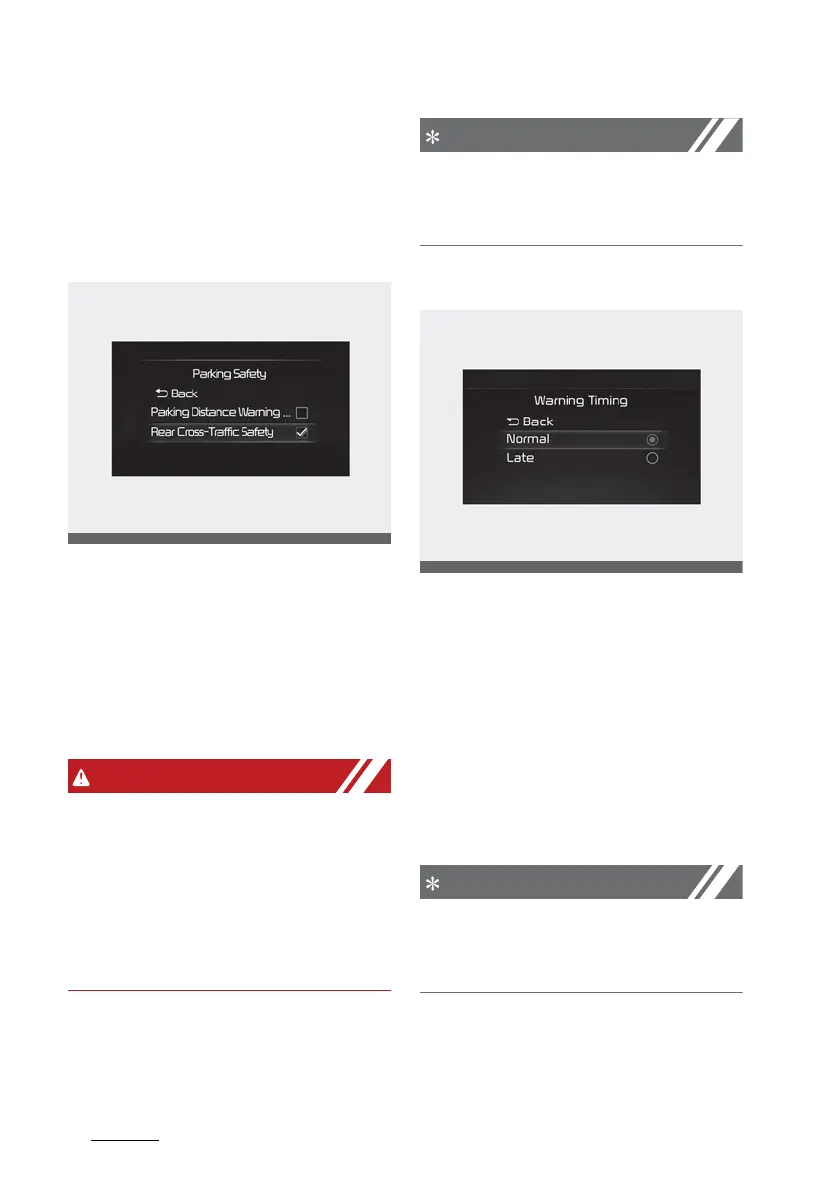
Rear Cross-Traffic Safety
With the engine on, select 'Driver
Assistance → Parking Safety →
Rear Cross- Traffic Safety' from the
Settings menu to turn on Rear
Cross-Traffic Collision-Avoidance
Warning and deselect to turn off the
function.
When the engine is restarted, Rear
Cross-Traffic Collision-Avoidance
Warning will automatically turn on.
However, if 'Off' is selected after the
engine is restarted, the driver
should always be aware of the sur
-
roundings and drive safely.
If the engine is restarted, Warning
Timing and Warning Volume will
maintain the last setting.
Warning Timing
With the engine on, select 'Setting
→ Driver Assistance → Warning
Timing' to change the Settings for
Rear Cross-Traffic Collision-Avoid
-
ance Warning. You can set the
warning point to 'Normal' or 'Late'.
䳜 Normal: Use in a typical driving
environment. Select 'Late' if the
Warning Timing feels too sensi
-
tive.
If you change the Warning Timing,
the warning time of other Driver
Assistance systems may change.



 To Next Page