Issue: 06/2011
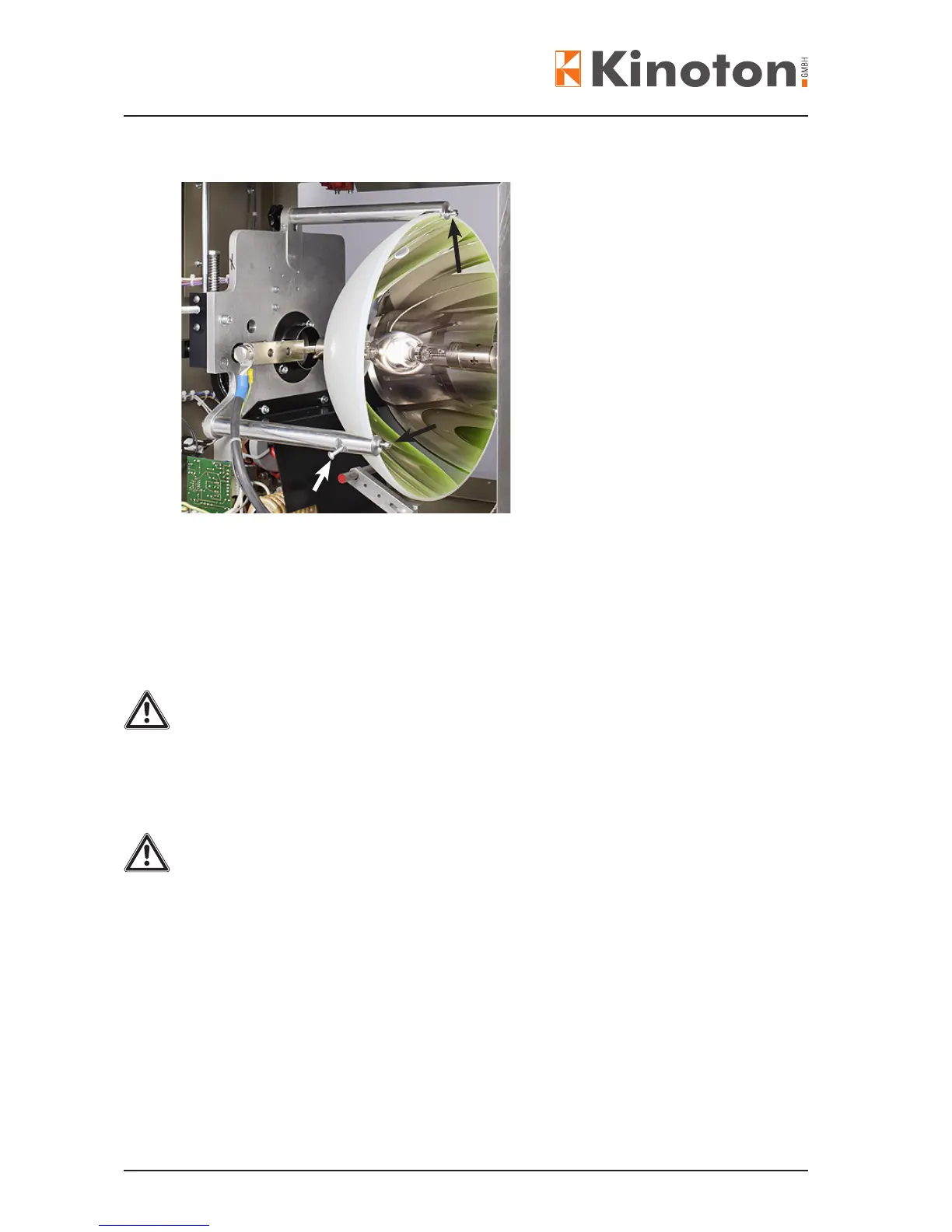
• The reector can be adjusted by turning the adjusting screws on the reector holder
bars.
• Adjust the space between the reector set screws and the reector surface to
0.2 mm. The set screws (black arrow) prevent the reector from sliding back into the
reector holder rods.
Pushing the reector towards the holder rods the set screws should stop it at
0.5 to 1 mm movement.
The set screws must not touch the reector surface if properly adjusted.
Due to mechanical strain the reector may break if not properly adjusted.
• Tighten the handle star on the upper mirror holder.
Be careful that the main reector will not be clamped too toughly - during the operation
the reector expands and therefore could break.
X
The ne adjustment has to be carried out by service from Kinoton.
• Insert the xenon bulb.
• Close the lamphouse.
• Adjust the screen of illumination



 To Next Page