Model 3605M0312-01
07/20 2-39
Machine Operation
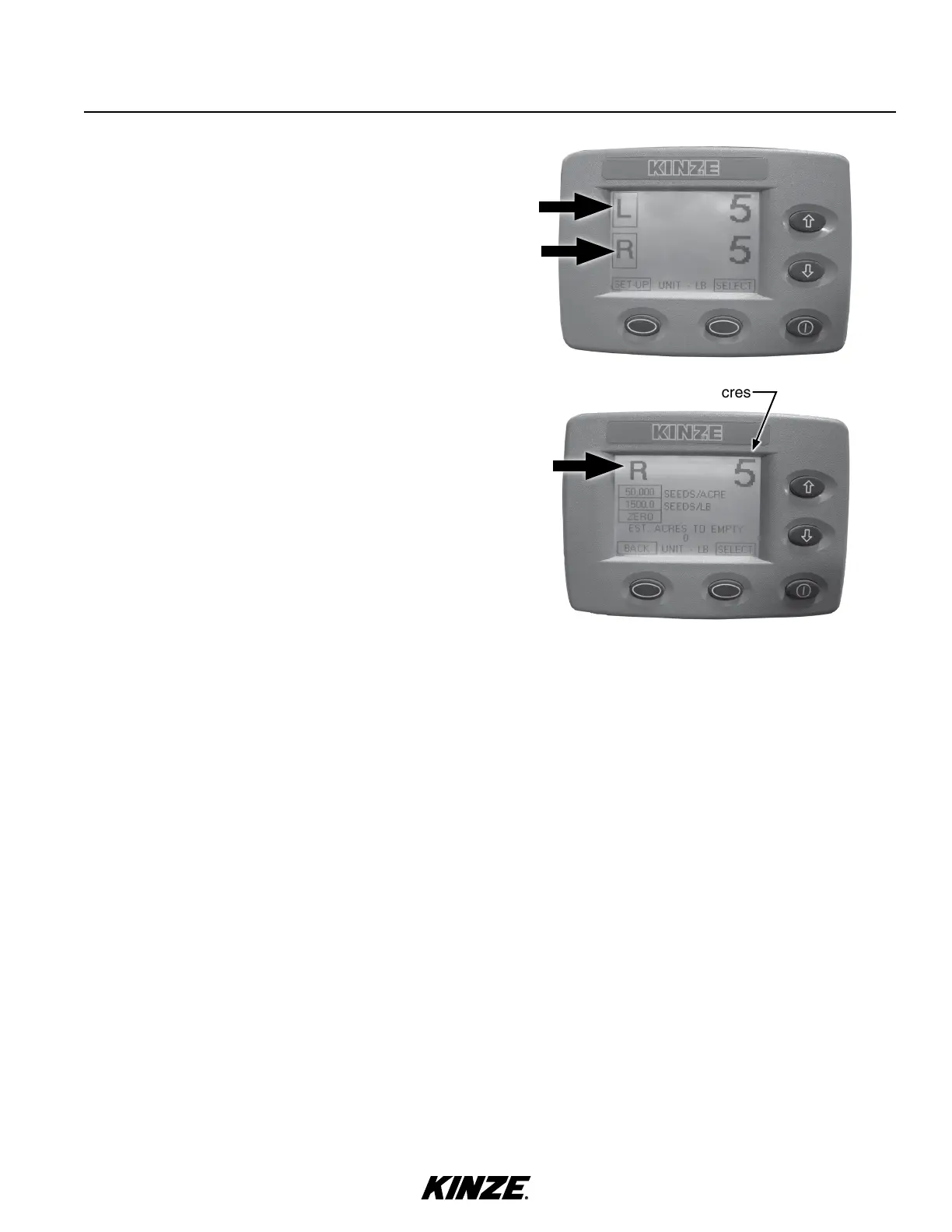
1. Highlight and select either L (left) or R (right) for the
appropriate input screen.
2. At input screen, L or R side is indicated at left side of screen
and seed weight or acres remaining is on right side.
3. Press arrow keys to select desired box; press
SELECT to darken and use arrow keys to change.
NOTE: Seed information entered must be accurate
for remaining estimated acres to calculate correctly.
• SEEDS/ACRE is population rate.
• SEEDS/LB value comes from seed specifications.
• ZERO is selected to zero hopper that is selected.
4. Select BACK to return to main screen.
ENTER SEED INFORMATION
Seed weight or acres


 To Next Page