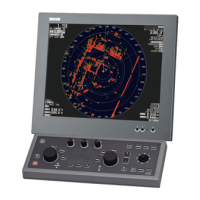
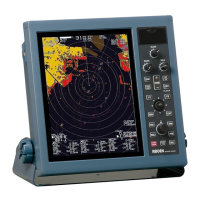
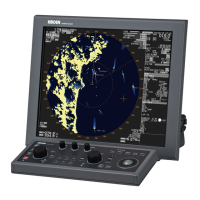
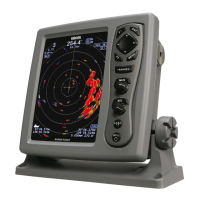
MDC-2200/2500 series Table of Contents
0093125002-04 v
(9) Select target
...................................................................................................... 4-28
(10) EPA Update
..................................................................................................... 4-28
(11) Data display format
......................................................................................... 4-29
4.7 AIS menu (Optional AIS unit required)
.......................................................................... 4-30
(1) Activate AIS display
.......................................................................................... 4-30
(2) Set up target ID display
.................................................................................... 4-30
(3) Select target
...................................................................................................... 4-31
(4) Setup detection area (Display area setup)
....................................................... 4-31
(5) Setup lost target display
................................................................................... 4-31
(6) Setup sleep ship display
................................................................................... 4-31
(7) Setup class B target display
............................................................................. 4-31
(8) Setup ATON target display
................................................................................ 4-31
(9) Setup SART target display
................................................................................ 4-32
(10) Setup BASE target display
............................................................................. 4-32
(11) Auto acquisition ring
........................................................................................4-32
Type and meaning of AIS symbols
......................................................................... 4-32
4.8 CHART menu
................................................................................................................ 4-33
(1) Display/hide chart
............................................................................................. 4-34
Insert method of C-MAP chart card
........................................................................ 4-34
Chart card removal
................................................................................................. 4-35
(2) Setup own ship track, ATA target track, and AIS target track
........................... 4-35
(3) Setup track memory interval
............................................................................. 4-36
(4) Delete track
....................................................................................................... 4-36
(5) Setup Way point/route
...................................................................................... 4-36
(6) Display mark
..................................................................................................... 4-36
(7) Select block number for mark display
............................................................... 4-36
(8) Delete mark data of specified block number
.................................................... 4-37
(9) Display line from own ship location to mark
..................................................... 4-37
(10) Select display mark shape
.............................................................................. 4-37
(11) Input mark (own ship position)
........................................................................ 4-37
(12) Mark input/delete (cursor position)
................................................................. 4-38
(13) Input/edit mark (latitude/longitude input)
........................................................ 4-38
(14) All marks display
............................................................................................. 4-38
(15) Select chart
..................................................................................................... 4-38
(16) Detail chart display setting
.............................................................................. 4-39
(17) Accommodate radar image and chart display (position compensation)
......... 4-39
(18) Correct latitude
................................................................................................ 4-39
(19) Correct longitude
............................................................................................. 4-39
(20) Display Waypoint/Route ID
............................................................................. 4-39



 To Next Page