Chapter 4 Menu operations MDC-2200/2500 Series
0093125002-05 4-34
(1) Display/hide chart.
Setup Chart display on the screen.
ON: Chart is displayed.
OFF: Chart is disappeared
Note: When Chart card is inserted during operation, it may not be recognized. Power off this device
once then start up again.
Note: About C-MAP chart
When a C-MAP chart card for a special area is used, there are cases where no chart could be
displayed at some positions or at some ranges.
This is because that there is no most appropriate chart information and not because of failure of the
radar. In those cases, please try to change the range to get the chart.
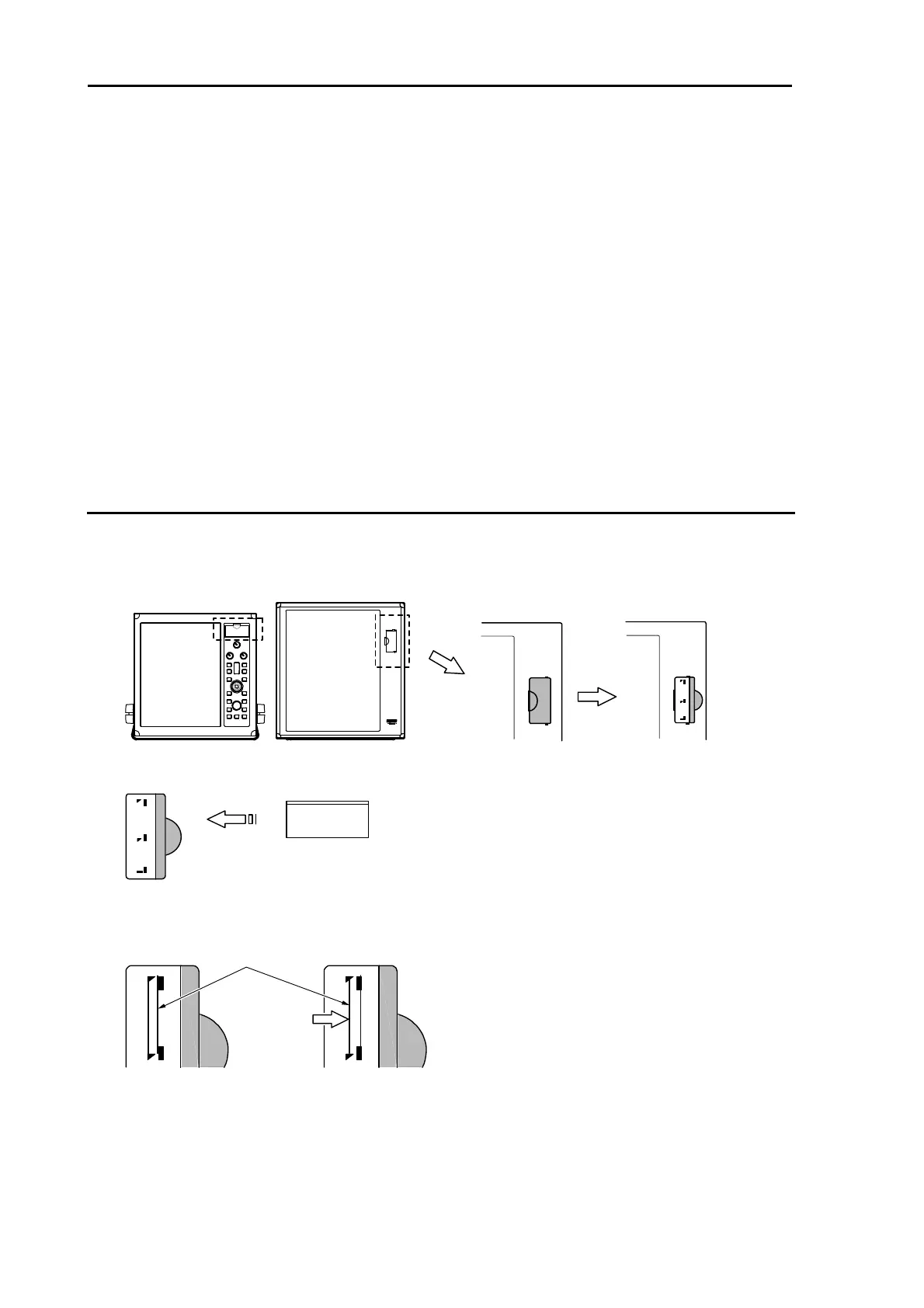
Insert method of C-MAP chart card
1 Open the lid located at right side of the radar screen and confirm loading slot.
Two loading slots are located. (No functional differences between two.).
2 Pay attention that card orientation and then insert card to the end.
C-MA P
chart card
3 Slide downward by pressing card, then it will be fixed. (for MDC-2200)
Slide to the right by pressing card, then it will be fixed. (for MDC-2500)
C-MAP chart card
Slide to right



 To Next Page