Chapter 4 Menu operations MDC-2200/2500 Series
0093125002-05 4-8
(18) Select display format
This function is to select format (numeric or symbol) to show bearing on bearing scale.
Refer to “item (16) Display bearing”.
(19) Use blinking of heading line
This function is to blink heading line (and stern line) per each antenna rotation.
It is effective to observe small target on the heading line.
(20) Display guard line
This function is to display parallel lines to the heading on both side of own ship position.
Distance to guard line from own ship can be set at 0 to 10000m (left and right side independently).
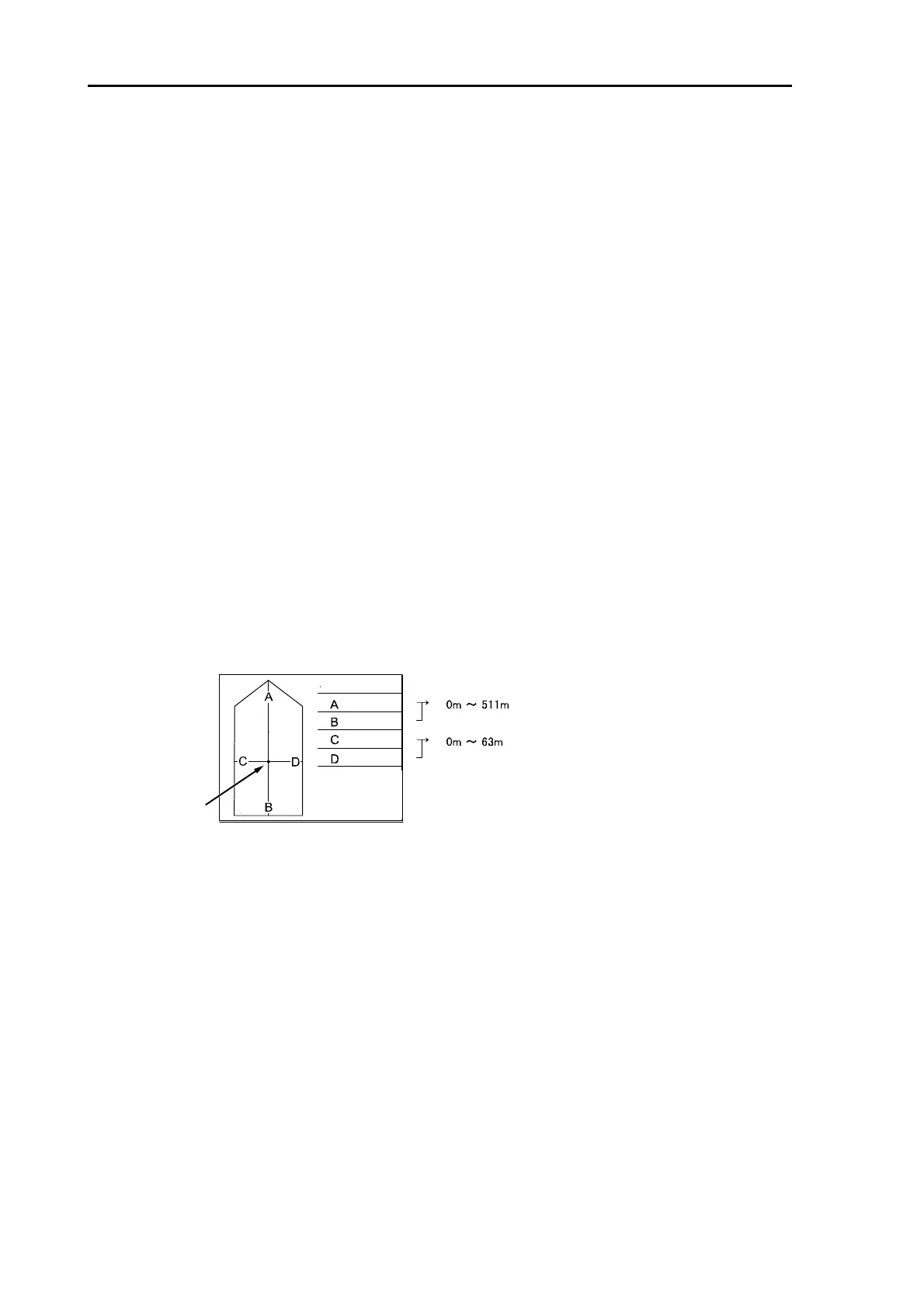
(21) Display own ship’s outline
Set up On/Off of own ship’s outline display.
(22) Setup own ship’s profile (Cannot use on transmitting)
Press [MENU] key to display “Menu”.
Select [MARKER] => [OS PROFILE] =>
Specify the each numerical value based on the antenna position.
*The center of echo image (PPI) is ANT.
ANT position
・
OUTLINE



 To Next Page