MDC-2200/2500 Series Chapter 3 Basic operation
0093125002-04 3-19
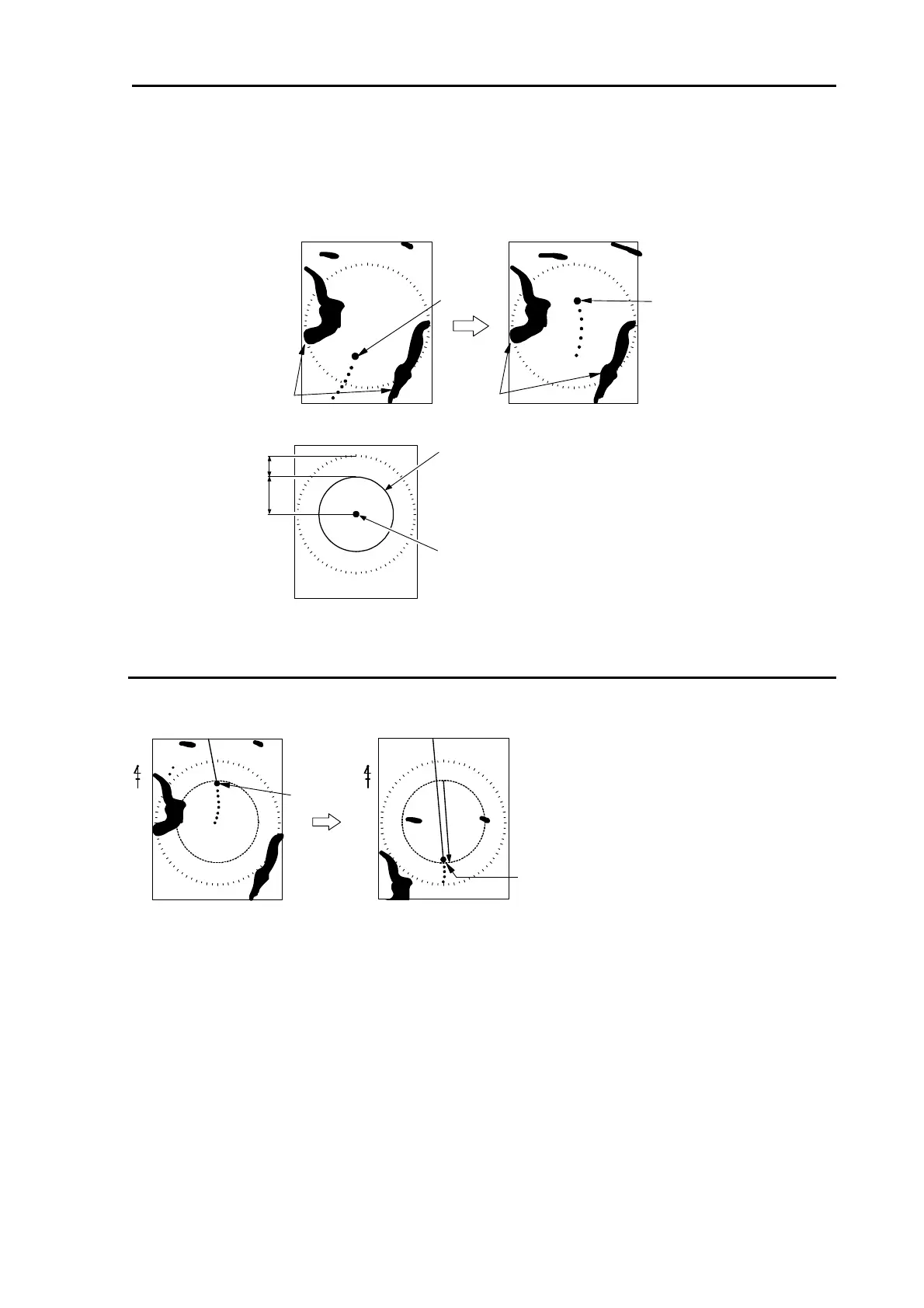
True motion (TM): Own ship’s position moves according to its speed and its course on the screen.
Stationary targets are fixed on the screen, while moving targets move on the screen.
This mode is useful for monitoring your position from the fixed targets such as a
land etc.
Moving
Fixed
Own ship
Own ship
Land
34%
66%
Own ship position
relocatable area in TM
Center of display
Reset true motion
When own ship position reaches to about 66% of effective screen radius, own ship position is
automatically reset to opposite orientation of the screen.
Moving toward
the stern
Own ship
Own ship
N
N
・ It is also possible to reset own ship position before it reaches to 66% of effective screen radius.
1 Press [MENU] key to display “Menu”.
Select [ECHO] => [TM RESET] and then press [ENT] key.



 To Next Page