MDC-2200/2500 Series Chapter 3 Basic operation
0093125002-04 3-15
3.13 Relocate own ship position (Off-centering)
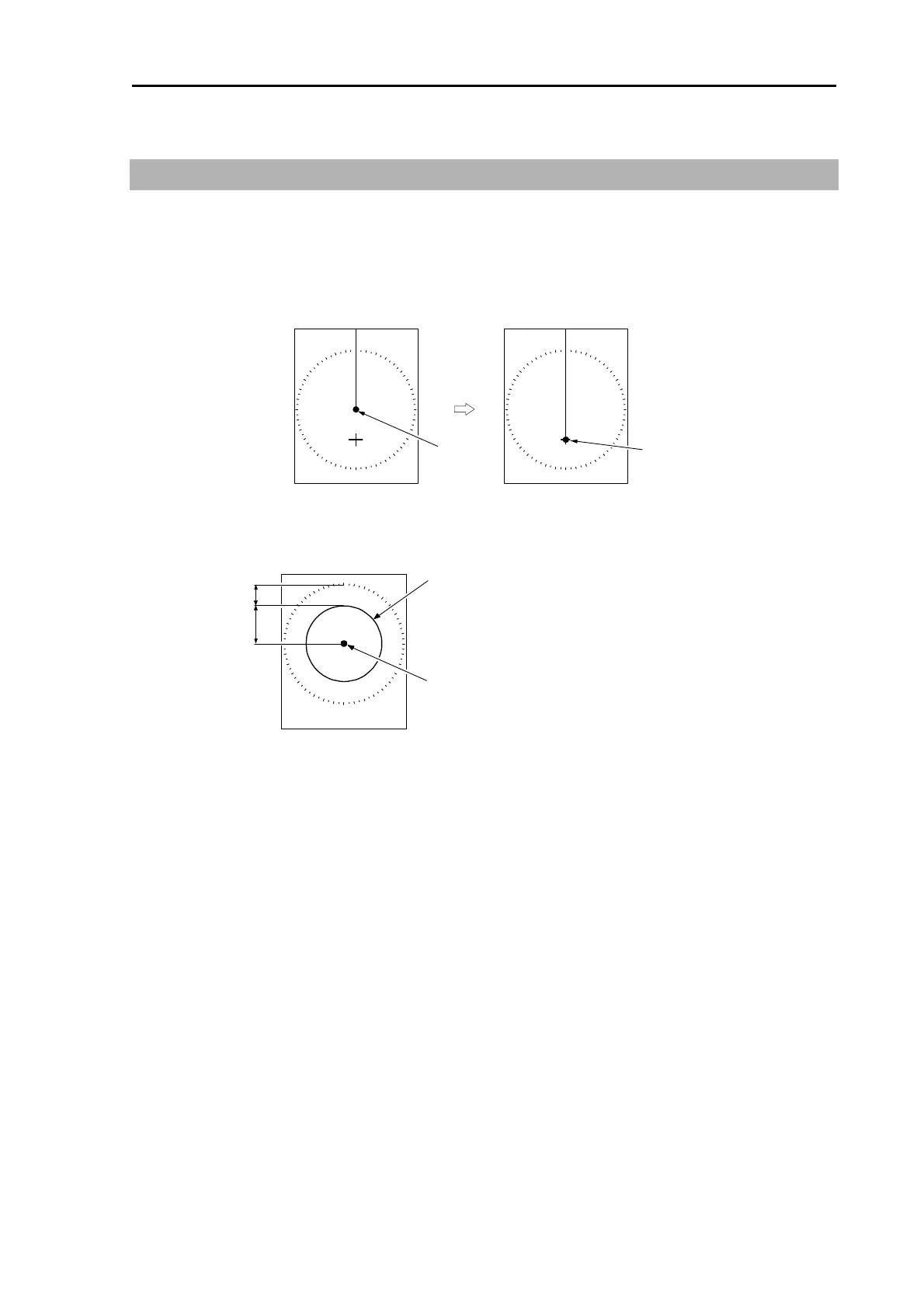
This function is used to get broad outlook of heading line by relocating position of own ship.
1 Move a cross cursor to the position you want to move own ship by operating [Joystick].
2 Press [OFF CENT] key to move own ship to cross cursor position.
Own ship
Own ship
3 Press [OFF CENT] key again to return own ship to the center of the screen.
Off center area is limited to 66% of the designated range.
34%
66%
Own ship relocatable area
Own ship
Off center position can be fixed to stern orientation instead of cross cursor position.
(Chapter 4 4.3 ECHO menu => [OFF CENTER POSITION] => OPPOSITE)



 To Next Page