Chapter 4 Menu operations MDC-2200/2500 Series
0093125002-05 4-6
(7) VRM1 Setting of range unit
VRM1 range unit can be changed. (NM, km, sm, RANGE LINK)
By setting RANGE LINK, the same unit as the display range of radar image is set.
(8) VRM2 Setting of range unit
VRM2 range unit can be changed. (NM, km, sm, RANGE LINK)
By setting RANGE LINK, the same unit as the display range of radar image is set.
(9) PI Setting of range unit
PI range unit can be changed. (NM, km, sm, RANGE LINK)
By setting RANGE LINK, the same unit as the display range of radar image is set.
(10) Display stern marker
This function is to display marker in opposite side of heading line (stern direction).
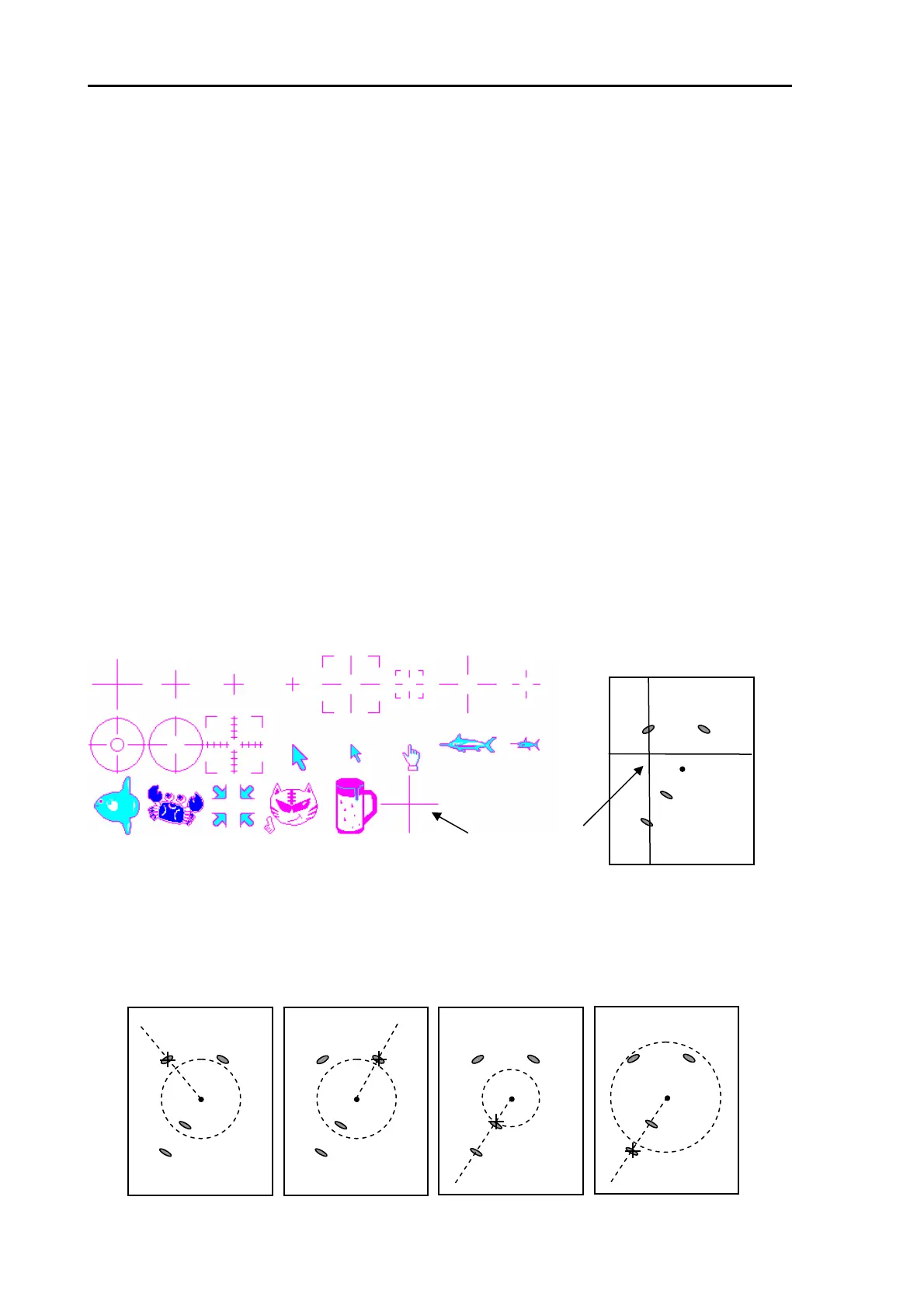
(11) Setting of cursor shape
Cross cursor shape can be changed as desired. Select out of 22 types of shape.
Lowest [+] is hair line cursor ,which can be displayed up to extreme top, bottom, right and left of the
screen.
(12) Tracking cursor
Tracking cursor is the function to have position of cross cursor moved onto the target nearest to
intersection of EBL1 and VRM1, interlocking with the movement of EBL1 and VRM1. Acquisition
operation of ATA/EPA can be performed without using joystick.
This function is effective when joystick operation is difficult under violent sea weather.
Hair line cursor



 To Next Page