Chapter 4 Menu operations MDC-2200/2500 Series
0093125002-05 4-4
(2) Set bearing mode (relative/true mode)
Bearing display mode of [EBL]. [PI], [BRG SCALE] and [CROSS CURSOR] can be set at either relative
or true mode.
Relative bearing mode defines heading line at 0 degree while true bearing mode defines true north at 0
degree to display bearing of EBL, PI, BRG SCALE and CROSS CURSOR.
IMPORTANT: Heading signal shall be input by using GPS compass etc. to display with true bearing
mode.
IMPORTANT: True bearing mode is switched to relative bearing mode when heading signal is
intermitted.
(3) Marker selection (MDC-2200 only)
Switch over operation mode of EBL2/VRM2 key.
“EBL2/VRM2” or “Parallel index” can be selected.
Refer to “Measure distance/bearing (PI: Parallel index line)” (Page 3-10).
Parallel index is activated by pressing EBL knob for MDC-2500.
(4) Designate display lines of Parallel index.
Designate display lines of Parallel index.
Refer to “Measure distance/bearing (PI: Parallel index line)” (Page 3-10).
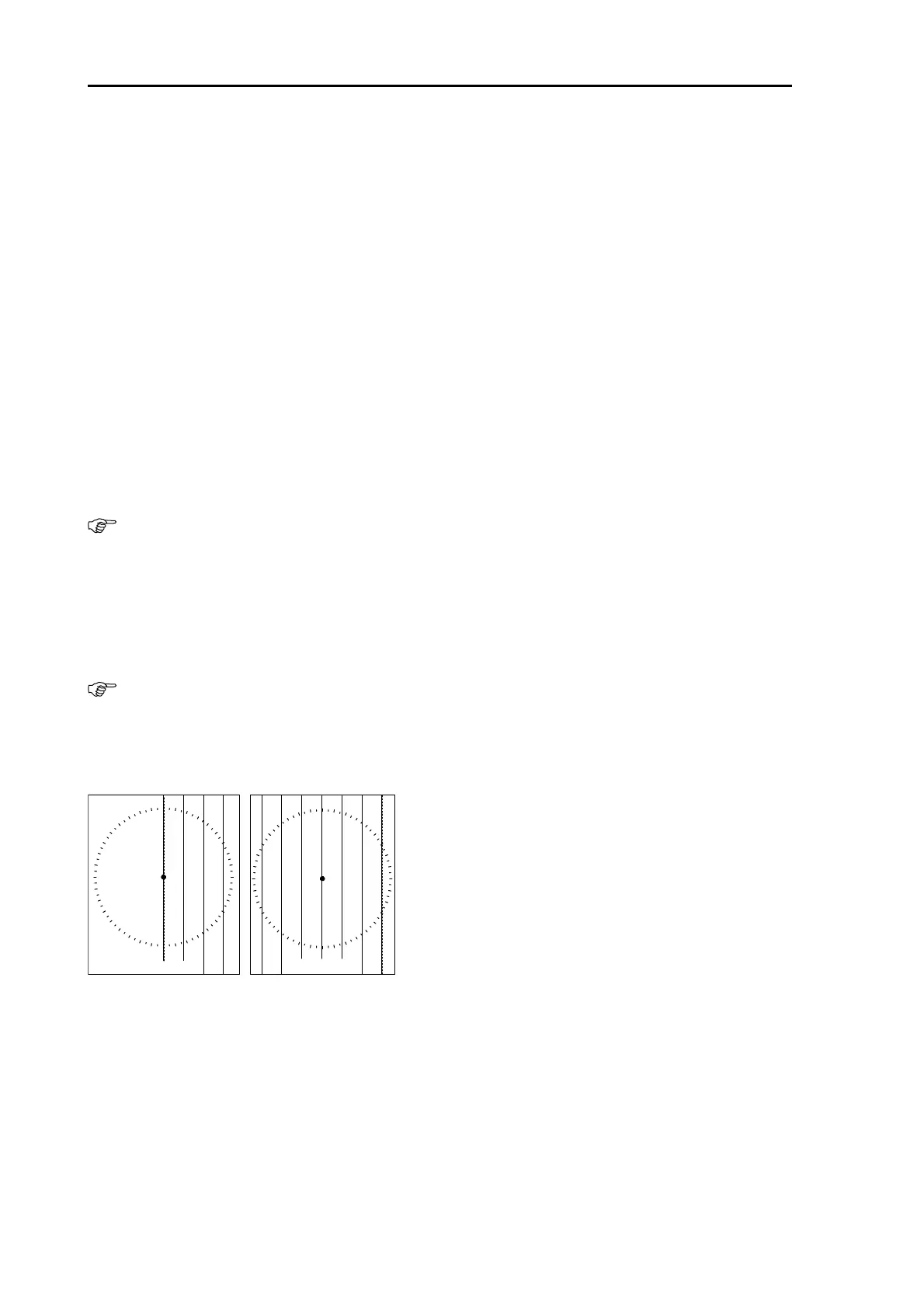
(5) Designate display direction of Parallel index
Parallel index can be displayed in one or both side based on the view from own ship.
PI
000.0° 2.500NM
PI RE L PI
000.0° 5.000NM
PI RE L
ONE BOTH



 To Next Page