MDC-2200/2500 Series Chapter 3 Basic operation
0093125002-04 3-17
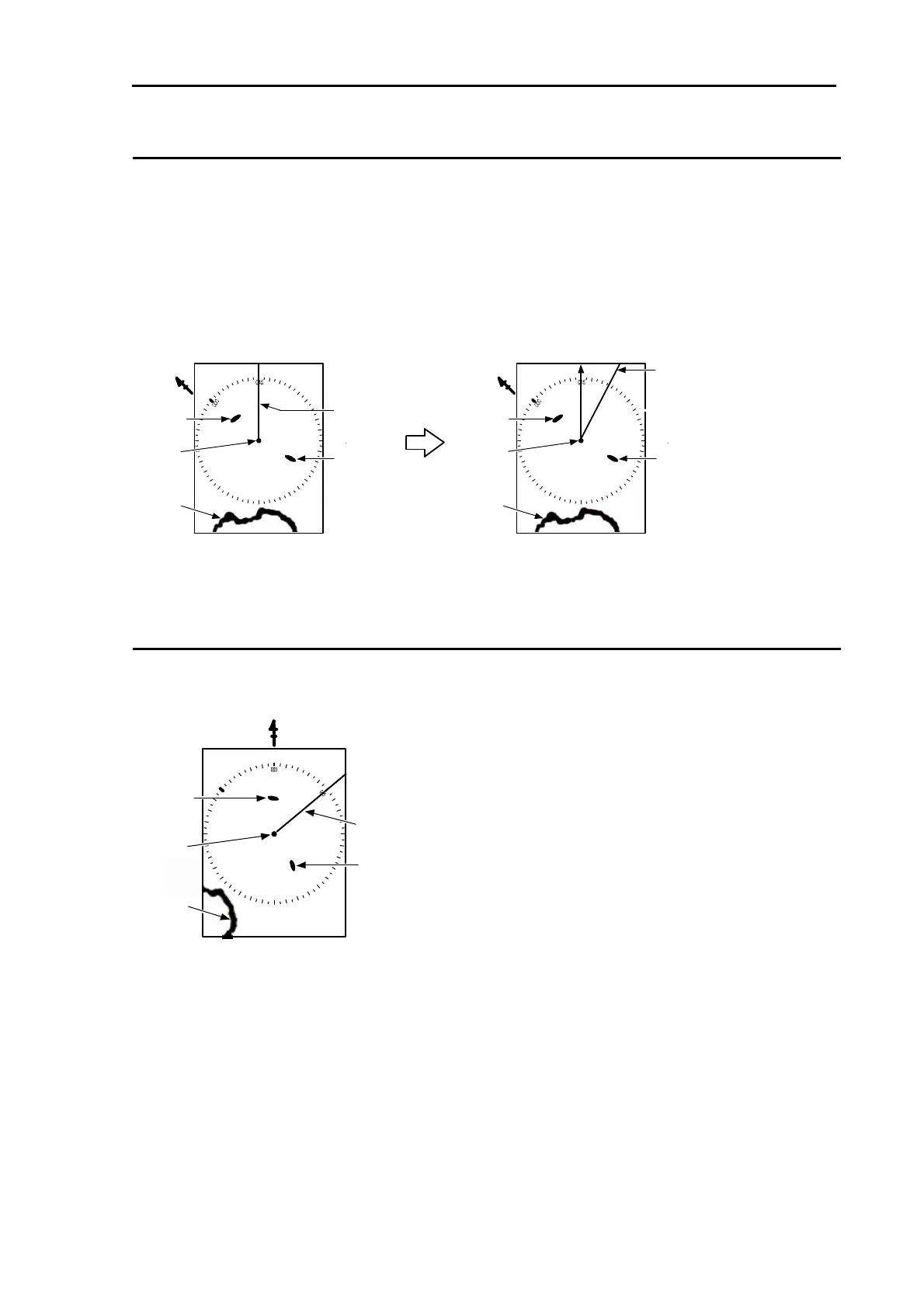
For C UP (Course up mode)
When “C UP
RM
” or “C UP
TM
” is selected, the heading line is set to the course and the setup course is
shown on direct top of the screen.
This mode is used for navigation along the setup course.
When heading is changed from the setup course after C UP setting, heading line is shown deviated
accordingly from the setup course.
To navigate along the setup course, ship handling shall be done to keep heading line displayed on
direct top of the screen.
For N UP (North up mode)
This mode always keeps displaying true north on the top of the screen. It makes easy to consult with
the chart because of the display oriented to a true north.
N
Land
Target 1
Target 2
Own ship
Heading
N
Land
Target 1
Target 2
Own ship
Heading
N
Land
Target 1
Target 2
Own ship
Heading
Specified course
< [C UP] selected >
< Heading deviated from course >



 To Next Page