MDC-2200/2500 Series Chapter 4 Menu operations
0093125002-05 4-21
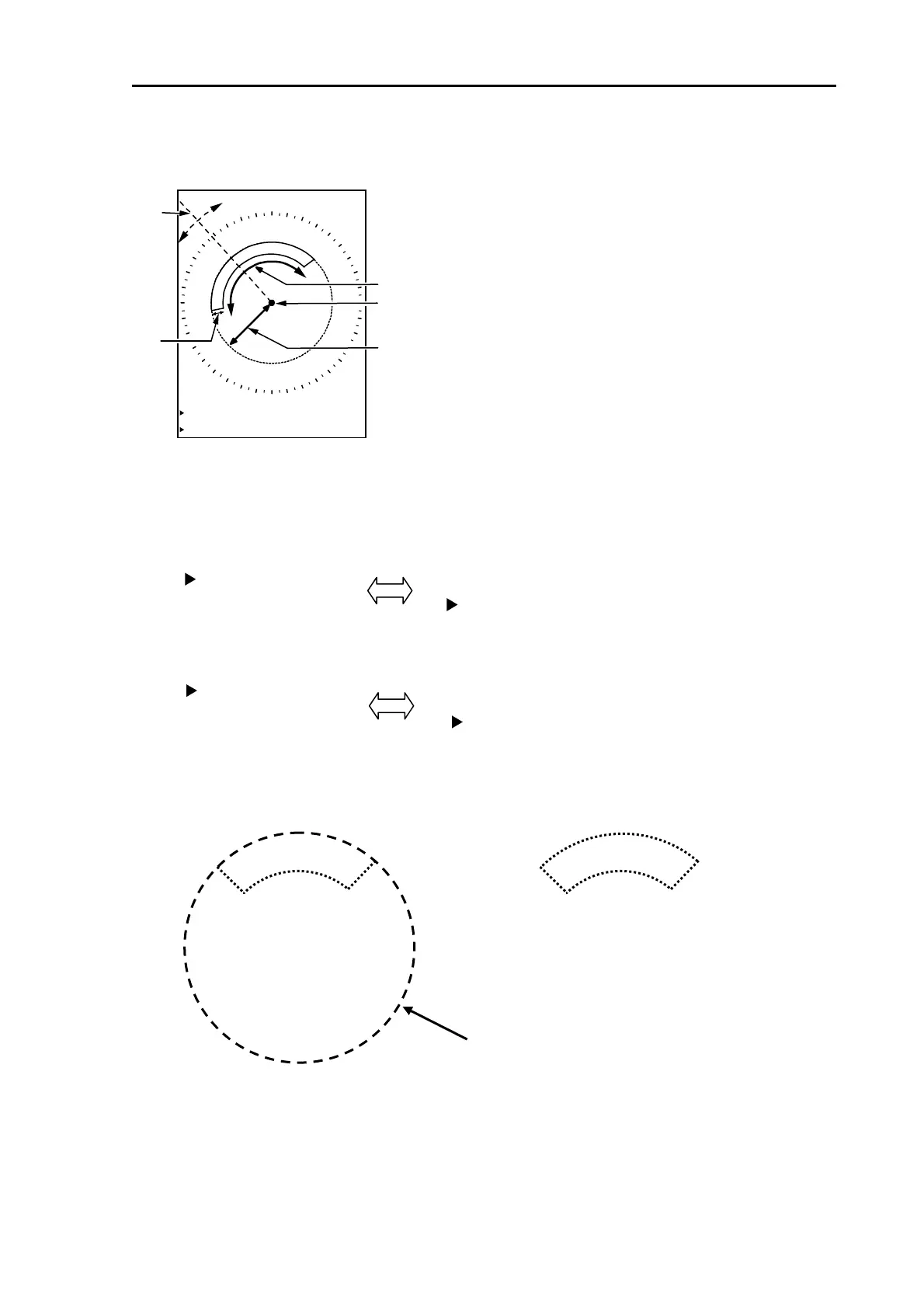
Press [MEMU] key then select [ALARM] => [GUARD ZONE] and press [ENT] key.
Guard zone area setup screen is displayed and the data is displayed on lower left of the screen.
Setup [bearing] and [width] by using EBL key and EBL knob.
Setup [range] and [depth] by using VRM key and VRM knob.
[BRG] and [WIDTH] is switched over by pressing [EBL1] key or [EBL2] key.
[RNG] and [DEPTH] is switched over by pressing [VRM1] key or [VRM2] key.
Select [BRG], [WIDTH], [RNG], [DEPTH] then setup area by turning EBL knob and VRM knob.
Press [ENT] key after setup then setting is completed.
Removal of guard zone function
Press [MENU] key to display “Menu”.
Select [ALARM] => [GUARD ZONE], then press [ENT] key.
BRG
DPT
BRG 315.8
WDT 100.3°
RNG 4.133NM
DPT 0.755NM
Guard zone
BRG 315.8°
WIDTH 100.3°
BRG 315.8°
WIDTH 100.3°
RNG 4.133NM
DEPTH 0.755NM
RNG 4.133NM
DEPTH 0.755NM
Guard zone area
setting is ongoing
Guard zone area
setting is completed
Ring is displayed when setting is ongoing.
WDT
RNG
OWN



 To Next Page