Color Brightness
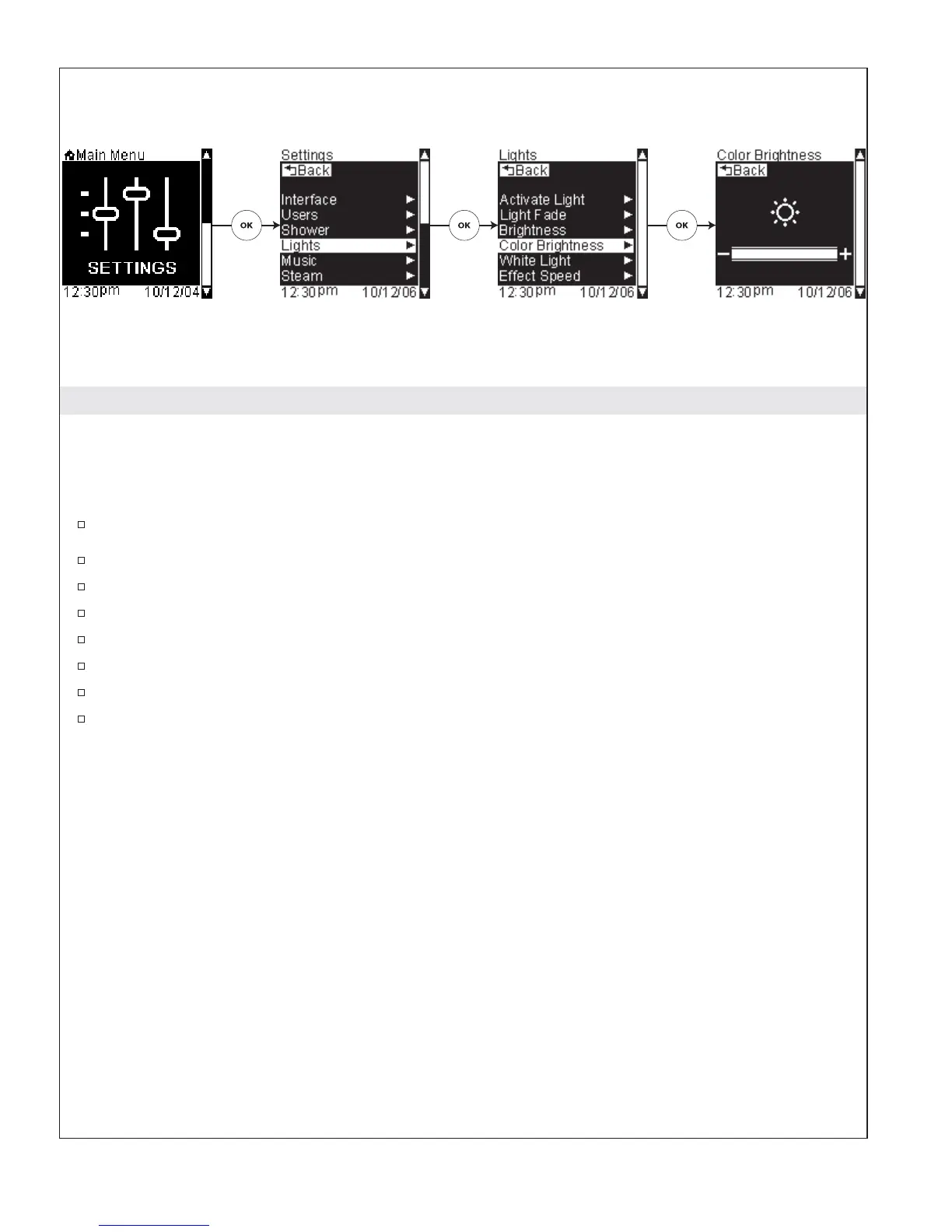
Path: Settings > Lights > Color Brightness
This menu item is only available if chroma lighting is connected to the system.
This function allows you to adjust the brightness of your chroma lighting.
From the Main Menu scroll to “Settings.”
Press the [OK Icon] to select.
Using the dial, scroll to and select “Lights.”
Press the [OK Icon] to select.
Using the dial, scroll to “Color Brightness.”
Press the [OK Icon] to select.
Turn the dial counterclockwise to dim the lights and clockwise to brighten.
Once the brightness is set as desired, press the [Back Icon] to return to the Light Settings screen.
Kohler Co. 73 1079815-5-A


 To Next Page