12-10
Keymap and Sample Editing
Editing Samples
Root Key
Therootkeyrepresentsthekeyboardkeyatwhichthesamplewillplaybackwithout
transposition(thatis,atthesamepitchasthepitchoftheoriginalsample).Usethe‐/+buttonsor
AlphaWheeltoselectaRootKeynote,orusethealphanumericpadfollowedbytheEnter
buttontoenteraRootKeybyMIDInotenumber.
Pitch Adjust
Usethisparametertochangethepitchofthesamplerelativetothekeyfromwhichit’splayed.
Settingavalueof100cts,forexample,willcausethesampletoplaybackonesemitonehigher
thannormal.Thisparameterishandy
forfinetuningsamplestoeachotherifthey’reslightlyout
oftune.
Volume Adjust
Uniformlyboostorcuttheamplitudeoftheentiresample.
Alternative Start Volume Adjust (AltVolAdjust)
Thisparametersetstheamplitudeofthesamplewhenthealternativestartisused.Seepage 6‐22
foradiscussionofAltSwitch.
Decay Rate
Thisparameterdefineshowlongthe
sampletakestodecay(fade)tozeroamplitude(silence).
DecayRatetakeseffectintheloopportionofthesample,afteralltheattackstagesofthe
amplitudeenvelopearecomplete.DecayRateaffectseachsampleindividually,andisineffect
onlywhentheamplitudeenvelopefortheprogram(theMode
parameterontheAMPENVpage
intheV.A.S.T.ProgramEditor)issettoNatural.IfModeisUser,thesettingsontheAMPENV
pageoverridethesettingforDecayRate.
Release Rate
Thereleaseratedetermineshowlongthesamplewilltaketodecaytozeroamplitudewhenthe
notetriggerisreleased.
Thehigherthevalue,thefasterthereleaserate.Thisreleaseaffectseach
sampleindividually,andisineffectonlywhentheamplit udeenvelopefortheprogram(the
ModeparameterontheAMPENVpageintheV.A.S.T.ProgramEditor)issettoNatural.Inthis
case,thereleasebeginsassoon
asthenoteisreleased.IfModeisUser,thesettingsonthe
AMPENVpageoverridethesettingforReleaseRate.
Tocreateanextendedsampleloopthatwillplaydataafterthesample’slooponkey‐up,setthe
AlternativeStartsamplepointerafterthesampleendpointer,thenseta
relativelylowvaluefor
thereleaserate.
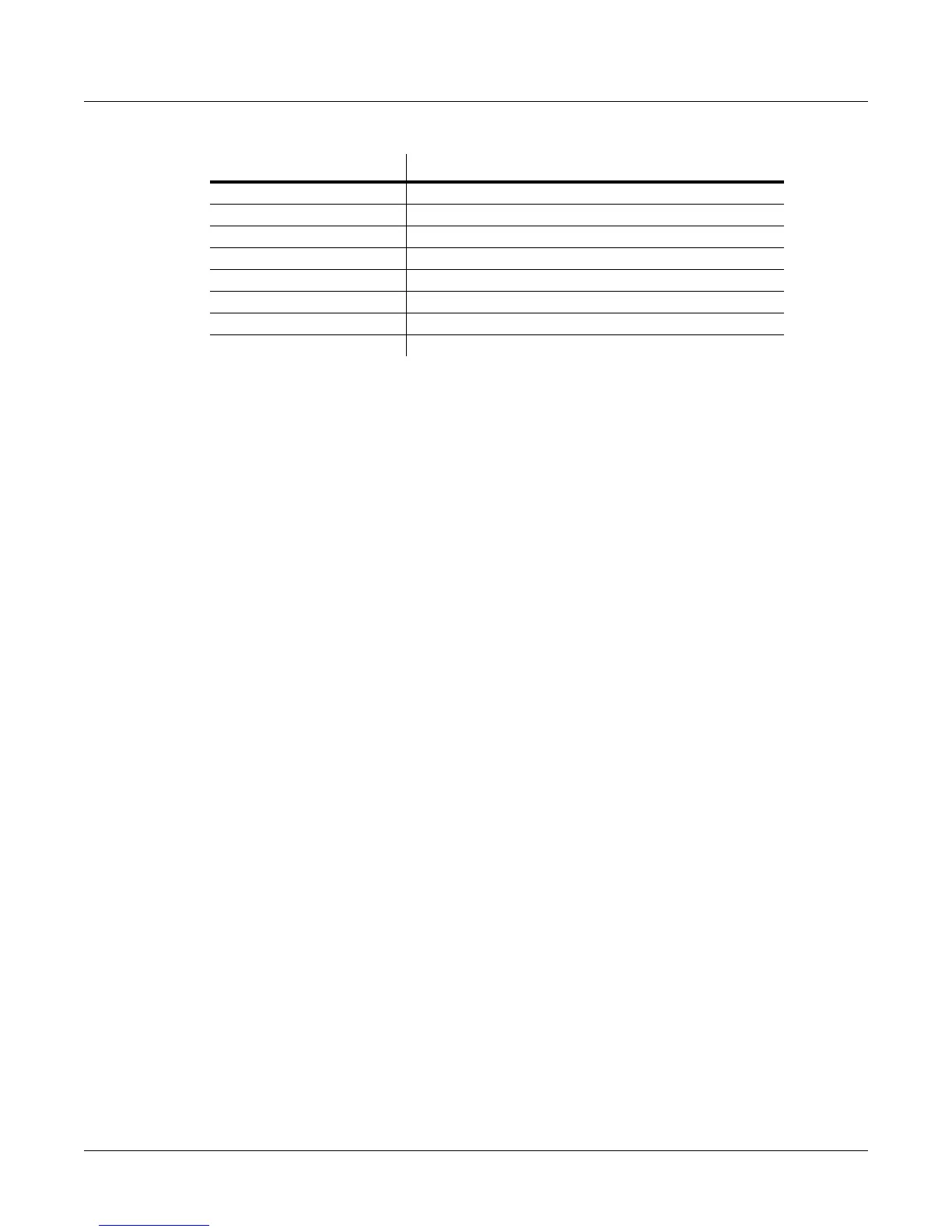
Volume Adjust -64.0 to 63.5 dB
Alternative Volume Adjust -64.0 to 63.5 dB
Decay Rate 0 to 5000 dB per second
Release Rate 0 to 5000 dB per second
Loop Switch Off, On
Playback Mode Normal, Reverse, Bidirectional
Alternative Sample Sense Normal, Reverse
Ignore Release Off, On
Parameter Range of Values














 To Next Page