18 Laborie alpHaONE User & Service Manual LBL-01791 [B]
Performing an Investigation
System and Patient Preparation
General Preparation
IMPORTANT
•
Beforestartingthemonitoringprocess,gatherandpreparedisposablemedicalgloves,threeAAA
batteries,medicaltape,lubricant(orliquidparan),thevacuumsuctiondevice,andanEventForm.
•
The capsule pairing can also be performed by using the recorder (for details, refer to the section
“StartingaNewStudybyUsingthealpHaONEButtons” on page 29).
•
If two or more patients are to be examined simultaneously, the distance between each patient must be
no less than 100 meters. Otherwise, interference of radio communication between the data recorder
and the pH capsule will occur.
•
VerifythatthelastpHstudydatahasbeencompletelydownloaded.Anyundownloadeddatawillbe
erased from the recorder upon the start of a new study.
Patient Preparation
Thehealthcareprofessionalshouldconrmwhetherthepatientisasuitablecandidateforthisprocedureandrule
out possible contraindications. The healthcare professional should thoroughly explain the procedure to the patient,
and a Consent Form should be read and signed by the patient. The patient must begin fasting 12 hours prior to the
examinationaswellasdiscontinuingwaterintake6hourspriortoexamination.
To read the indications and contraindications for this system, refer to Chapter1,“Introduction,” on page 3.
IMPORTANT
BeforegrippingandxingthepHcapsule,askthepatienttotolieontheirside.
Starting the Database Module
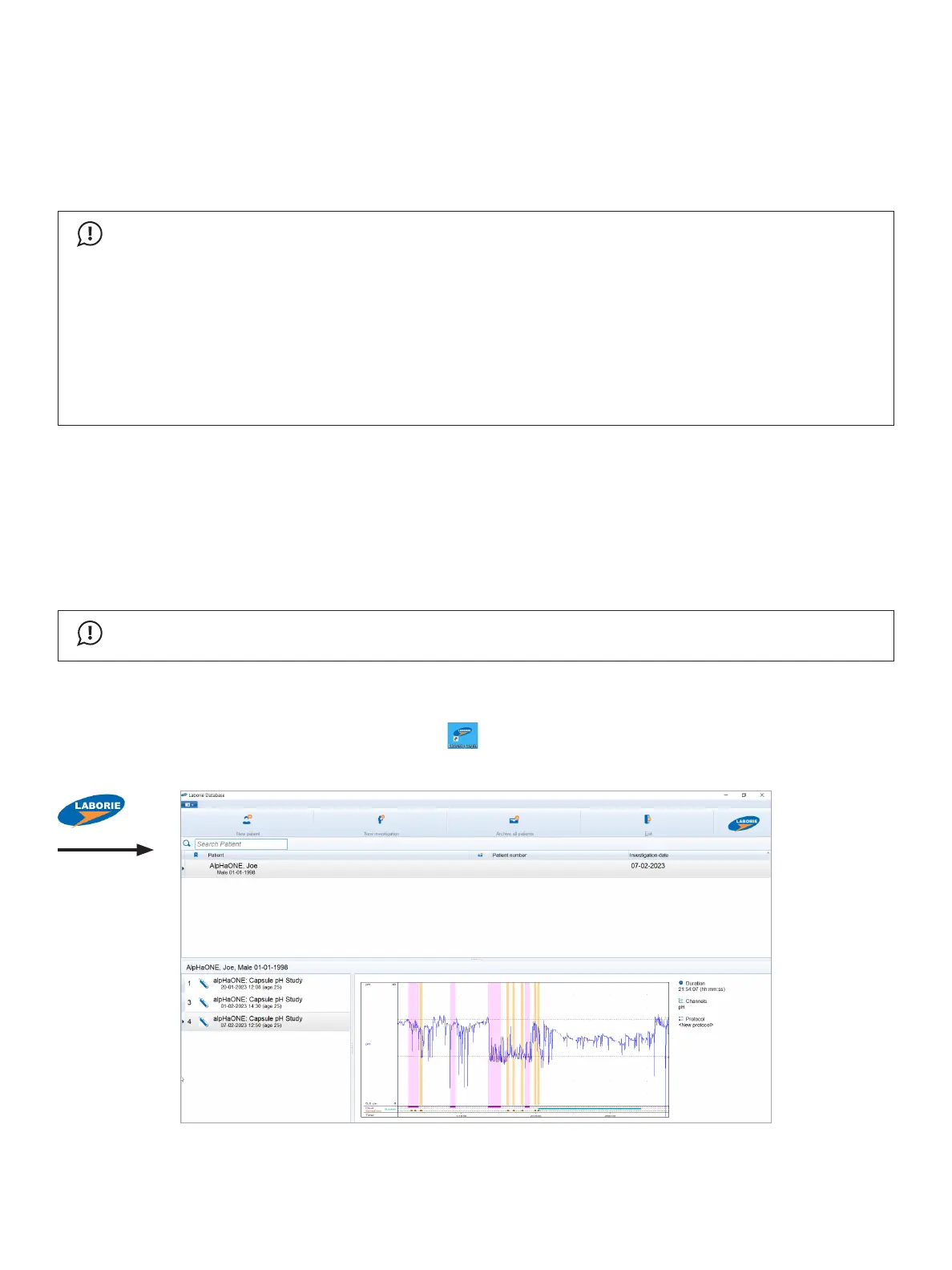
Onthedesktop,double-clicktheLaborie Loginbutton( )andthen,intheLoginwindowthatopens,enteryour
username and password to start the Database module, shown in Figure2-1.
Figure2-1: The Database Module



 To Next Page