28 Laborie alpHaONE User & Service Manual LBL-01791 [B]
IMPORTANT
Duringtheexamination,keepthecapsulefarawayfromanymagneticeldsandotherenvironmentsthat
can cause signal transmission interference.
NOTE
•
During the examination, to avoid partial or complete dislodgement of the capsule, instruct the patient
to discontinue strenuous exercise and to consume liquid or semi-liquid food instead of dry, hard, and
raw-berfoods.
•
The built-in battery of the pH capsule remains within it after use. The battery can cause environmental
damage and must be disposed of properly, in accordance with all local laws and regulations.
Starting a Recording
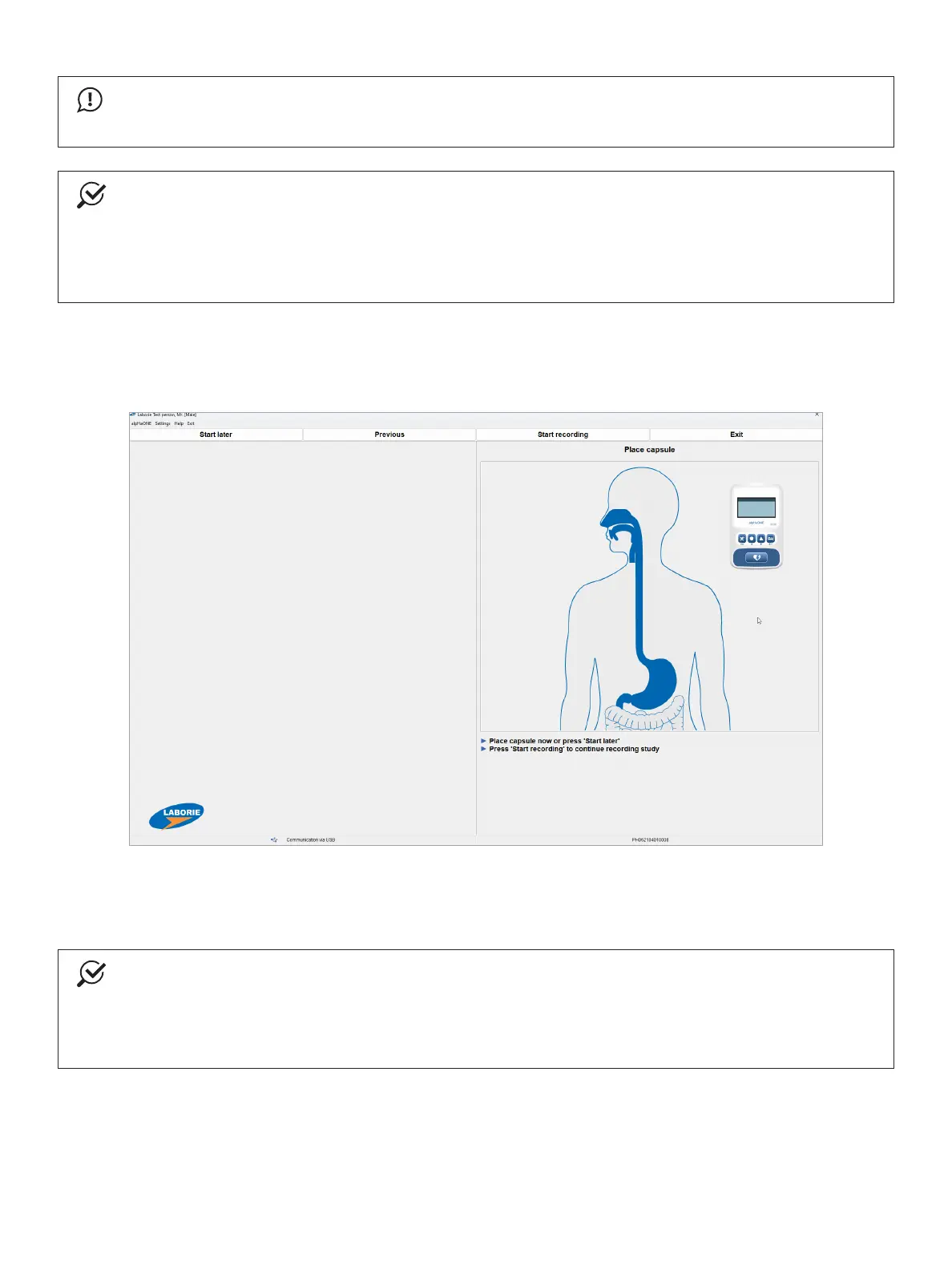
When the pH capsule is properly in place, press the Start recording button, as demonstrated in Figure2-16.
Figure2-16: Starting the Recording Phase
The alpHaONE is now recording pH data, as shown in Figure2-17.ClicktheExit button to return to the Database
module and then disconnect the alpHaONE recorder from the computer.
NOTE
YoualsohavetheoptionofdelayingthestartoftheinvestigationbyclickingtheStart later button. You
then will need to use the alpHaONE recorder to start it.
If you choose to start the investigation later using the alpHaONE recorder, disconnect the alpHaONE from
the computer and then follow the instructions that appear on the recorder’s display.



 To Next Page