20 Laborie alpHaONE User & Service Manual LBL-01791 [B]
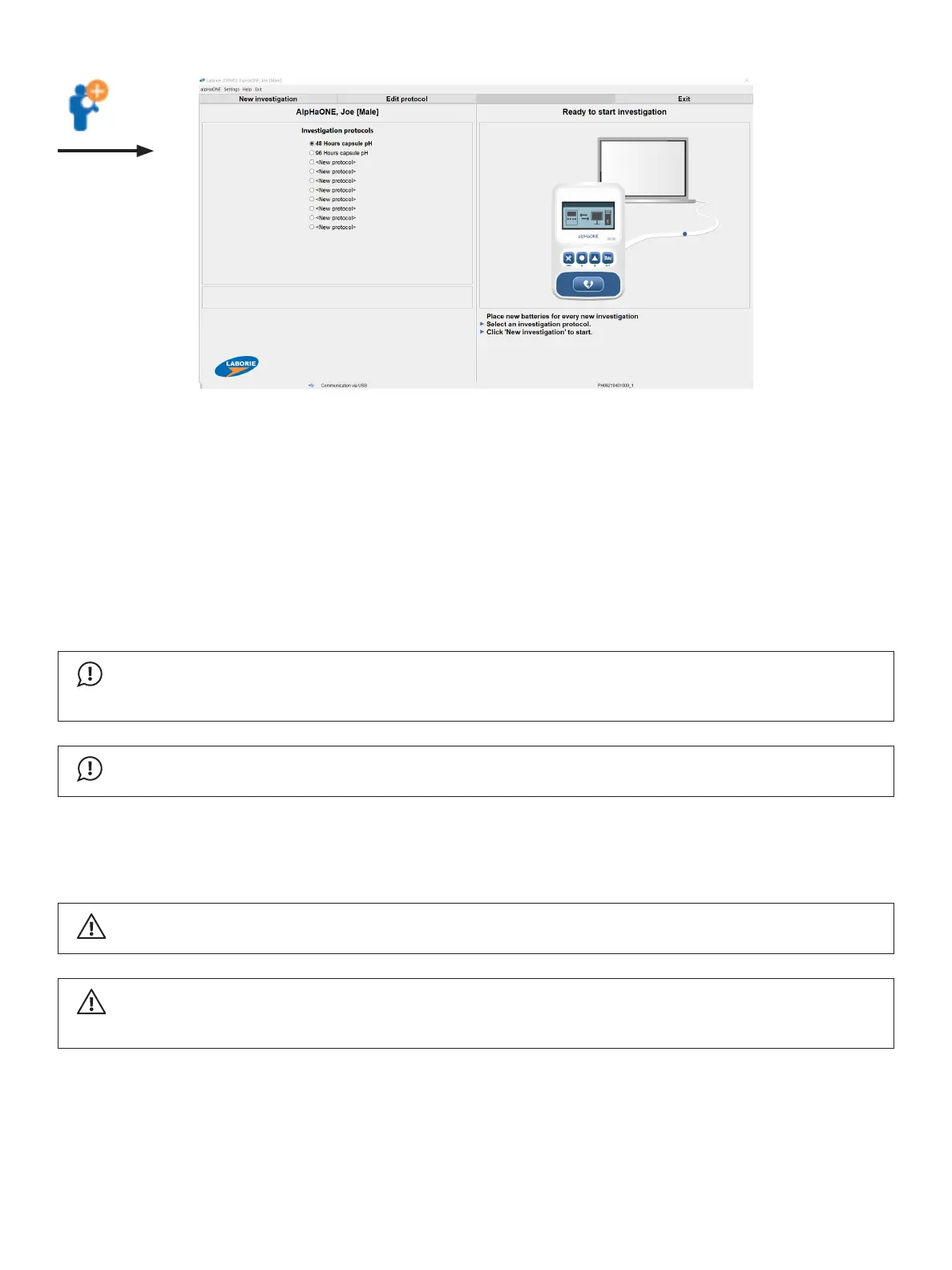
Figure2-3: Starting a New Investigation
Tostartanewstudy,rstselecttheinvestigationprotocolthatyouwanttouseforthisnewstudybyclickingthe
appropriatebuttonandthenClicktheNewinvestigation button.
Tovieworchangetheinvestigationprotocolsettings,clicktheEditprotocol button. For more information about the
investigation protocol settings, refer to Chapter3,“TheMeasurementModule,” on page 37.
Installing Batteries in the alpHaONE
InstallthreeAAAbatteriesinthealpHaONEbatterycompartment.Then,connectthealpHaONEsystemtothe
computer cable.
IMPORTANT
Thedatarecorderalertsandwillstopfunctioningatlowbatterylevel.Besuretocheckthebatterylevel
frequently and replace them immediately when running low.
IMPORTANT
Be sure to dispose of depleted batteries in accordance with all local laws and regulations.
Preparing the Capsule
RemovethepHcapsuleanddeliverysystemfromitspacking.
WARNING
ThepHcapsuleisshippedinasterilizedstateandmustbeusedimmediatelyafterunpacking.
CAUTION
InspectthelabelingonthethepackageofthepHcapsuleandverifythattheexpirydatehasnotbeen
exceeded.Donotusethecapsuleifthepackageisdamaged.



 To Next Page